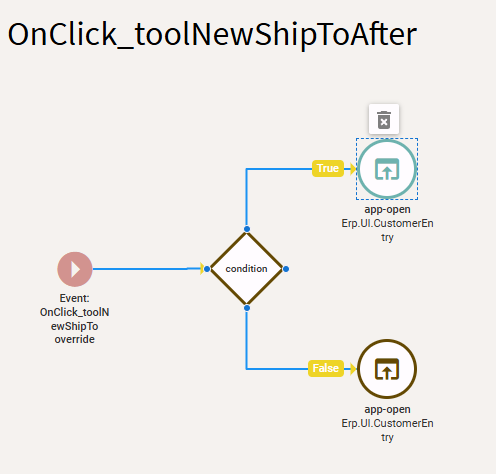
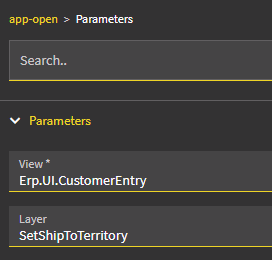
The problem isn’t with your app-open/layer combination… the problem is your event on your Customer layer isn’t being called (and to be honest, based on your trigger, I can’t figure out why).
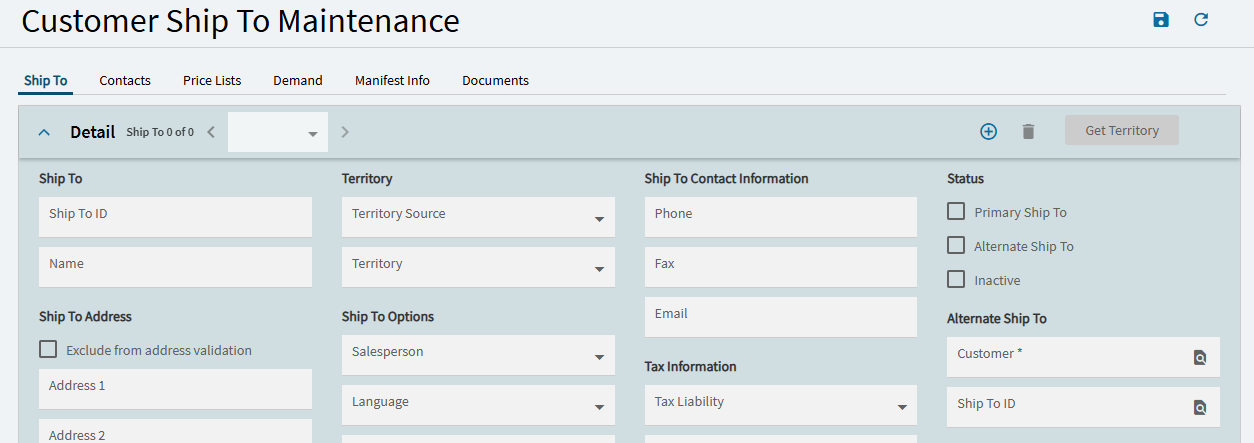
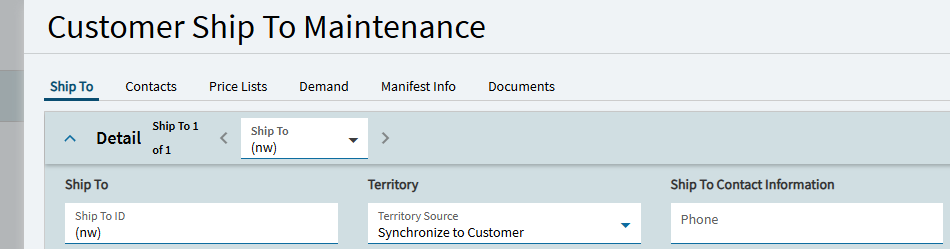
When you open Customer Ship-To via Order Entry… notice it is a different looking form:
The onclick event in Order Entry has the following “Value In” property:
{
"OpenPage": "Slider.NewCustomerShipTo",
"CustomerID": "{OrderHed.ShipToCustId}",
"ShipToID": "{OrderHed.ShipToNum}"
}
So… note that it is ACTUALLY opening a specific page from CustomerEntry… Slider.NewCustomerShipTo
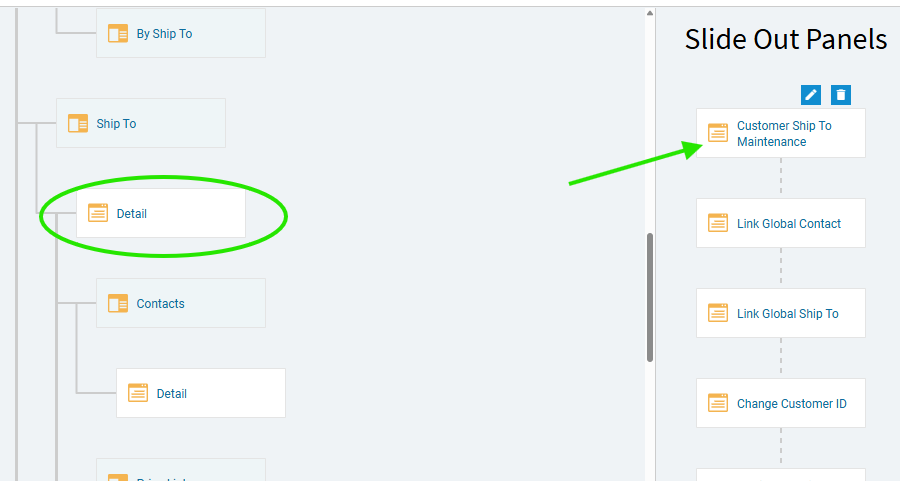
If you look at Customer Entry, in App Studio, there is the standard ShipTo > Detail page, which is what we see when we edit Ship-To records from within Customer Entry.
BUT… if you navigate to Customer Ship To from Order Entry… it is actually calling the slider panel “Customer Ship To Maintenance”.
This doesn’t appear to be an issue. Clicking the “new” button here (although a different “tool”) calls the same GetNew events (as far as I can tell).
The “GetNewShipTo” event which was your event’s trigger is still being called… so your event running after that SHOULD still work. But I tested that, and I couldn’t get my event to fire either. Again… still not sure why.  GetNewShipTo still fires, so an event called “after” that should as well.
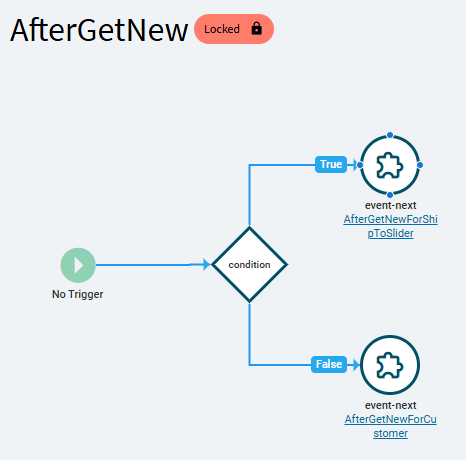
Working through subsequent events, there is one called “AfterGetNew”. And This is were we see the paths diverge (slightly).
Notice there is a condition: {TransView.NewCustomerShipTo} === true
Depending on that it sends you either to an event called “AfterGetNewForCustomer”… OR… “AfterGetNewForShipToSlider”
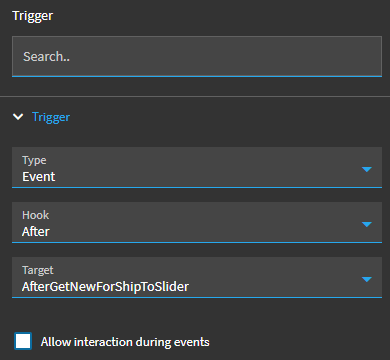
Knowing now, that’re we’re dealing with the “Slider branch”… I made a copy of the event we’re working with and set the trigger to after the “AfterGetNewForShipToSlider” event.
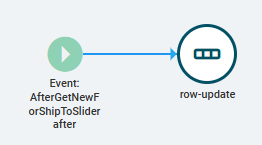
In this case, the event still failed because the dataview check (condition) we were using was coming back undefined. So I just deleted the condition from the event:
Now it works:
SO… long-story-short…
On you Customer form, copy your “SYNC” event, and set the trigger to Event > After > AfterGetNewForShipToSlider
Only include your row update.
Now you can test and see if it works. NOTE: The App-Open event in Order Entry is only going to see the PUBLISHED layer on Customer. So, since we made a new event on Customer, make sure you PUBLISH that change, so it is picked up when you test coming from Order Entry.