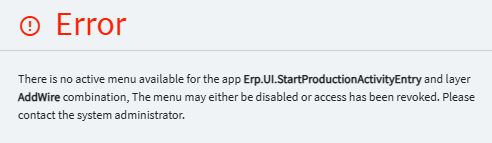
After this weekend’s production update I’m getting an error stating "There is no active menu available for the app Erp.UI.StartProductionActivtyEntry and Layer AddWire combination. This worked prior to the update and layer appears to be fine and published.
Removing the ‘Layer’ property from the app-open widget worked for me.
Yeah, Or else you have to create a menu and map the app with your layer in it for this to work.
I guess ‘worked’ isn’t totally accurate.
MES is functioning without error but the customization is gone.
For MES, in this latest update… Not sure exactly what screens you’re working on… but I HAD to create new menus for the Processes (Start Activity, Start Rework, etc.).
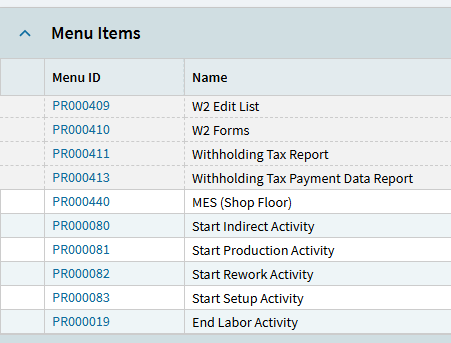
Before, it was enough to add the layer to the app-open and the “Processes” applied them, but in this latest iteration 2025.2, I found I HAD to copy the Processes to my company and apply my layer there:
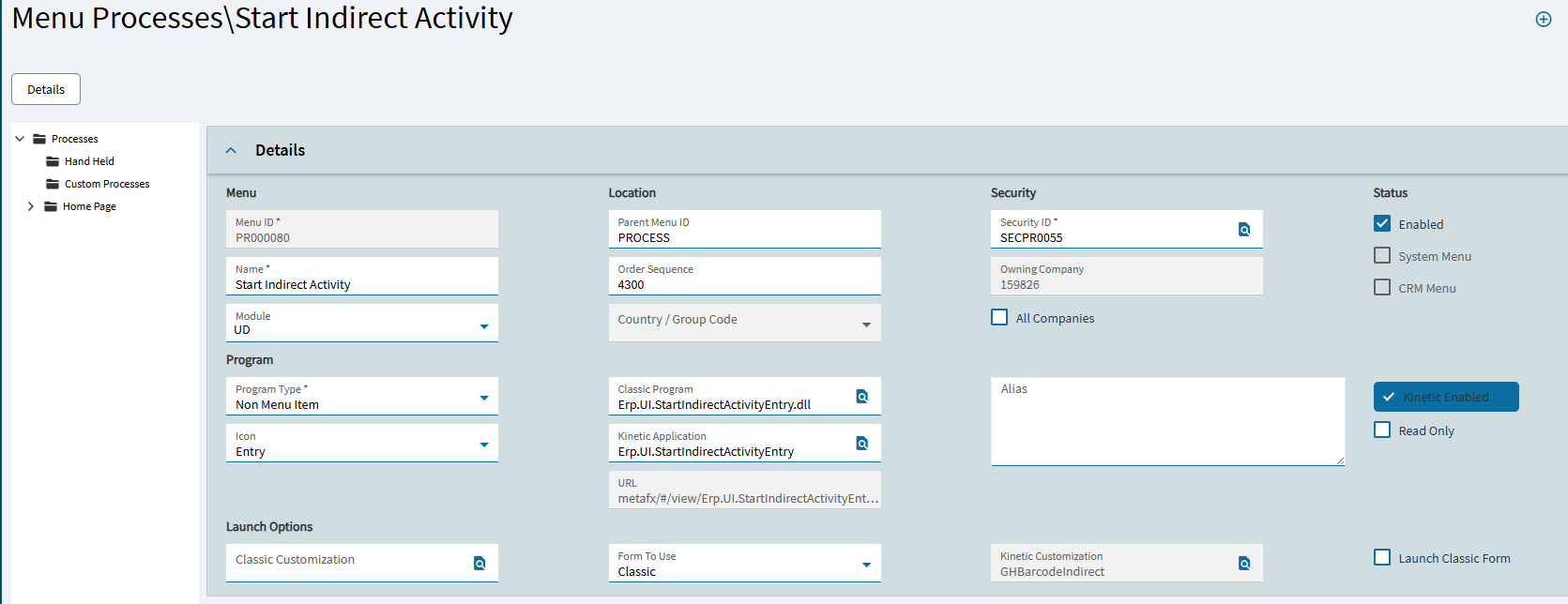
And I DID include the layer name on the app-open:
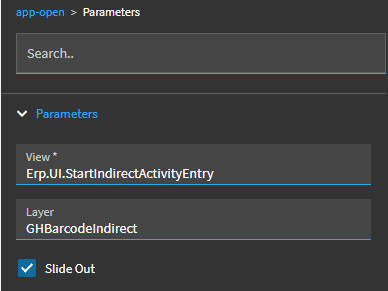
I had all this configured beforehand and I am still getting the same error. I’m going to make new processes and see if that resolves the issue.
For us, this is happening on both a non-customized EndLaborActivity screen and our customized screen. Both are throwing the same error - the non-customized of course doesn’t have the “Layer” section of the error.
Copying the Process to “New Menu” and mapping that in the customization throws the same error.
Edit: The Customized version of the EndLaborActivity screen is working fine (per David’s recommendation above). The Out of the Box MES EndLaborActivity is still throwing the error (for some reason).
Last Edit  The reason the non-customized version wasn’t working was because there wasn’t a Process with just the UI.EndLaborActivity menu without the customization. So, when you copy the Process to a new menu, make sure you have one Process with the customization and the other without it (if applicable).
So, the issue is resolved for my env. Good luck to everyone else having trouble this morning. Always love the post-update storm that greets me on Monday morning.
I actually deleted the layer entirely since it was holding up production but its still throwing the error, referencing a layer that doesn’t exist.
Creating new Processes Did not resolve the error. Base layers work fine but that does not fix anything unfortunately. Going to recreate the layers now.
Just getting into this, but are your customizations missing by chance?
I’m looking in Customization Maintenance and there are no customizations listed.
Hi there! Does customization maintenance apply for application studio? I’ve never messed with it for kinetic. That could definitely be a problem if I’m supposed to be doing something with that.
No, just for classic customizations. Anything Kinetic would be in Application Studio.
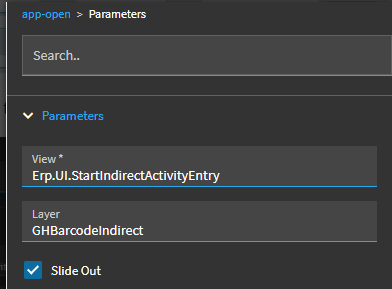
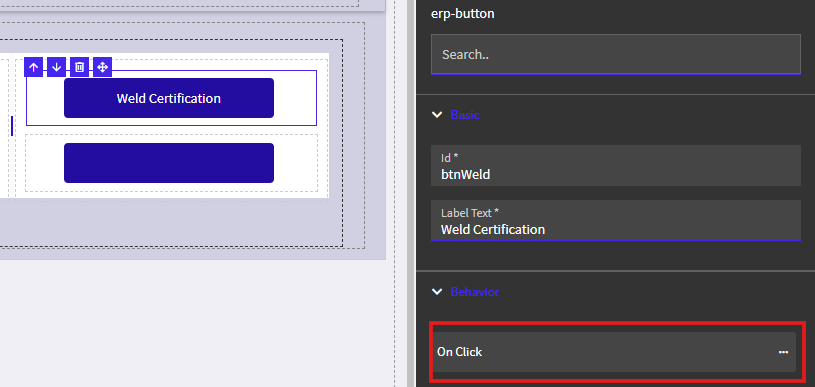
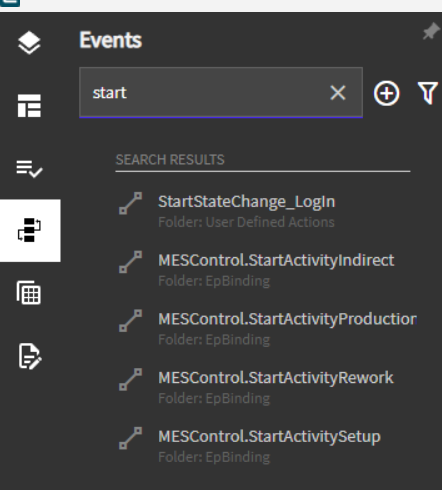
That’s the event in the main MES customization that is calling the Start Indirect (or other process).
This. We ran into this too for our MES and Material Request Queue customizations.

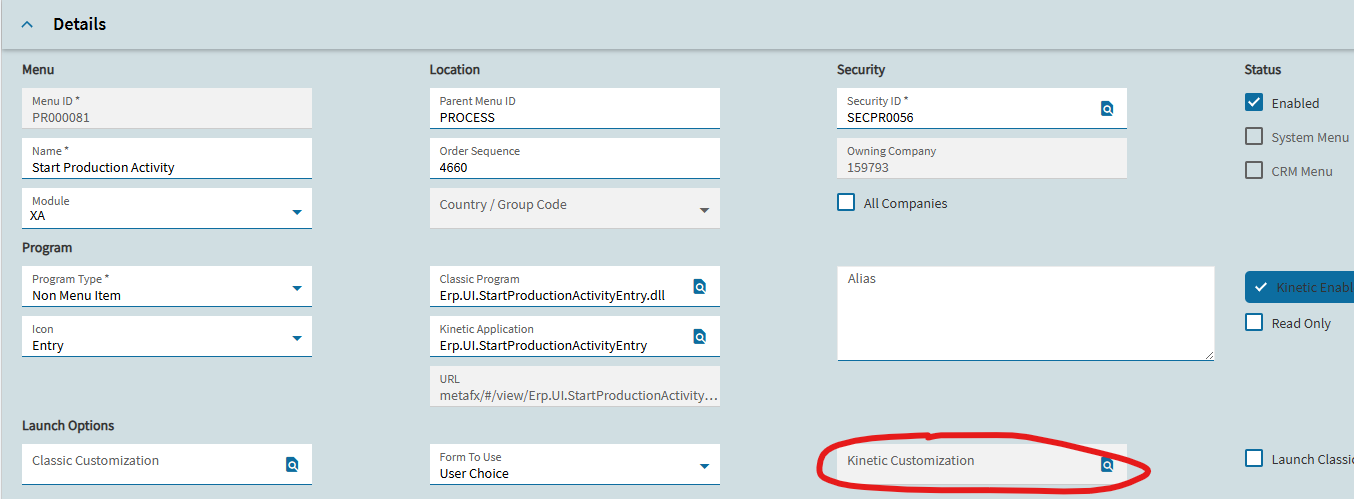
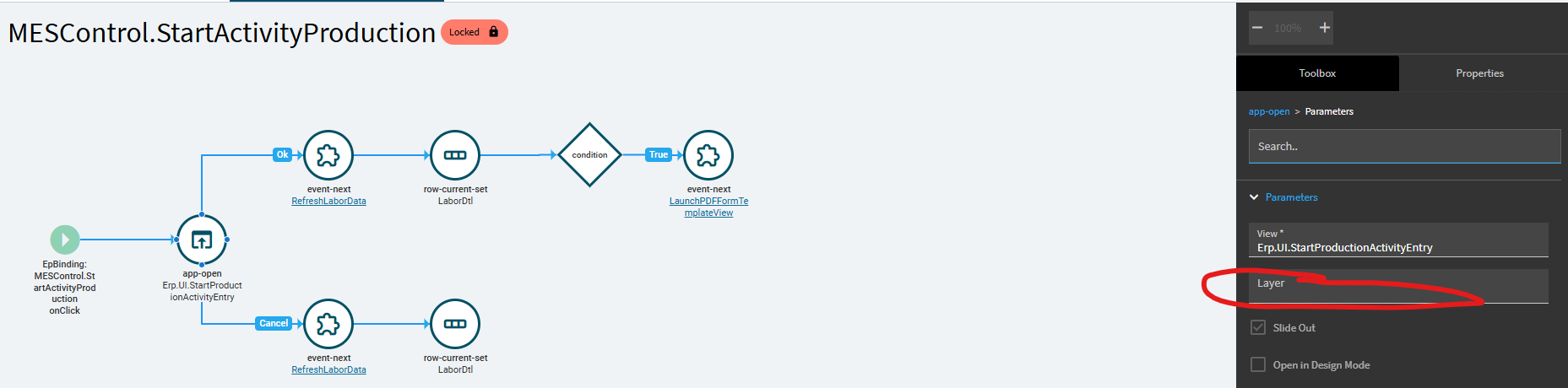
Do you have a separate event that overrides startactivityproduction? That’s where the layer would have been set.
It’s possible. this was all built by someone who is no longer here so I’m trying to reverse engineer what was done.