Below would be my approach… you’ll have to massage to work with how you’re populating your second discount.
… I try to avoid messing with stock functionality where ever possible. So… Let’s leave the provided OrderDtl.DiscountPercent alone. We’ll let it do its thing at the end.
In fact, set it to read only!
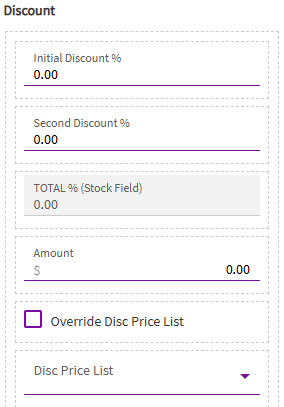
Now, add (2) Number Boxes above it.
- One for an initial discount, bound to TransView.FirstDiscount.
- A second one for your second discount… I bound mine TransView.SecondDiscount.
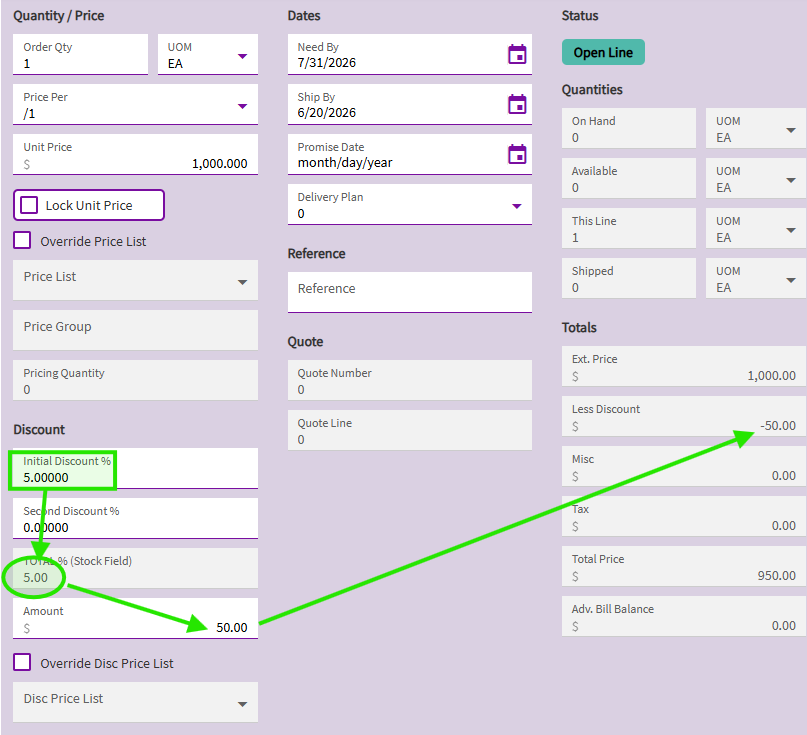
So, my form now looks like this (i changed the label of the “stock” discount field so you can see I’m not doing anything with it… I just changed the label to TOTAL %, and changed it to read-only):
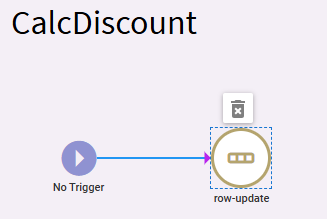
I then created an event with no trigger to sum my two discounts… and I’m going to put this sum value in the stock OrderDtl.DiscountPercent field.
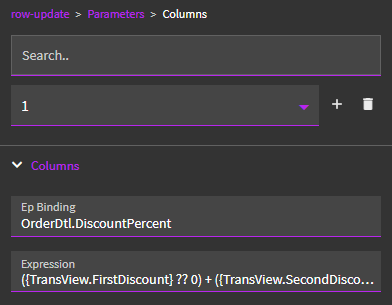
Row-Update:
Expression: ({TransView.FirstDiscount} ?? 0) + ({TransView.SecondDiscount} ?? 0)
~*~
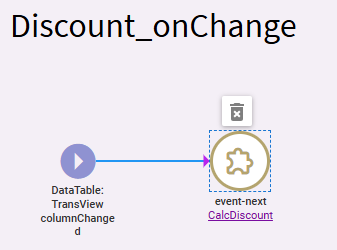
I then created a second event to call this one…
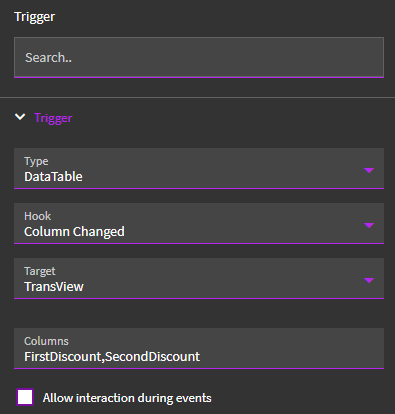
Trigger: Datatable > Column Changed > TransView > FirstDiscount,SecondDiscount
Since both of my discount columns were tied to TransView, I can trigger this event when either of them change by including them both in the Columns property (comma delimited list).
Since you may be binding yours to OrderDtl.SecondDiscount_c… you’ll need two events here. One with a trigger when your first discount changes, the other to trigger when you second discount changes.
But that’s why I created the initial “CalcDiscount” event… so I can call it whenever I need it via event-next.
~*~
So… now, when either of my discount values in my “entry” boxes change… it will add the two discounts together and will place the total discount % in the stock OrderDtl.DiscountPercent field. At that point (because we didn’t mess around with base behavior/events), the system does its normal events to take that (now combined) “TOTAL” discount % and apply it against the order line.
Adding “Initial Discount”… event fires… 5+0 = 5%
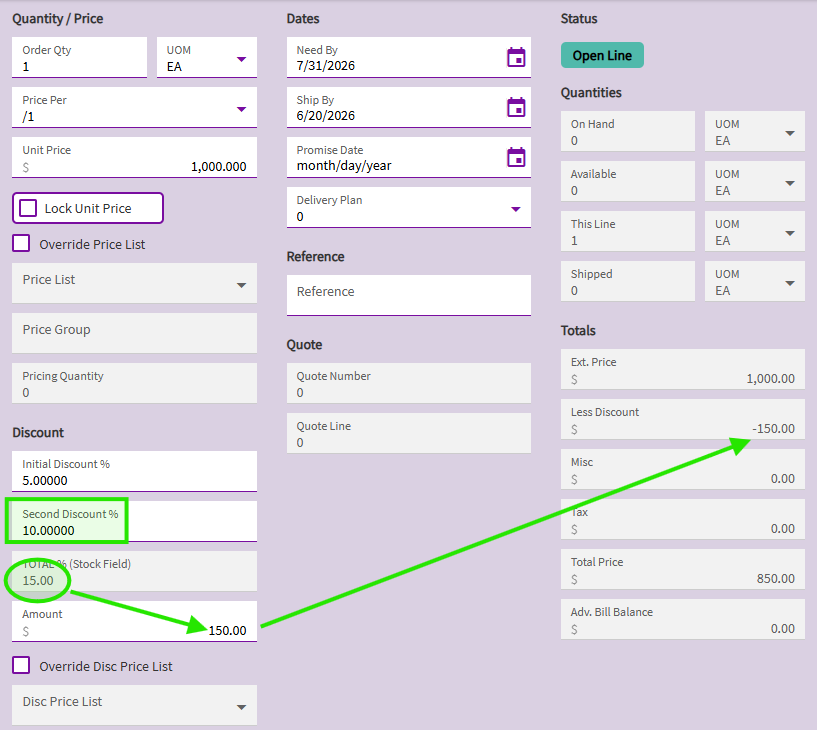
Adding “Second Discount”… event fires… 5+10 = 15%
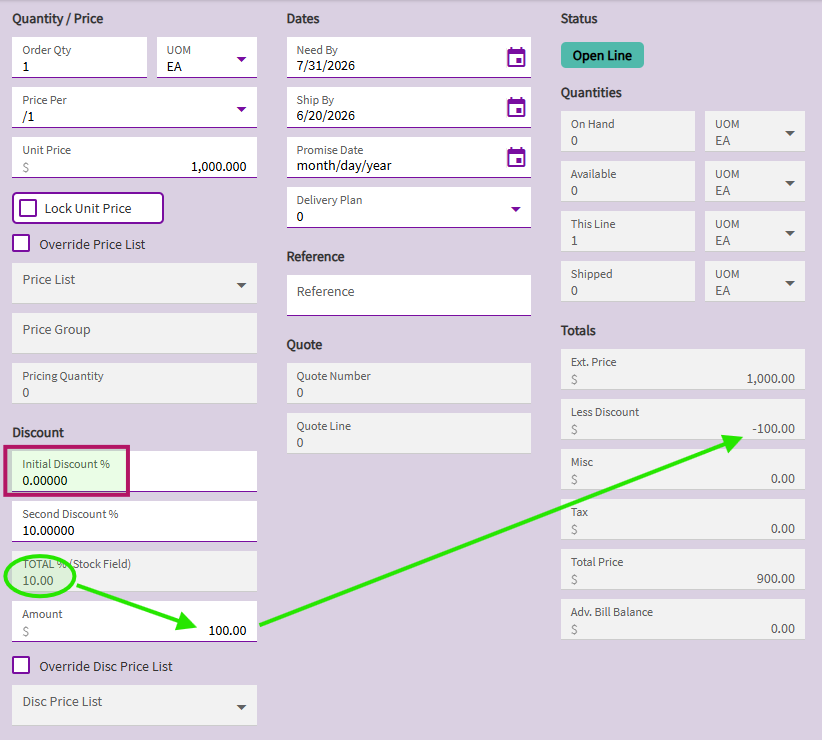
Removing “Initial Discount”… event fires… 0+10 = 10%