Hey Gang,
I’m starting to get the hang of things, but still a bit fresh so go easy on me when/if you reply and make sure to detail where I would edit/make changes/add code.
I’m planning a dashboard for our Engineers that will show them three distinct grids of data for them to react. This would be a convenient location for them to find work coming from three distinct sources.
Quote/Quote lines that Require Engineering, Engineer checkbox field on Quote lines
a) in some cases our Engineers will need to review items before quote sent
Quotes Tasks, Task list
a) Tasks may be assigned to the Engineering team, we will use a generic “Engineering” assignment. I plan to create a BAQ to list the Tasks assigned to “Engineer”.
Outside system to track other work outside of Kinetic, I will do this through a Web Widget.
I know they can right click on key fields and access the entry screens, but is there a way to make this friendlier for users with clickable links? This would apply to number 1 & 2 above.
Our Engineering lead is feeling insecure about their role once the new ERP is launched and I want to help put their mind at ease with this dashboard. Thanks in advance.
IMO, they should not be fearful as only the way the perform their role or the facets their role has might shift. In my experience, the engineering team should be the ones to build out the new part master records for MFG parts and possibly sourced ones as well (less cooks in the kitchen). These part creations should then move to finance to build/roll costing for these created items. Helps to maintain data integrity when you have good process flow.
I thought maybe I could cheat, I have noticed I can produce a URL with the quote number that will open a quote in a web page. I thought maybe I could treat it like opening a URL, but don’t ya know I can seem to reference field values in the URL, but maybe I’m missing something.
I’ve played with that before and can get a field value to get into a URL ONLY if the column is in a dataview. If my grid is fed directly from a BAQ, I couldn’t get it to work. I haven’t played with it for a while, but that was the roadblock at the time.
Are you populating a DataView with your BAQ results?
If you’re using a dataview, you can use the url-open widget in an event and insert column values by just adding {MyView.MyColumn} in the url
Wow those are some words there, LOL. Before I go further, I want to say thank you.
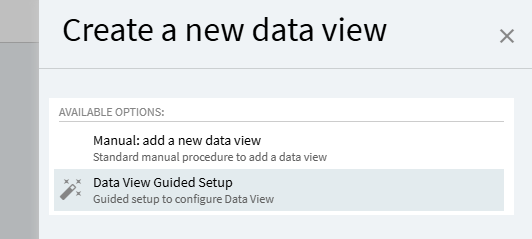
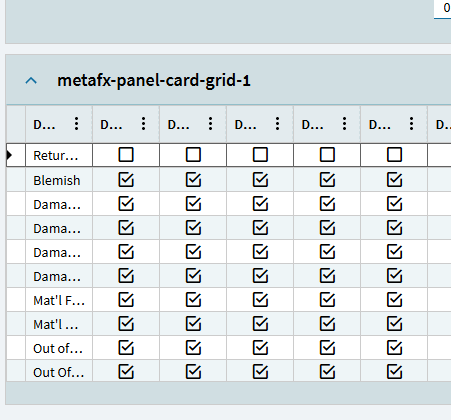
I was just working with a DataView, can I be honest though the minute I am trying to add a grid panel without using the Wizard I get lost real quick. I used the wizard to get one BAQ into a Panel Card, but now I am trying to add a second BAQ driven Panel Card and created a DataView but now struggling to get the data to show in the Panel Card Grid view. Might be missing something. Long and Short.
If I can load a DataView from a BAQ, then yes I can work from a DataView. However I will need a little direction, I was about to look for some documentation.
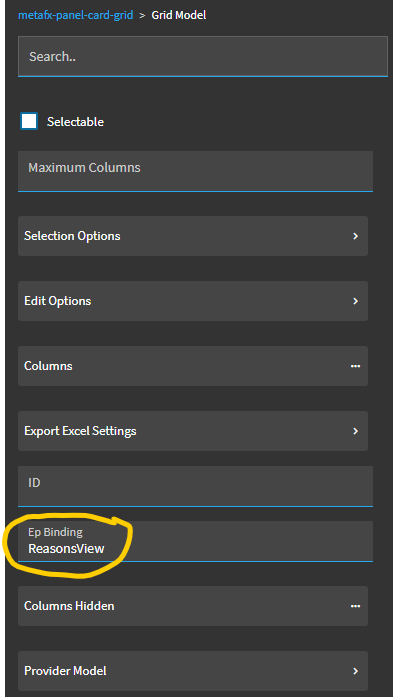
At this point your grid is basically set up… it’ll dump all the columns in there… or you can go into columns and fine tune.
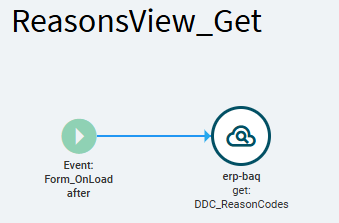
BUT… you also have to trigger the “Get” event that the wizard created for you so it fires when you want it to. This is what runs the BAQ and pulls the results into the dataview.
I just set mine to Event, after, Form_OnLoad to test this one real quick…
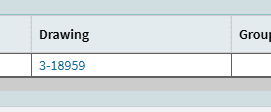
Preview the form… and the “Get” event fires after form load… runs my BAQ… dumps the results in my dataview… and the grid displays all columns (because I didn’t trim them down):
I’m ASSuming… based on this comment, that you probably set your second panel card grid and dataview up correctly, but you may not have had an event to “get” your baq results into your dataview.
 These part creations should then move to finance to build/roll costing for these created items. Helps to maintain data integrity when you have good process flow.