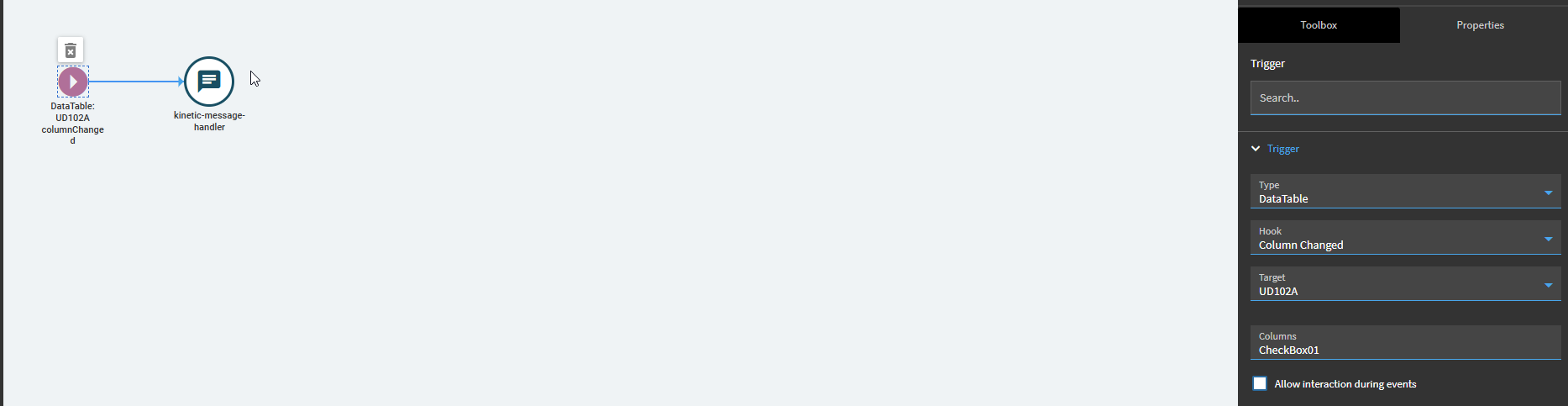
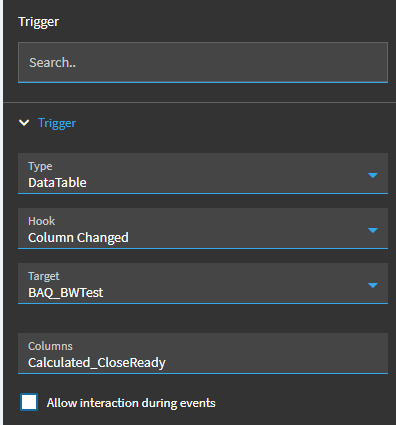
I am trying to add/remove a Data Tag on a record via a Kinetic Dashboard grid column checkbox.
I have the BAQ setup with a Checkbox field that checks for the data tag on the record and set’s it to true if any is found.
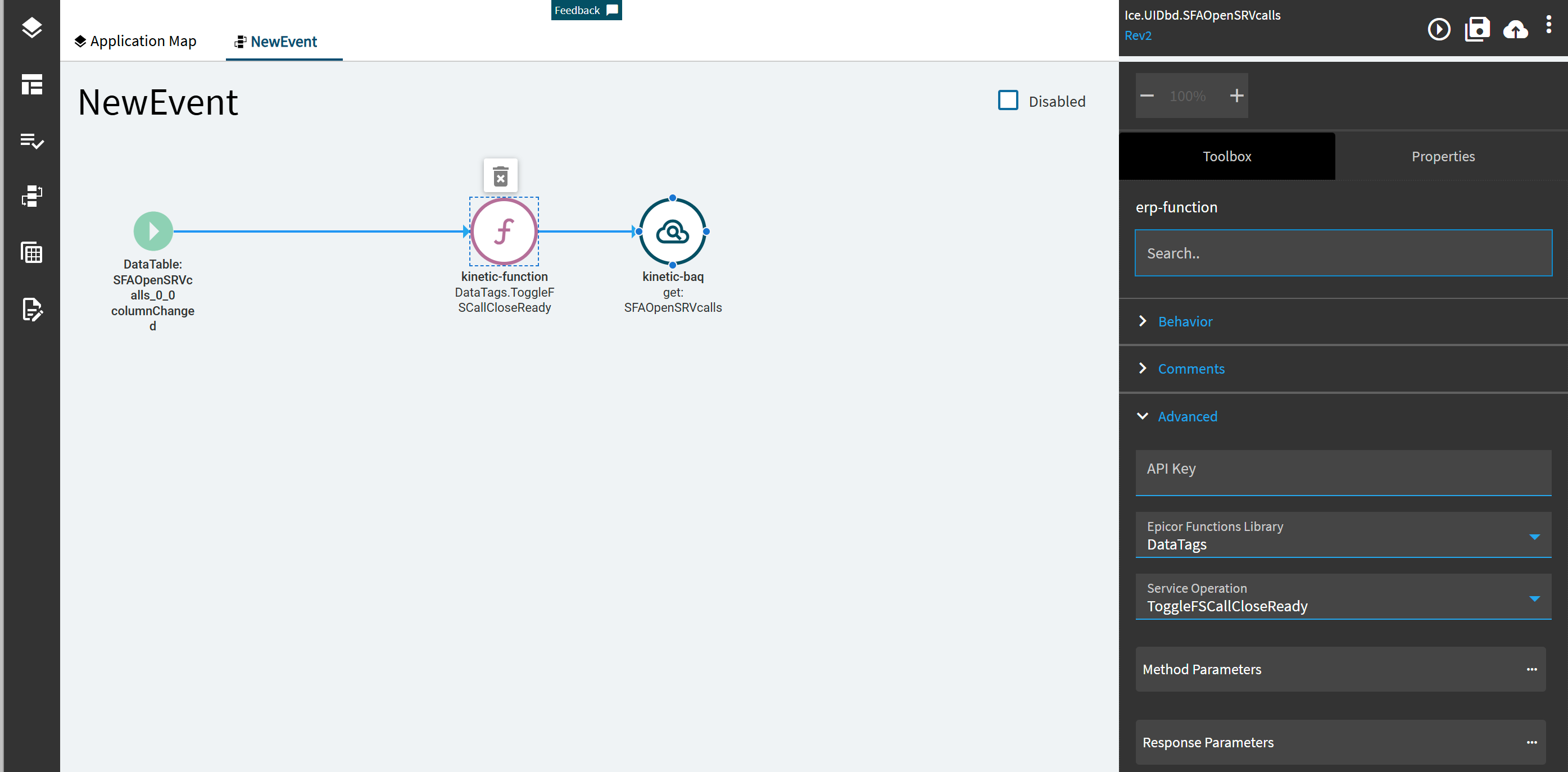
I have the Epicor Function setup to accept the SysRowID of the record I need to add the Data Tag to along with a parameter for the checkbox value true/false.
Now I’m trying to setup the Event Application Studio for when the Checkbox on the grid is clicked on that it calls the function and passes the SysRowID and new checkbox value…
I’m pretty sure I have everything setup properly… but when I click on the checkbox nothing happens at all.
I even have the first step in the function to send me an email… and that’s not happening.
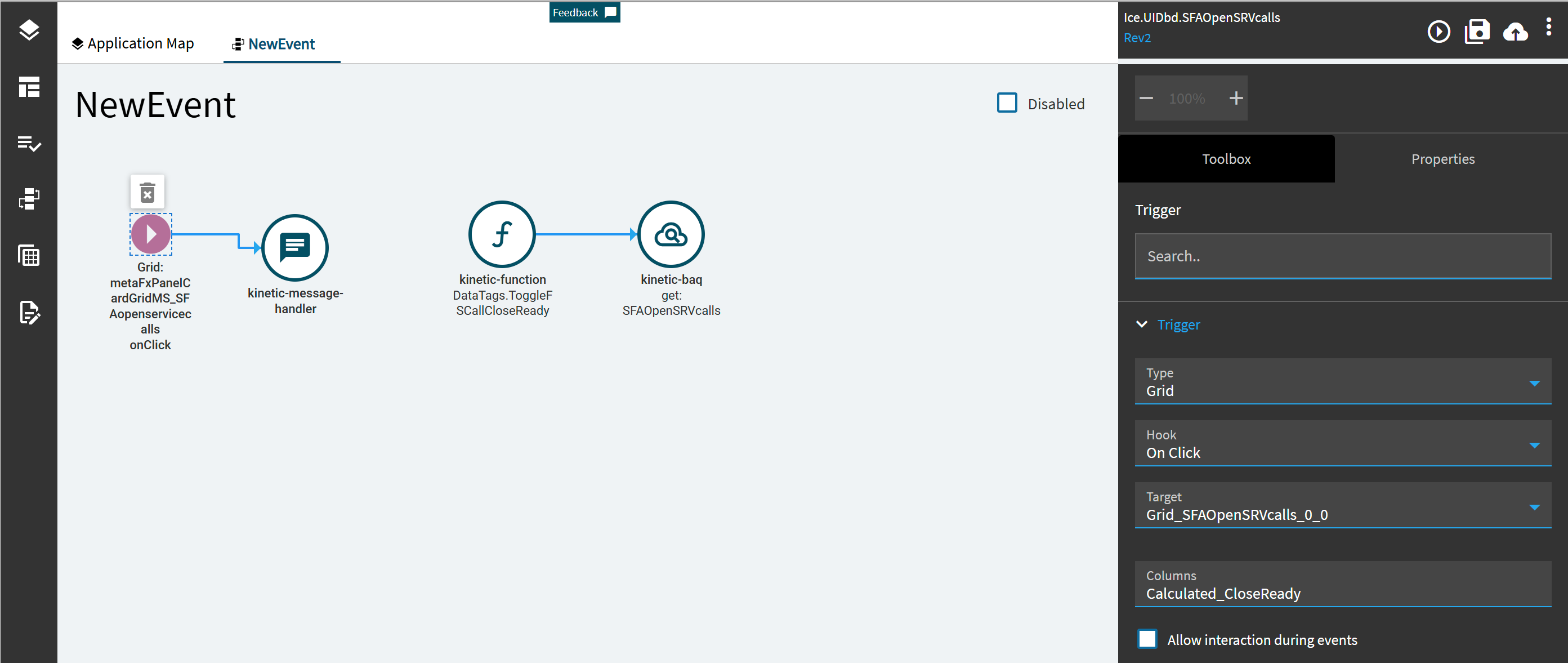
I think it’s not picking up the onClick or onChange event on the grid.
BTW - the parameters that are passed really don’t matter since the first action in the Function is to send me an email to confirm it’s getting called. I tested this with the Schedule Function and didn’t enter anything for the parameters and I rec’d an email.
But if I check the checkbox on the grid row nothing happens. (BTW - I’m enabling the checkbox on multiple rows as I don’t trust the timing of the vent)
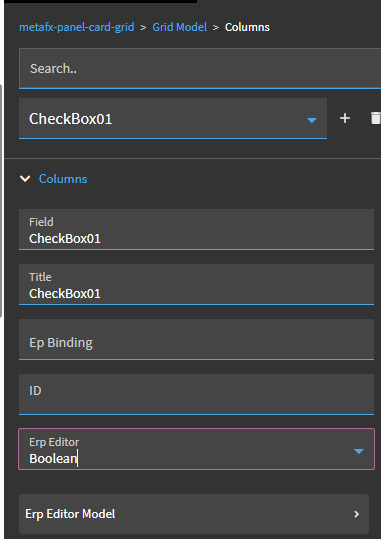
Are you sure you have the binding correct in your grid? I just added a column to my grid bound to a boolean field and the data table column changed event successfully fires.
Also, Looking at all the event trigger options, it looks like several different ones could work… DataTable, DataView, Grid, etc… how do you know which one to use?
Also, the data in the Grid is coming from a BAQ, and I’ve tried having the BAQ no updatable and updatable… doesn’t seem to matter. Not sure what the expectation should be.
I’ve gone over all the different App Studio documents and I don’t see anything on how to setup an event trigger on a field nor checkbox being clicked on.
Usually by finding something Hannah has documented on epiusers, or by finding somewhere in the out of the box screens where Epicor does the same thing and then copying it.
I guess the difference in the baq data view. I don’t know why its not working because I believe that is the correct event for a checkbox click. You could try making it a real ubaq and doing something with a directive there.
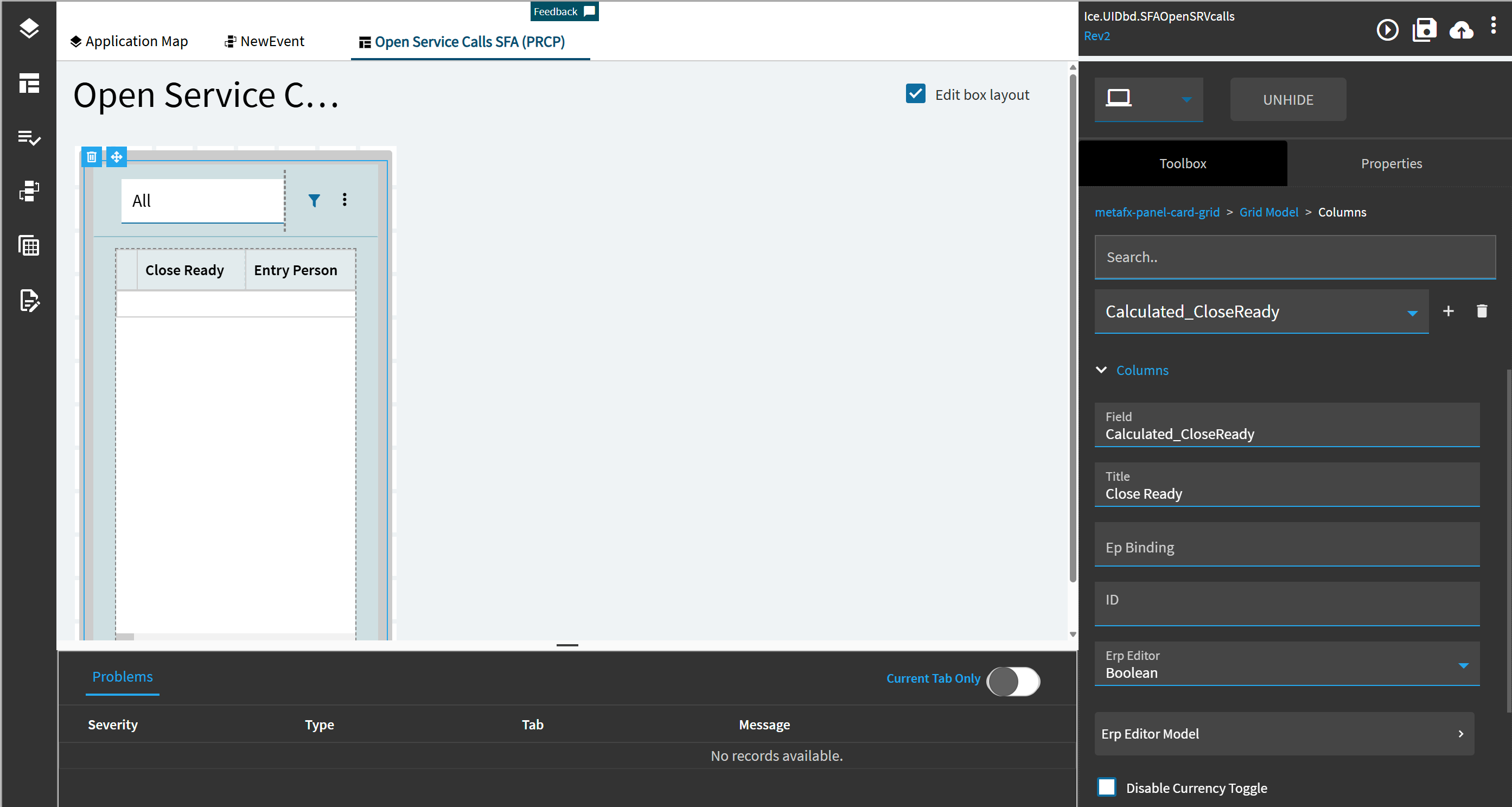
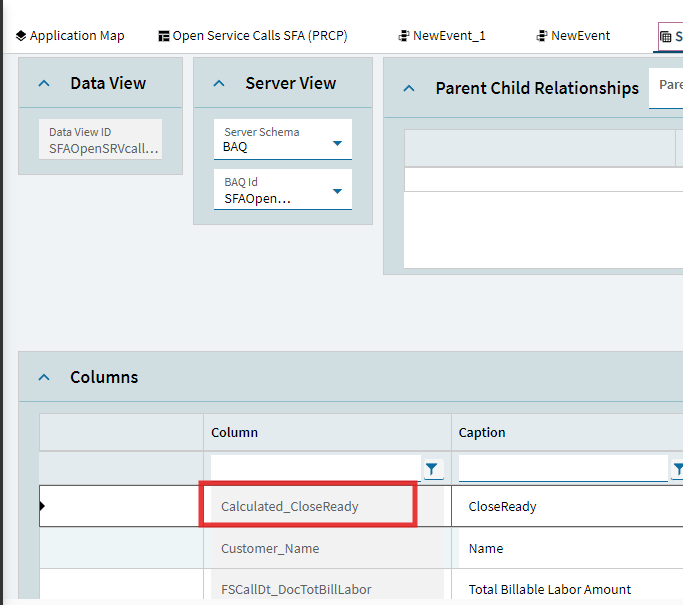
If the Field is driven from a BAQ then the field name will more likely be something like Calculated_CloseReady which would be why the event is not firing. Check the true field name / alias in the BAQ / network calls / Data View in App Studio.
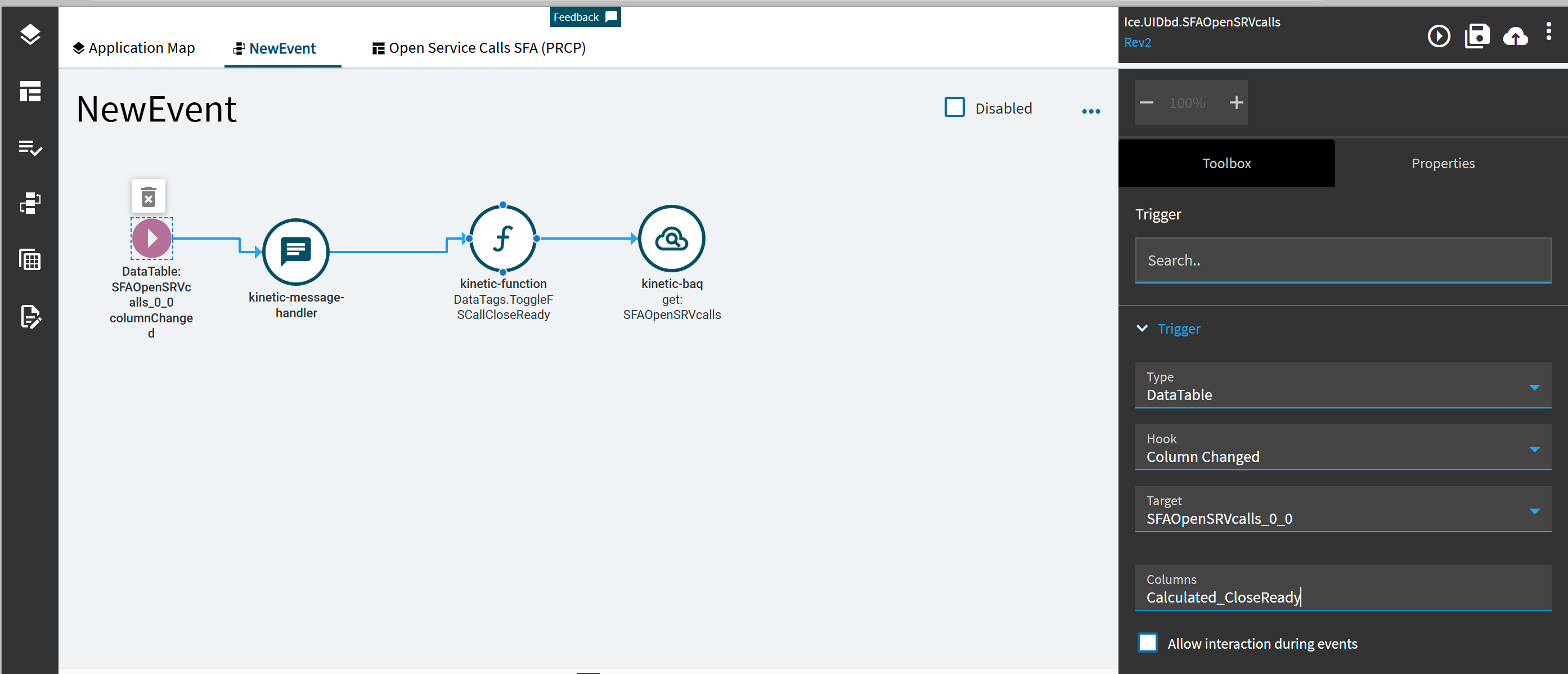
So from your original post i believe the main issue you had was the event not firing. Which is why i said the correct trigger is column changed and you need to use the full alias of the BAQ field.
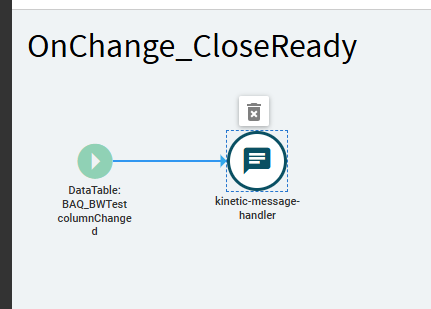
I have just tested on 2025.1 and it works as expected. My Dataview name is BAQ_BWTest so you will need to change as needed. And i have just put a message handler in as a test.
Ben, updating the BAQ field alias was one of the first things I updated.
Also your screenshots, video and details were very helpful!
Alisa, thanks for the recommendation to start over…
I started over with a new App and used the wizard to initially setup the new App, I then added the Event for a message and tested it and it worked fine.
I then compared everything I could think of between the two and they are setup exactly the same as far as I can tell.
Here’s the difference, the first Dashboard was created by someone else in Classic and they deployed it as Kinetic… I wonder if there is something funky with that that somehow breaks things.
I just wish I could find the issue and fix it so I don’t have to build out a separate dashboard… and understand better what’s going on.
This reminds me of a customer session at Insights this year, where they also found weird gremlin-like issues with Classic Dashboards Deployed as Kinetic: Taming the Dashboard Dragons of Application Studio
In the end here is the keys:
BAQ does NOT need to be Updatable
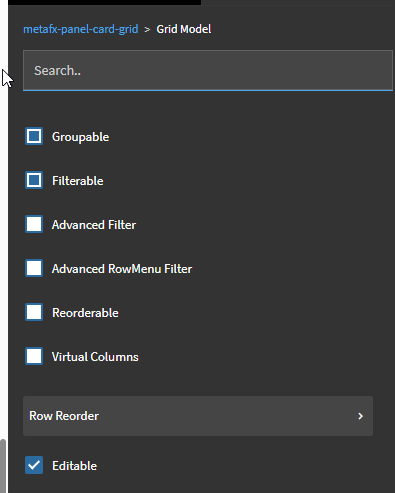
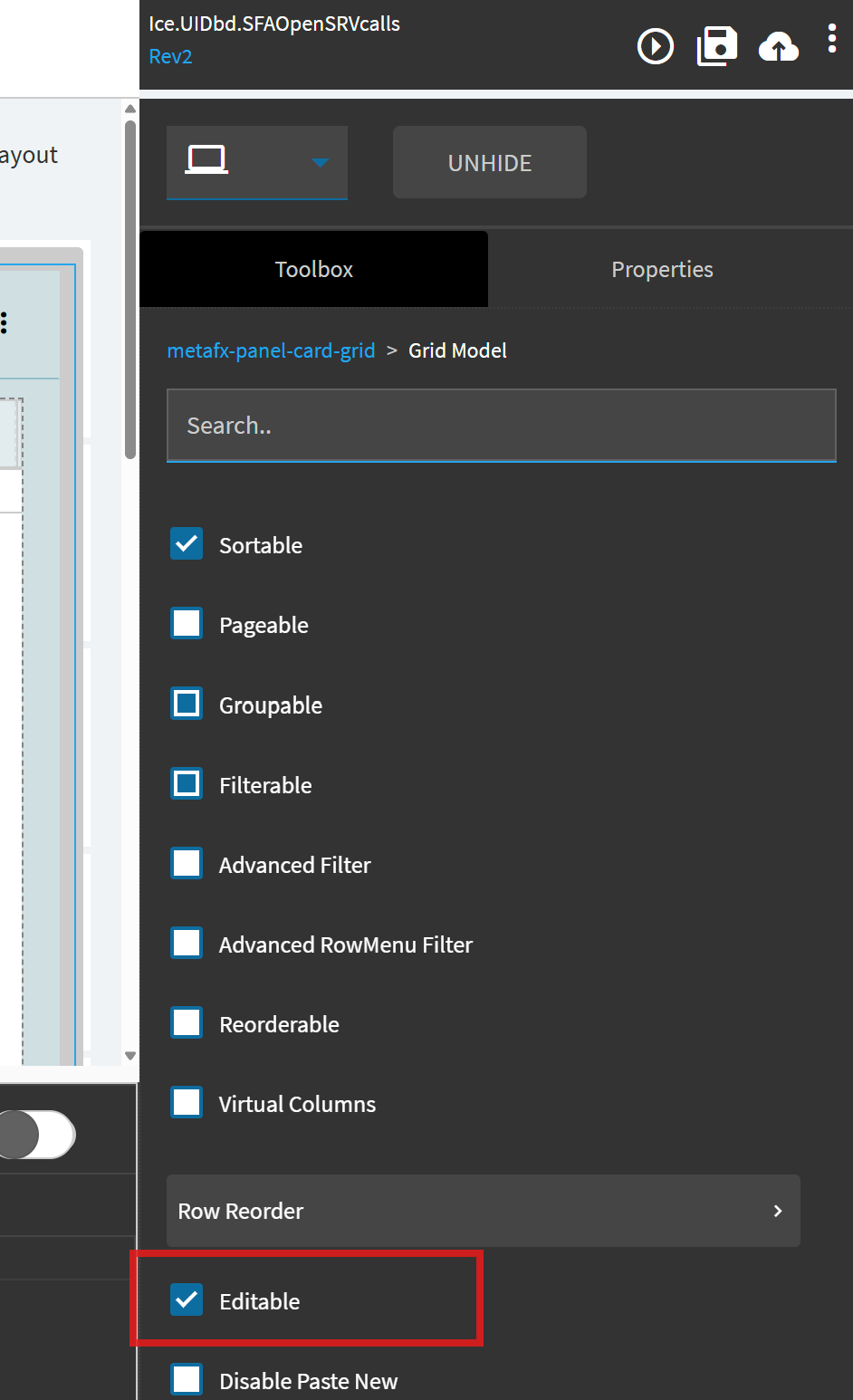
Grid needs to be ‘Editable’ (metafx-panel-card-grid > Grid Model)
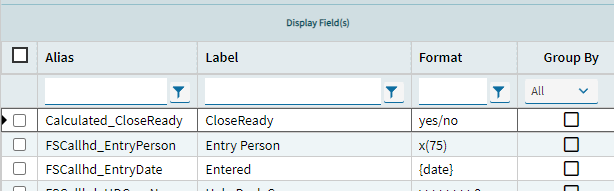
BAQ Checkbox field needs to be ‘Editable’ (metafx-panel-card-grid > Grid Model > Columns)
Erp Editor does NOT need to be set
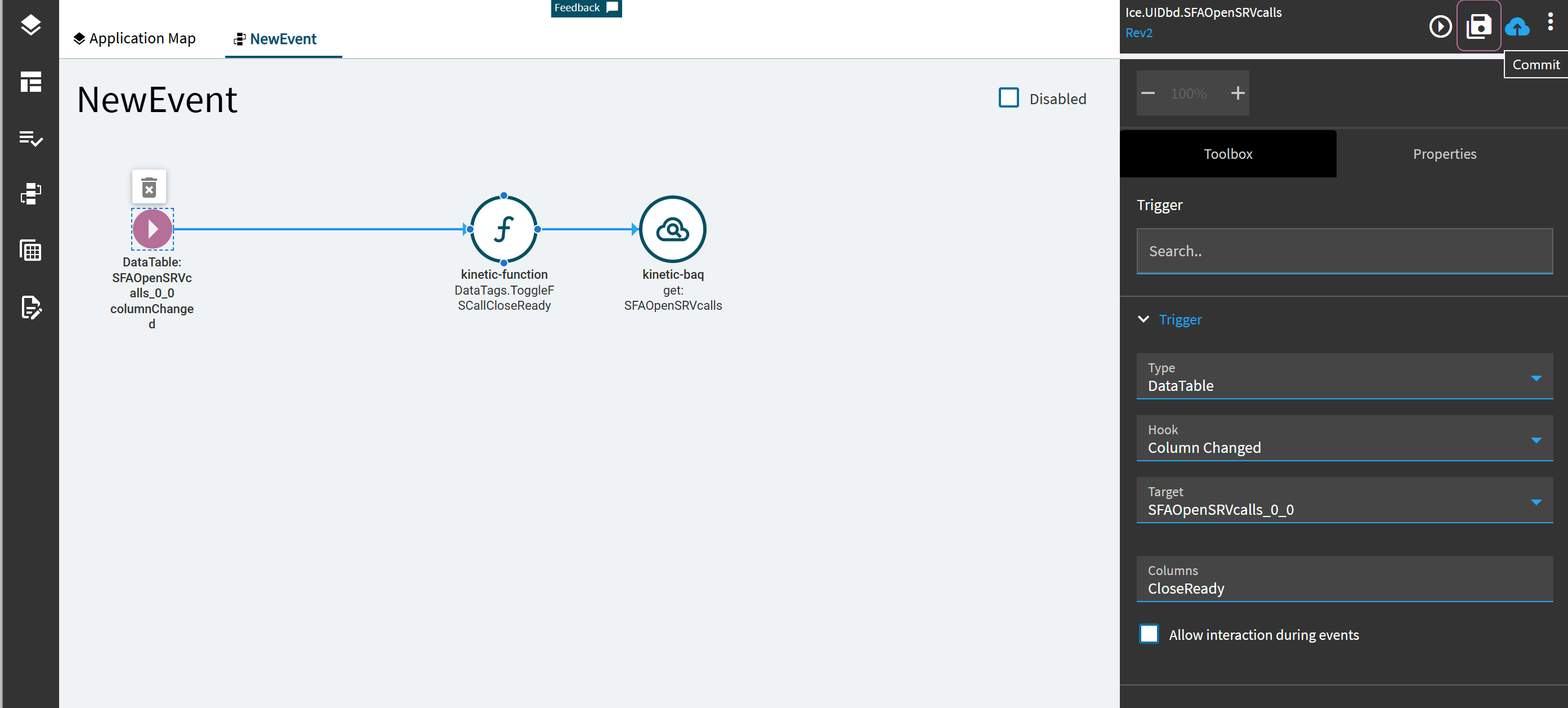
Event needs to be Type ‘DataTable’
Hook: Column Changed
Target: the BAQ Data Table\View thing
Columns: the name of the column alias (no brackets required)
Now who get’s the Answer…?
(If anyone has any insight on what could be up with the original dashboard, I’d love to figure that out as there will be more dashboard upgrades coming)