Yeah unfortunately that seems to be typical for support tickets. They often put words in your mouth to close the as soon as they can.
I’ve now pushed my ticket to an Upgrade issue since they can’t duplicate it on a base install test DB. I can re-create the issue for any upgrade from .26 to .28 or .29 version. So that must indicate it’s an issue with the upgrade process against my DB specifically.
I am trying to do this workaround now for one of my users that is having this issue. I still have context menus, but I am security admin, so I expect to have everythign. He showed me he only has Where Used.
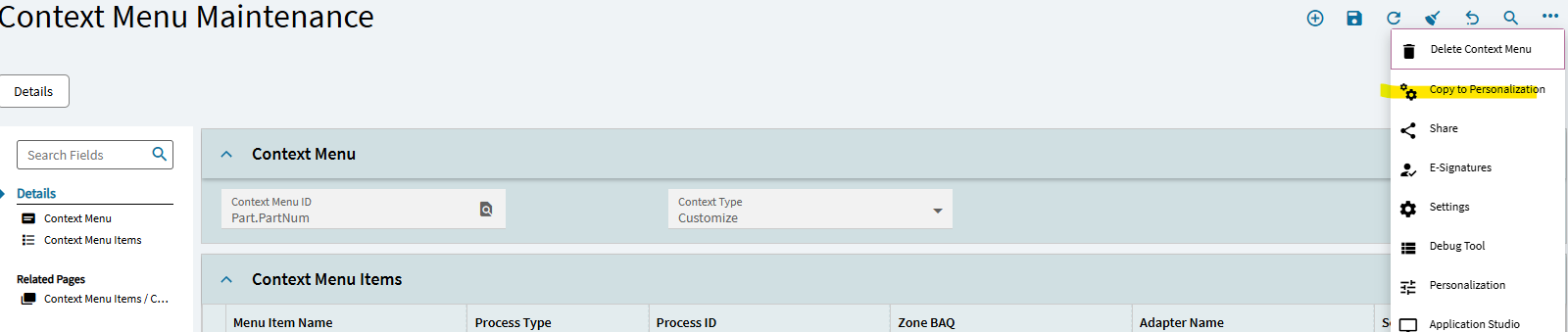
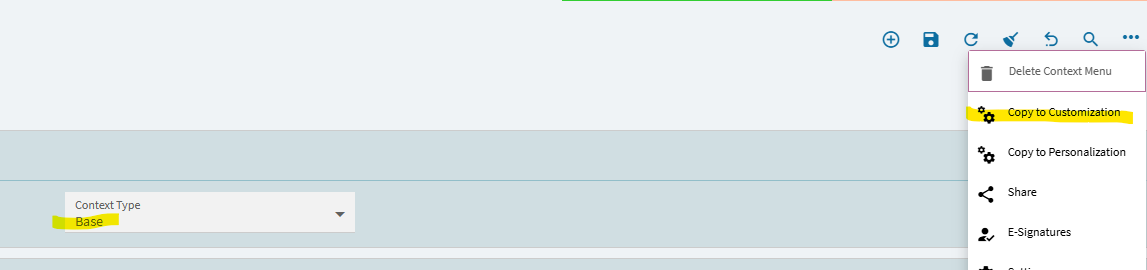
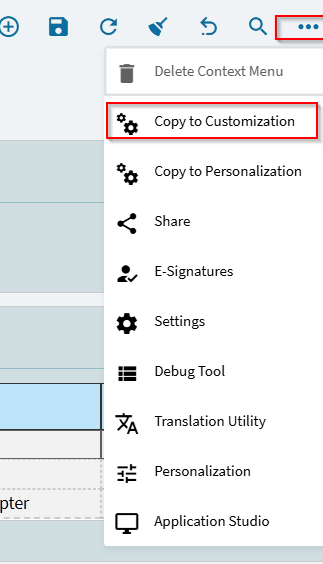
When I look at Part in Context Menu Maintenance, I can only see Copy to Personalization, not Copy to Customization:
No, Unfortunately I have not. They wanted to call it an Upgrade issue and they were going to forward the ticket to their data upgrade department for review since they could not duplicate it in their environment. However since then our company has decided to move to the cloud offering and have Epicor do the uplift, so this is now their problem to solve if it happens during that process.
I wish I had more to offer but they can’t duplicate it, so it doesn’t exist as a problem. You know how that goes.
Don’t worry I’ve been working with Epicor/Vantage since 2001 I’m well versed. But if they are uplifting something for a cost, their upgrade department will need to figure it out, or at the very least they will finally see it happen. I’m hoping since we are going to version 2025.2 that this will not be a problem at all.
I’ve seen others say it’s not an issue on the latest version and I can’t verify that with my environment so I can only dream. If I can’t dream I’m going to have to stop doing this… It’s not good for my health, lol
It’s amazing how many people are having this issue, but when I contacted Epicor they were completely oblivious to it… Ugh… It definitely makes me feel better that it’s probably not 100% specific to my database.
Likely a byproduct of us users not getting satisfactory help from Support too often, resulting in less tickets. I know that after I can’t solve something myself, my next stop is here, and Support is my last resort in the rare cases that I or me/EpiUsers doesn’t resolve my issue.
The Problem Case Number is PRB0311792, and has the following Description:
Problem Description: Multiple Customers, running an early Patch Release of Kinetic 2024.1 and 2024.2, report that after installing the current update, many Kinetic Context Menus are missing
Expected Behavior: The missing Kinetic Context Menus should be added back into the next Kinetic 2024.1 and 2024.2 Updates.
Oh so NOW they are accepting it and sounds like there may actually be a plan to fix it for 2024.1 and 2024.2.
I’m actually surprised and expected them to just say it works in the latest 2025 version so upgrade to that lol