I have an app I built using the wizard in Application Studio that pulls data in just fine if I don’t include a parameter. I added a parameter that is meant to be a list that a user can specify a list of parts. The BAQ works just fine when I send it empty (return everything) or with a list (returns only the filtered list). My dashboard app, however, will return nothing if I pass an empty parameter. Any tips on how to do this? I had it working just fine - don’t think I did anything special… but we overwrote Pilot with a copy of Live and I lost my work. So I am now re-creating it and it’s giving me this grief. Help!!
Is Skip Condition if Empty checked on your BAQ param?
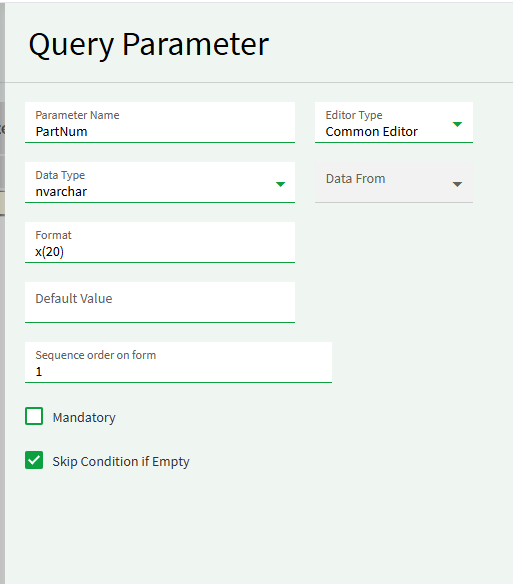
If so, are you seeing isEmpty: true in the ExecuteBaq request?
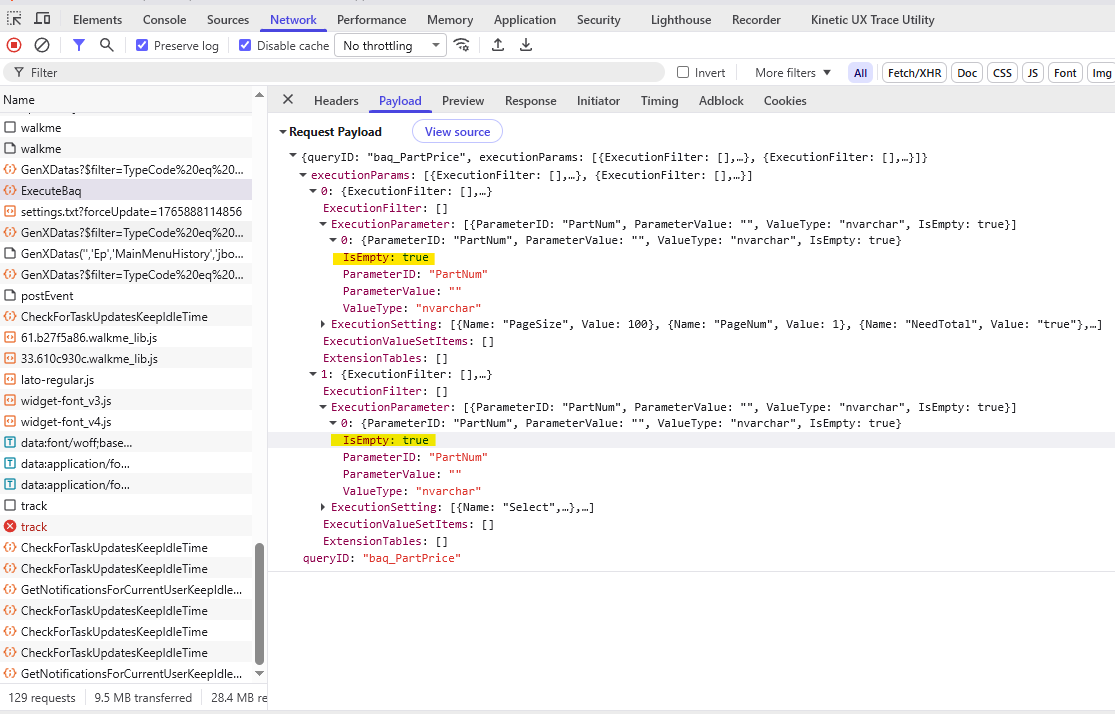
2 Likes
Yes it is marked Skip if Empty and yes in the payload it does say IsEmpty: true for both rows. (why are there two rows?)
Those settings are working for me (2025.2.7) on a vanila wizard dashboard with those param settings. It could be a version thing or perhaps you;re doing more than vanila in View Options or Provider Model. For examle, I’d not be suprised if BAQ Where Options has this affect.
Epicor sends both before and after row images for legacy reasons. 
Not sure what I’m doing wrong. I followed the wizard again from the start. Selected my BAQ. Changed nothing. Submitted the parameter with 0 rows in the list parameter. And nothing returns. Same version as you 2025.2.7.
Works just fine if I put in some parts in the list.
I didn’t try a list parameter. Will do when I can.
Does it need to be a parameter? You may have better luck with BAQ Where Options
PartNum In({TransView.List})
1 Like
I will play with that. I’m assuming the list would be a column I’d create in TransView and then I’d just give a textbox bound to TransView.List for a user to type in part numbers separated by commas?
Dig through this one and related linked posts. Multi-value Search Chip Selector works good for this because it returns a list and allows paste, etc.
1 Like
Love that. Thank you very much!
1 Like
I spent some time playing with this. Thank you for all the info - I would’ve never figured that out on my own.
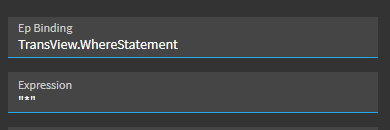
So my goal was to load all parts unless I feed it a list of parts to filter to. Maybe I’m so far into this I’m missing an obvious thing. But I found that I can control the statement that gets inserted into the Where clause in the BAQ Options inside Provider model. I also found that if I give it something that doesn’t “evaluate” it just returns everything. That’s great. I set it to a nonsensical character like * on initial load of the grid and it shows me all rows.
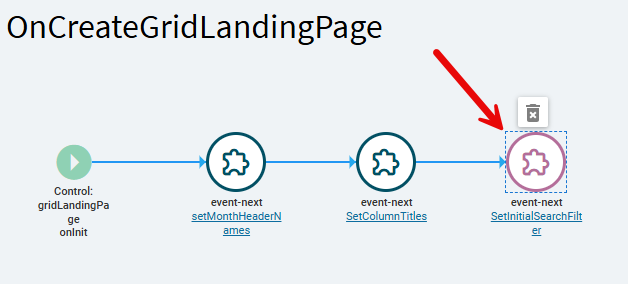
If I then select parts using the selector chip search, I am getting the stupidly formatted ~ delimited list of part numbers. I then setup an event on column changed of the TransView.PartsList (which is what the search is bound to) and set TransView.PartsListSQL using the function to convert the delimited list. This works mostly fine (it’s adding an extra space in front of part numbers but it doesn’t seem to stop it from working). This is where I am not quite able to make the leap, though.
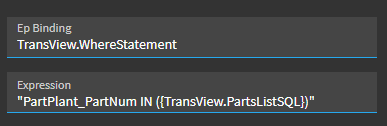
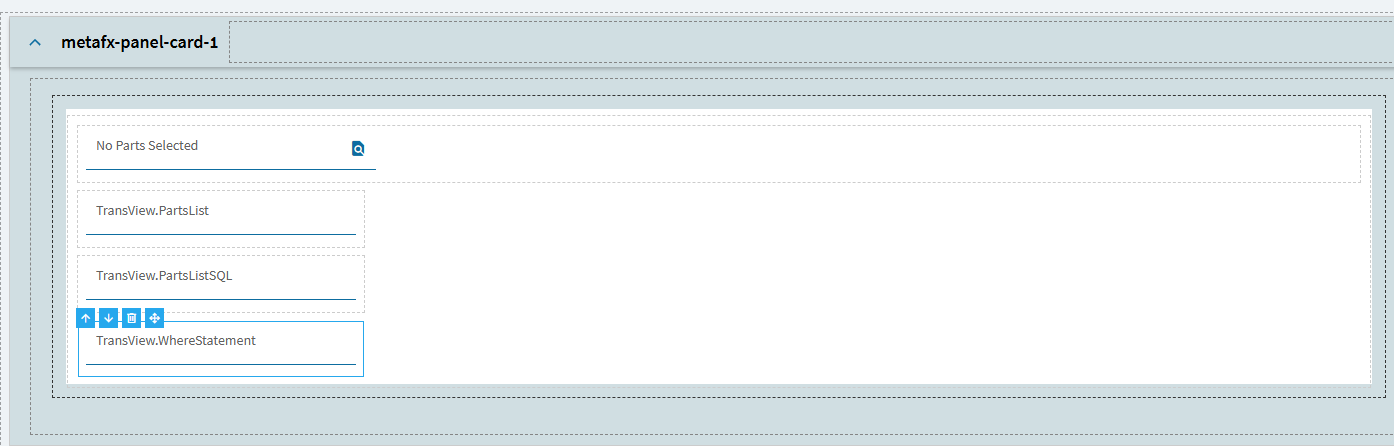
I have a third TransView field called WhereStatement. My Where clause I mentioned earlier is set in this column. When the PartsListSQL column changes, I have another event fire that changes the WhereStatement to:
"PartPlant_PartNum IN (?{TransView.PartsListSQL})"
This works except for one problem. It’s bringing in the “escaped” value of PartsListSQL and that breaks the Where clause and it won’t properly filter. If I remove the slashes, it works fine. But it wants those slashes in there. Here’s some screenshots. Any advice is appreciated.
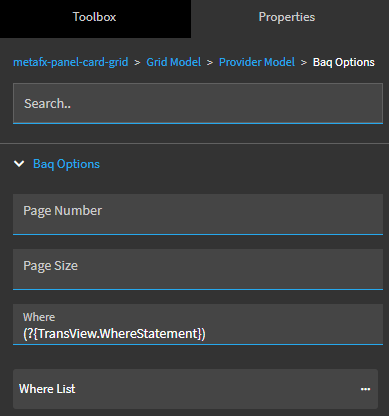
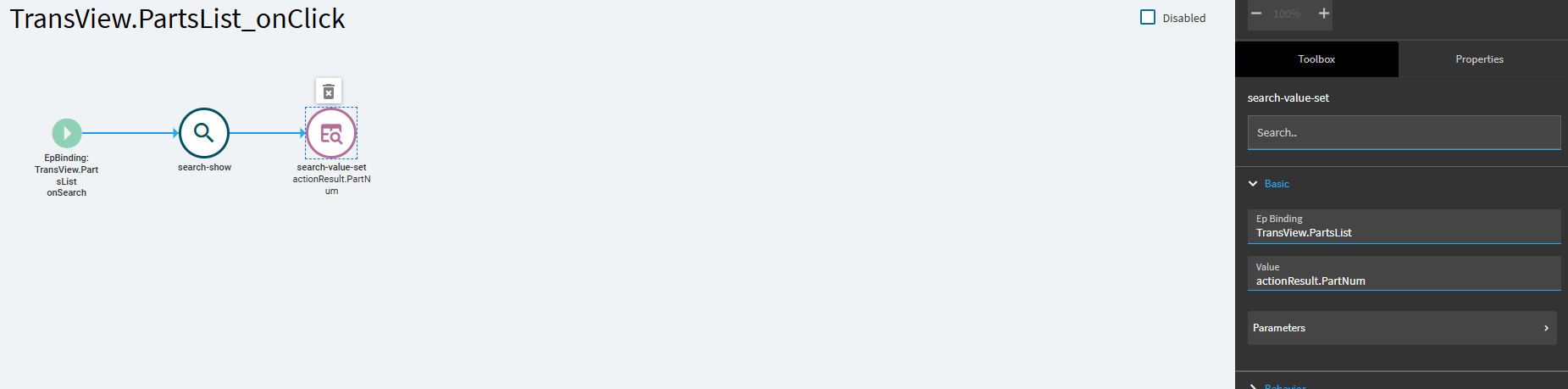
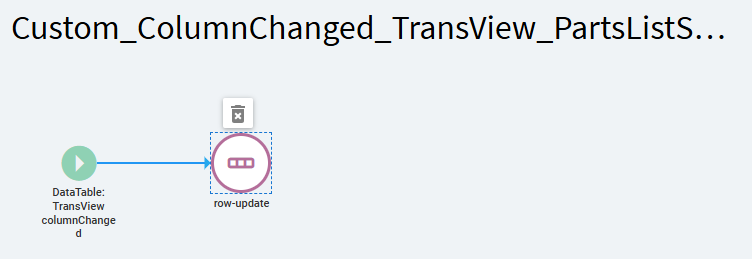
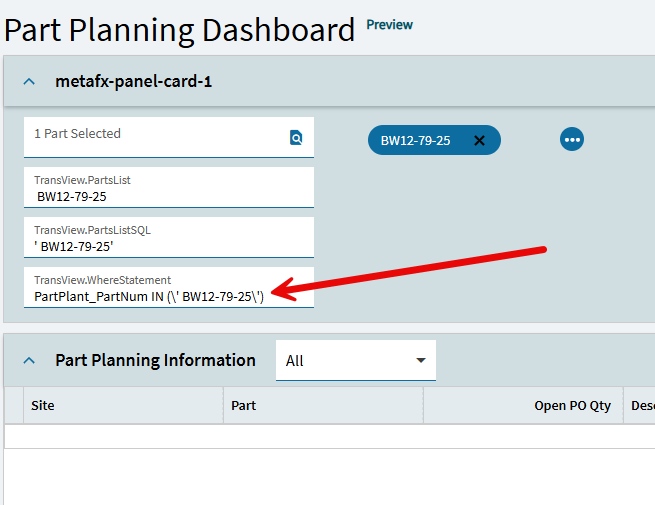
Wow. Great job. Did you try it with just this in BAQ Where ?
“PartPlant_PartNum IN (?{TransView.PartsListSQL})”
I believe the question mark should make it not pass the criteria if PartsListSQL is empty so should work for return all.
Yes - I did try it that way initially and it didn’t return any results. I assumed because it’s still got the PartPlant_PartNum IN () in the where clause and evidently it didn’t like that.
So this is evaluating the {TransView.PartsListSQL} upon row-update instead of putting that literal expression in the BAQ Where and letting the BAQ evalute upon execute.
I think that’s why you’re getting escape chars and also possibly why the question mark isn’t preventing the filter when empty (the BAQ Where eval never sees a question mark).
I’d try hard to avoid that double row-update unless you have a good reason why you want TransView.WhereStatement for other filtering purposes. In that case, you could handle the escape chars, but you may open this up to other handling of unforeseens later on.
like (not tested):
"PartPlant_PartNum IN (?{TransView.PartsListSQL})".replace(/\\/g, "");
PS - It’s not returning all rows when empty on mine using this method either. I have a View Option called ‘SELECTED’ and the Baq Where is set there and not set on the ALL View and not in Provider Model BAQ Options. So the user initiates mutli-search-select mode by choosing SELECTED View option (which is the default view in my case since we don’t want to load all parts typically)
EDIT - sorry if i drove you down a dead end since your inital ask was to display all when empty criteria. I believe that’s not possible with IN() and believe both list parameters and mutli-select search are ‘list’ type criteria which use IN(). There’s probably a way but havn’t found it yet due to various dead ends in how BAQ Where deals with lists.
1 Like
Oh - the view option is where to set the WHERE condition? That’s a great point! I only have one view. I will look into that. I do not want to mess around with getting the escape characters out. I will also try again on the single row update. The only reason I did it as a separate step is that the function output that set PartsListSQL would not allow me to then do a row update after that to change PartsListSQL to be
"PartPlant_PartNum IN (?{TransView.PartsListSQL})"
It would output “PartPlant_PartNum IN (undefined)”. I can play with that more. I gave up on it rather quickly when I saw that a subsequent row-update seemed to almost do the trick.
You’ve been great. I appreciate the feedback. I am hoping I can take it from here.
Any idea if I can set a view in an event? So that if the user makes a selection on the Parts List chip selector, I can change the view to “Selected Only”? I took a quick look. I see various things I can set related to dataviews but not necessarily the active view.
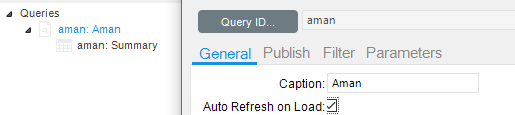
Good question. Since you have a trigger, probably possible with a property-set and/or JavaScript but I haven’t yet tried to locate the ‘currentView’ state in the grid component.
I took a pass at it last night. Not sure the best way to try to find the properties of a component. I inspected it… not even sure what to look for there, though. I suppose maybe I could figure out how to write a javascript command that would loop through all properties and display them somewhere. Maybe a button click that writes to a text area… I will see if AI can help me there.
I am using Application Studio for the Kinetic apps.
Took a stab as well but ran out of time. Ctrl+ALT+L writes all component object to console:
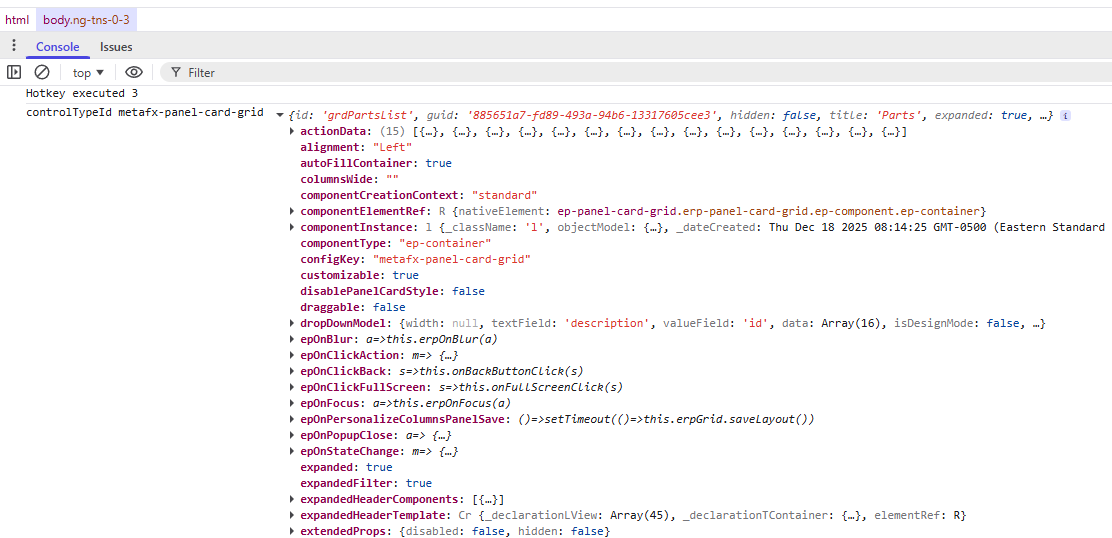
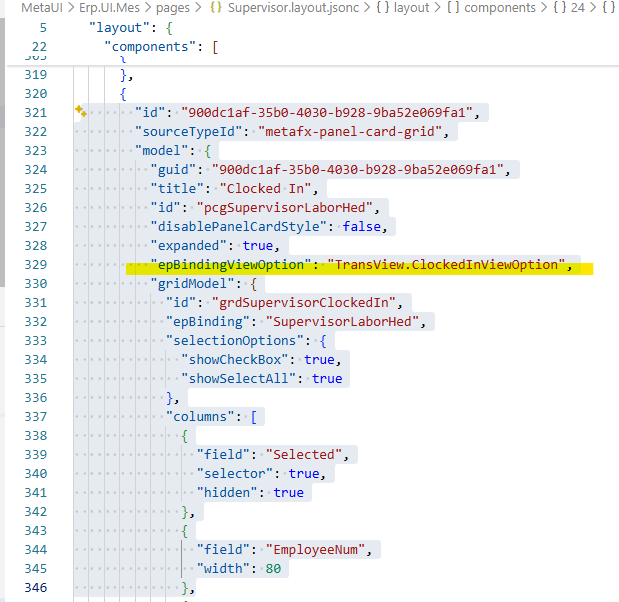
There supposedly a prop on panel-card-grid called epBindingViewOption but I’ve not found how to set it.
MES Supervisor page has an out of box example of binding ViewOption on a grid to TransView so it should be possible:
Let us know if you find a working method.