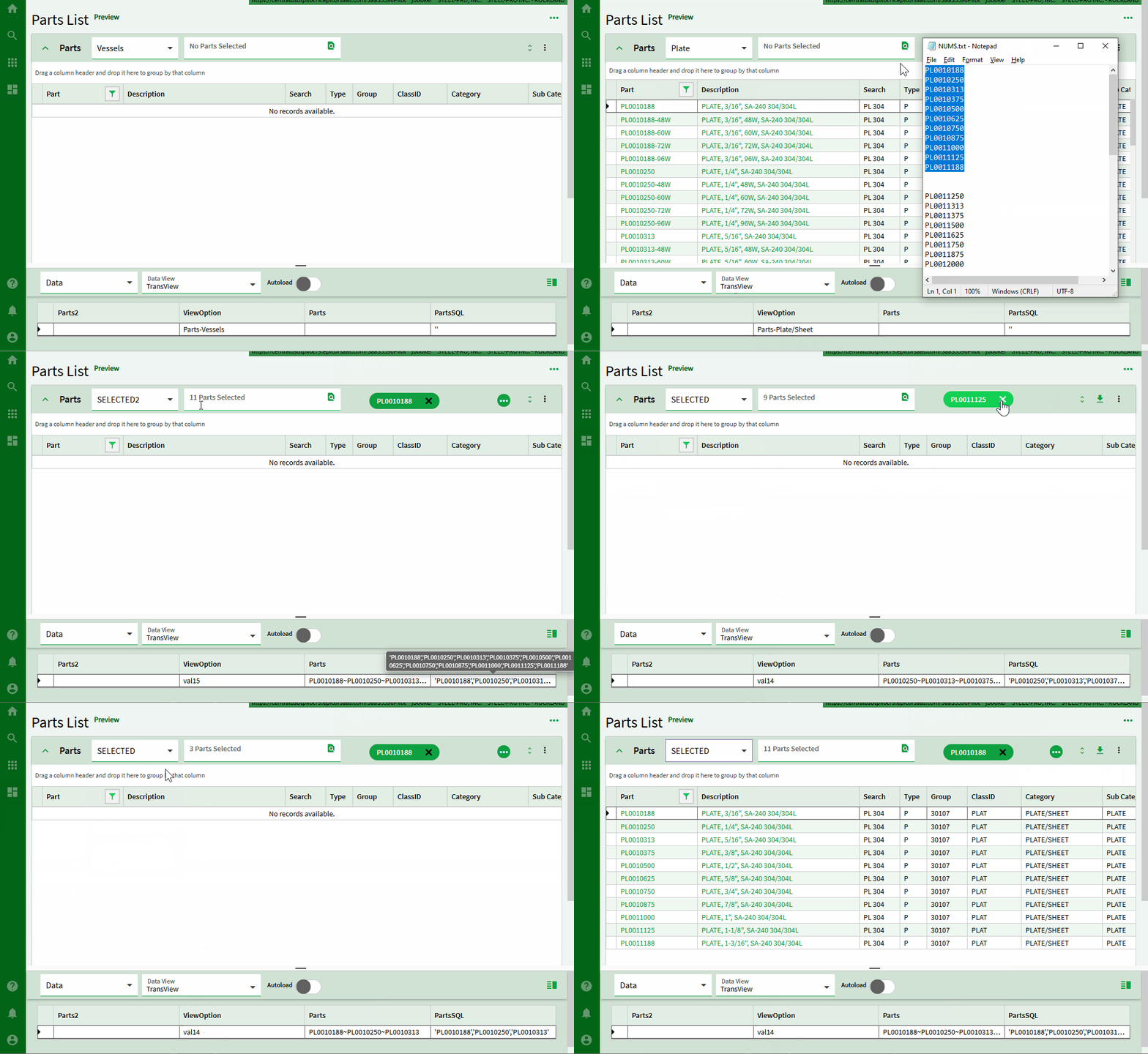
Dug in a bit more and still cannot set the epBindingViewOption property with either property-set or javascript through epComponentService.
So only way is to force it into your App json via SaveApp method. This worked but it seems there’s more to getting the view change to register on the gridComponent.
So once set, the panel-card-grid does do two-way binding with TransView.ViewOption so we can indeed set it and the drop down indeed changes. But the grid doesn’t reflect the change even using the toolRefreshAll and invalidated = true trick.
Maybe some more investigation would find a way to force the grid to notice but invalidated = true is the most destructive way I know of at this time.
I appreciate you digging in. I gave this some more thought and decided maybe it makes more sense to have the user pick the “Selected Only” view and maybe that event is something I can show/hide my search chip selector with. I have it wired up that way and works OK but I haven’t taken the time to try to figure out the show/hide with that view change. There was a View Changed trigger I was hopeful about but that did not do what I was hoping.
If I understand it correctly, I had a similar situation. I just changed the BAQ providing the list of sites to the parameter of the main BAQ to include an “ALL” entry at the top of the list, and modified the main BAQ to recognize the “ALL” value as including all sites.