Epicor Kinetic Warehouse - Persist Roaming Settings after Factory Reset

[ FYI ] I asked Epicor if EKW can persist settings after a factory reset. I know you can login and select your UD Table and it will pull it. But I wanted the user to get the settings upon first-ever login on a brand new Handheld.

Apparently Biscit thought about it and they have it built in. I just haven’t found any “official docs” besides a KB Article, somewhere tucked away. (this includes checking biscits downloads)

If someone can find an official doc let me know. I’m curious, I couldn’t find an official doc and not even a .cab.

Here is how you setup 2 BAQs that the EKW app will run upon login:

  • BISC_HH_GetCustomSettingsTable
  • BISC_HH_GetEmptyTables

https://epiccare.epicor.com/epiccare?id=epiccare_kb_article&sys_id=34aa85d9dbca1858a587ef070596192c

Seems to work great for us, wanted to share

Thanks Haso, I haven’t understood what these custom settings are used for. Is it scanning settings and printers, etc?

Well, as I’m back in the Epicor world, and supporting EKW on Zebra handhelds I thought I’d try this out using the below for reference as well…

… but it’s not really working for me.

I’ve picked the UD table, and the first BAQ now has it within it, but the Settings I’m applying are not being saved (nothing at all is being added to the chosen UD table).
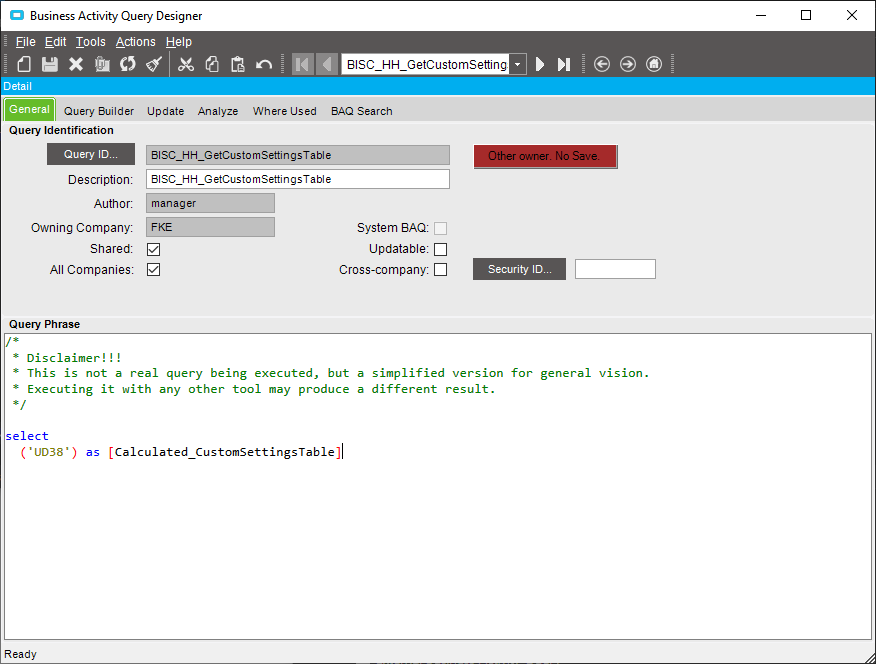
I found the whole tweaking of EKW a bit tricky and we had an Epicor built customization, that was going to be costly to rebuild through the app.

Also, the costs of EKW were a bit bonkers

We never got beyond POC.

We hired a third party app developer and built our own Epicor functions.

It was a happy path.

It covers STK-STK, MFG-STK, STK- CUS, & STK-MTL and uses the material queue and the functions compile with no warnings.

We are on prem, but the app only uses the rest api, so should be cloud compatible.

I don’t mean this to be prescriptive, but just to say, consider your options.