I was wondering if there was a event that I can use to trigger code when the view has been changed. Right now all of the formatting I do goes away when the view changes and was just wanting to format when view was changed aswell.
Not sure entirely what you mean when you say view. View as in EpiDataView or view as in what the user is interacting with?

when one of these changes all my formatting gets reset.
bump
Bump won’t help you I think we need more info. what formatting get’s reset.
the read only boxes as well values in the boxes.
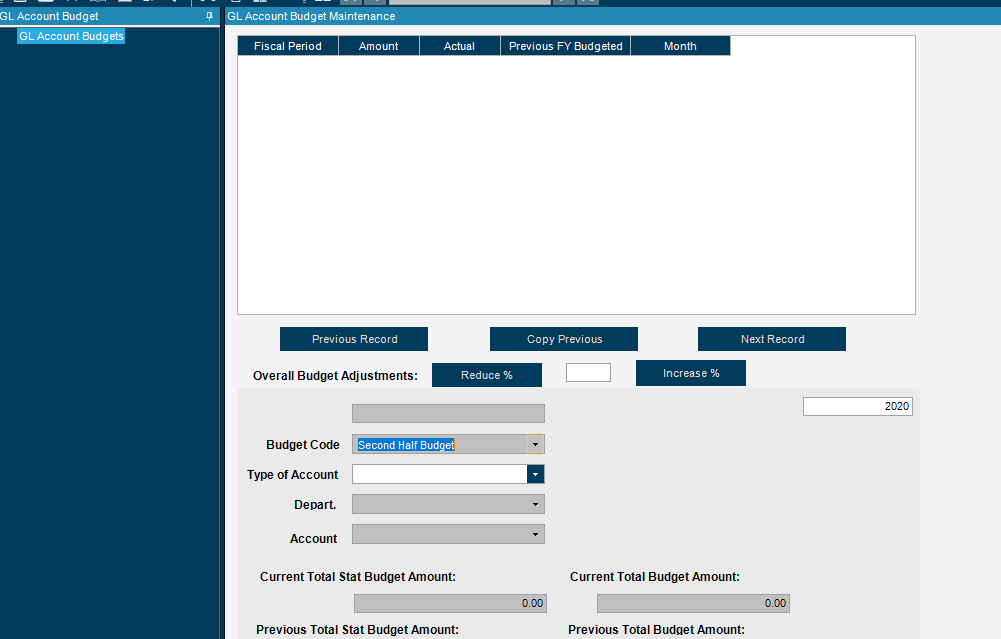


When you say set as readonly how are you doing that? The dataview row rules will override whatever you have set in code or properties when it comes to readonly type stuff. Dataview always wins.
I’m just setting the control as read only, not the view, because when I am searching for a record there is no view yet.
You’ll want to use row rules for what you are trying to do. Read only will only work on unbound controls.
What do you mean by row rules, using the dataview? Like setting the dataview rows to read only? Right now this is how I am doing it
public void SetColumnReadOnly(string column, bool RO)
{
	if (!RO)
	{
		dgvBudget.DisplayLayout.Bands [0].Columns [column].CellActivation = Activation.AllowEdit;
	}
	dgvBudget.DisplayLayout.Bands[0].Columns[column].CellActivation = Activation.Disabled;

}correct as in the row rules wizard withing epicor. you can build conditions with the wizard or custom conditions that will impact states of fields or entire dataview rows. What you are doing above is not an approach that will ever work consistently or reliably. I would bust out the customization guides and review the row rules sections might help clear up what you are asking.
So am I able to do it like I have it here:
Cause this is the end goal right here, it would be nice if I could just remove them on left and replace it with the new one when they hit next record or previous record.
EDIT: So I can make full columns read only with the view, but now I am trying to loop through the first 6 rows and only make those rows readonly in a specific column like the picture I provided, Only way I can think about looping through the rows of the dataview was this “edvBudgetDtl.dataView[i][“BudgetAmt”].”
But this doesn’t provide me with a way to make them readonly.
This is where I have to bow out. You are lacking some fundamentals and trying to use a hammer to wedge in what you want when you need something closer to a chisel. You lost me at the looping. Please make an effort to read through and follow in a demo database the customization guides they will help you immensely in your efforts. I’ve said all that needs to be said short of writing the code for you. Read up and you’ll be fine, good luck!
I got it doing it how I wanted to do it, I couldn’t use rules and set 6 rows to read only so I just only allow one search to be done at a time as my work around. I watched both of jose’s videos on the rule wizard and yes I can see how that can be extremely useful but in my case I was trying to make just the first 6 rows read only on one column and I couldn’t figure out how to do that with rules. Thank you for you assistance and the advice. I did learn something new today.
Is it always 6? that would be a very strange use case. I assume there is a criteria of why it’s those 6. If there is criteria for those 6 then you can use row rules. Glad you got it though
yes for 2nd half budget first 6 periods are read only and “locked”
Custom code condition on the row rule is what you would have wanted to use then.