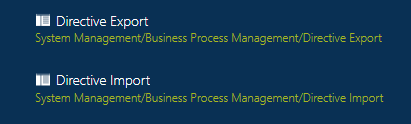
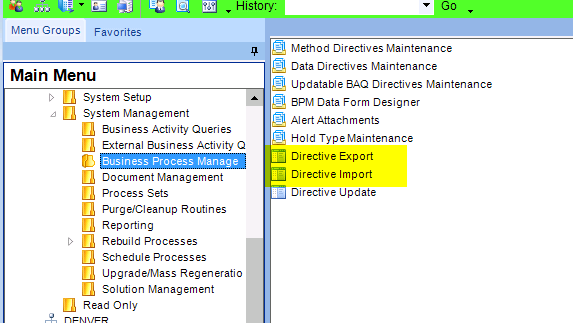
Can you export and import data directives? And if so how?
I made a rather elaborate data directive in my test db, that I need to now implement in my production db. All prior DD’s have been very simple, so I always just manually recreated it in the production db, so I never even looked for “export” and “import”
Follow-up Q’s on importing and exporting directives…
Exporting & Importing happens with some “grouping” - meaning all the directives in that “group” are exported, and you cannot select specific ones.
For DD’s, you can select a specific table, and all DD’s for that table will be included in the export file.
Similarly when selecting a Method Directive. All the MD’s for that method Business Object will be exported.
And for the “Directive by Group” all DD’s and MD’s in that group would be exported.
During import, you don’t have the option to select specific DD’s or MD’s. Any DD or MD in the export file will be imported and would overwrite existing ones.
Is this correct?
What do most people do to make sure they don’t overwrite existing directives?
If during the import I specify a different group, but a directive of the same type and name exists in a different group, would I have both directives installed?
Example:
A Standard DD for the PlantWhse table existing (and is enable) in the production DB. It is part of Group “PlantWhse Check”
Prod DB is copied to test DB
In test DB, the DD from #1 is changed to a new group named “PlantWhse_Check_Test”
In test DB The DD is modified.
The DD is exported from test DB
In the production DB, the DD is imported (file from #5),
Do I now have 2 DD’s with the same name, but different groups and definitions?
And when the “Replace existing Group” box is checked during import, would that delete any existing directives in that group, that are not in the file being imported?
In E9 If you rename the group in your dev environment and then import the new group into your live environment you will have duplicate DD/MD in live. I did some cleanup of my groups a few years ago and had to delete the extra ones from the live system. I assume it is still the same.
if you give it/them the same name and option to replace the existing ones, it will delete and replace, if you do not it will keep both, it is exactly the same in any App, the group name is only helping to export/import more than one from both DD/MD
What we do is create a new group in the test env with only the directive that is exported. Then after importing in the live env we change the group name to the name it should belong to.
Al - your answer conflicts with @gpayne 's (the part about " group name is only helping to export/import more than one from both DD/MD") So I did a test.
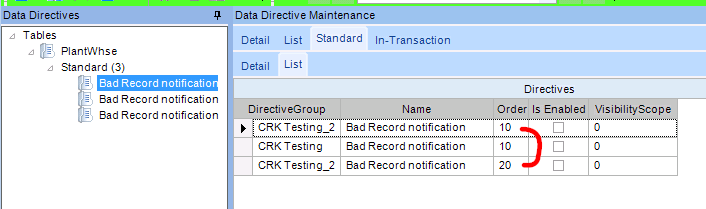
E10 seems to have no problem with DD’s with the same name, and the DD in the
Looks like the “key” is a combo of Directive Group, Name, and Order.
I exported a DD, then imported it back in with the Overwrite not checked, it created an additional DD - keeping the name and Group, but incrementing the Order
i can not see any conflict, may be a misunderstanding, my answer stated same name and group (with replace box checked) will delete and replace, other wise will keep both same as what you found, in your screen shot i can see the same DD name and Group because you did not check the replace box,
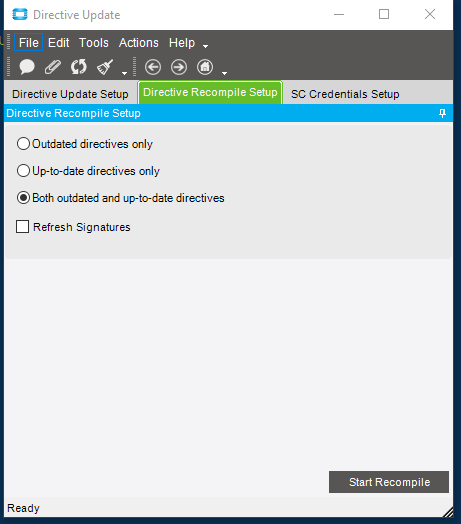
one more thing, i advice to check enabled box or -uncheck then check- then save to recompile your imported BPM, or if your imported group has many BPM’s then you can run the directive update to recompile all after the import.