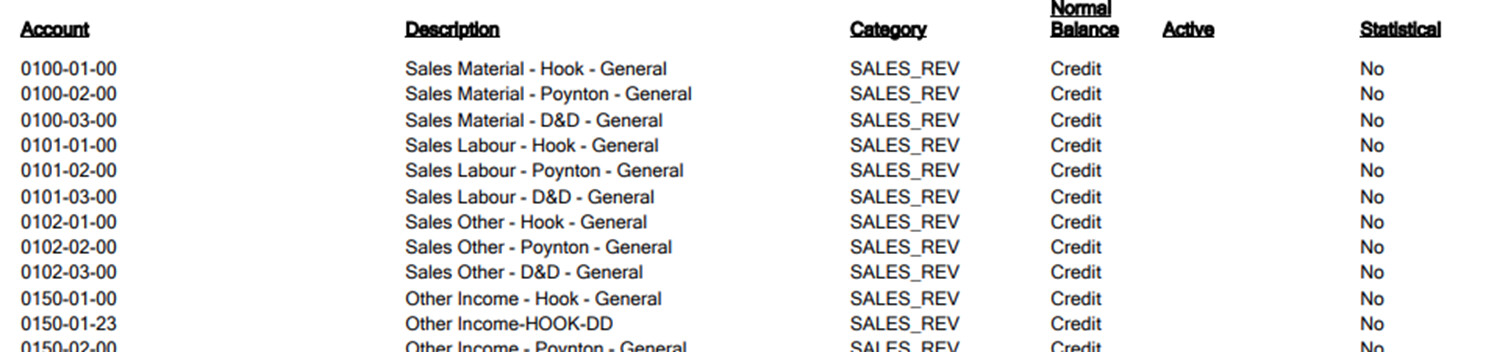
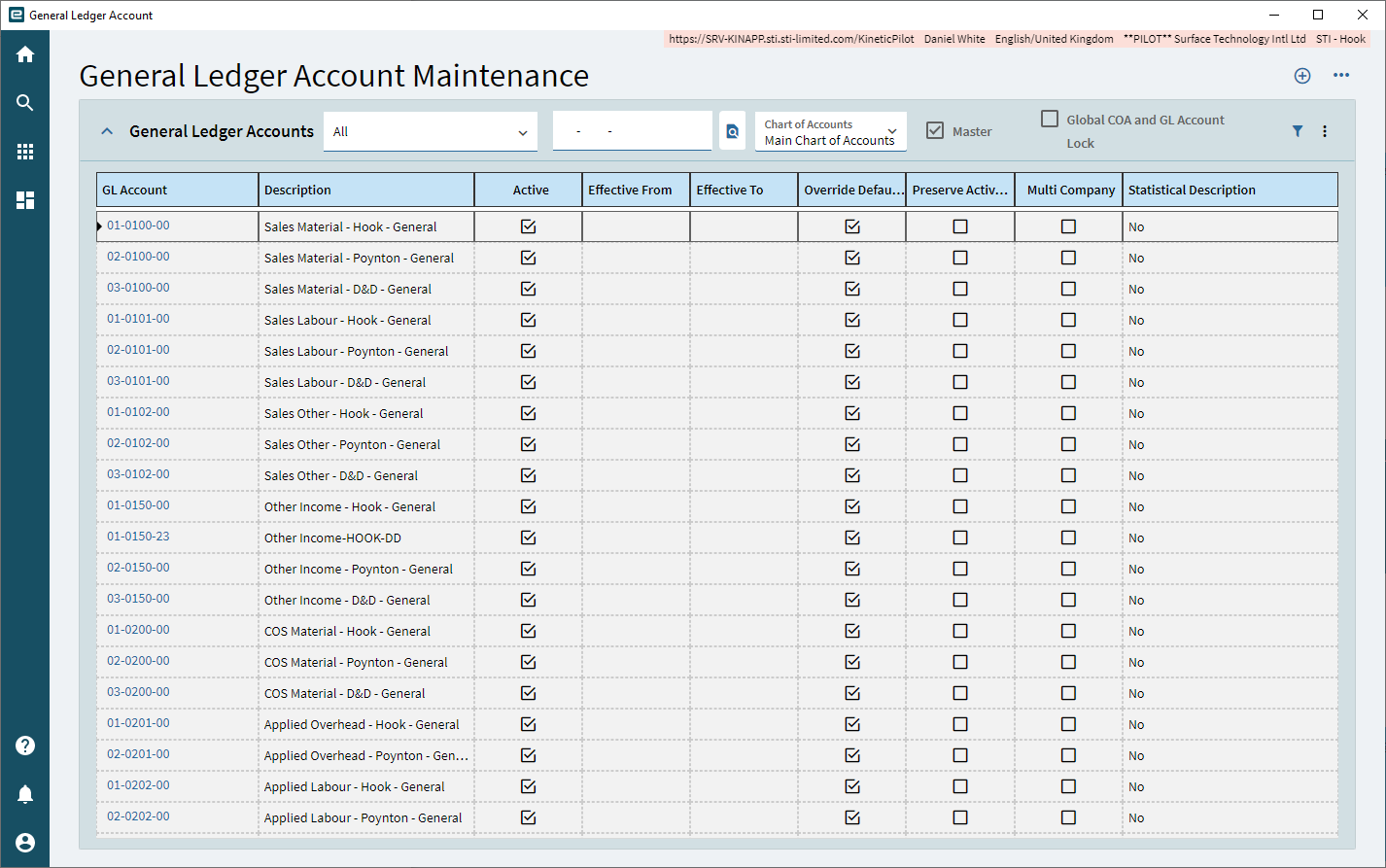
Our Finance team have notice on the Chart of Account listing in Kinetic that the GL Accounts are displayed as Chart-Department-Division whereas in E9 they are displayed as Division-Chart- Department. Is there a config setting somewhere to re-order these as the report is OOB.
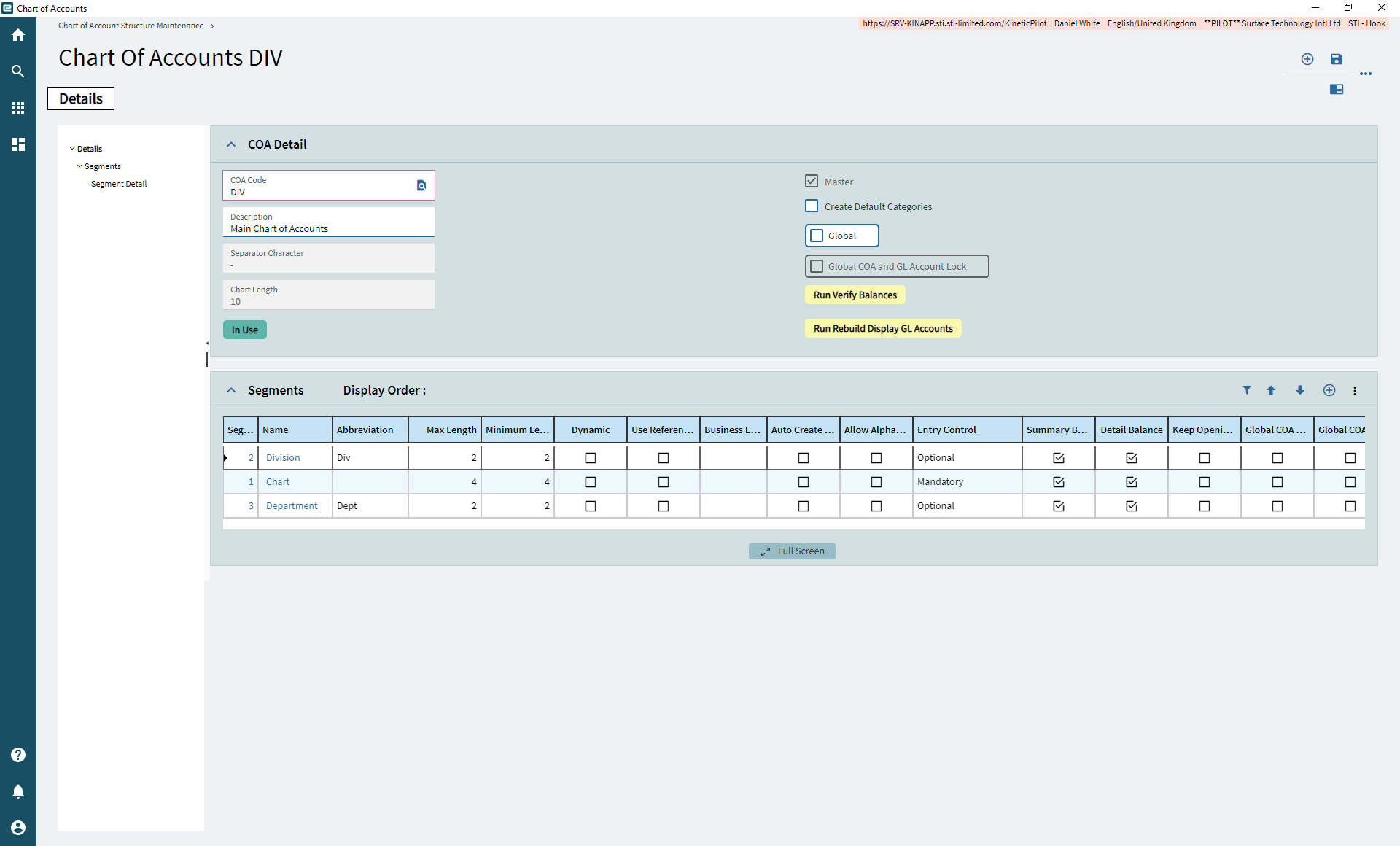
Check your COA setup under GL/Setups/COA. You can determine the display order of your segments by using up and down arrows. Also check to make sure the segments are set to print on summary and detail checkboxes