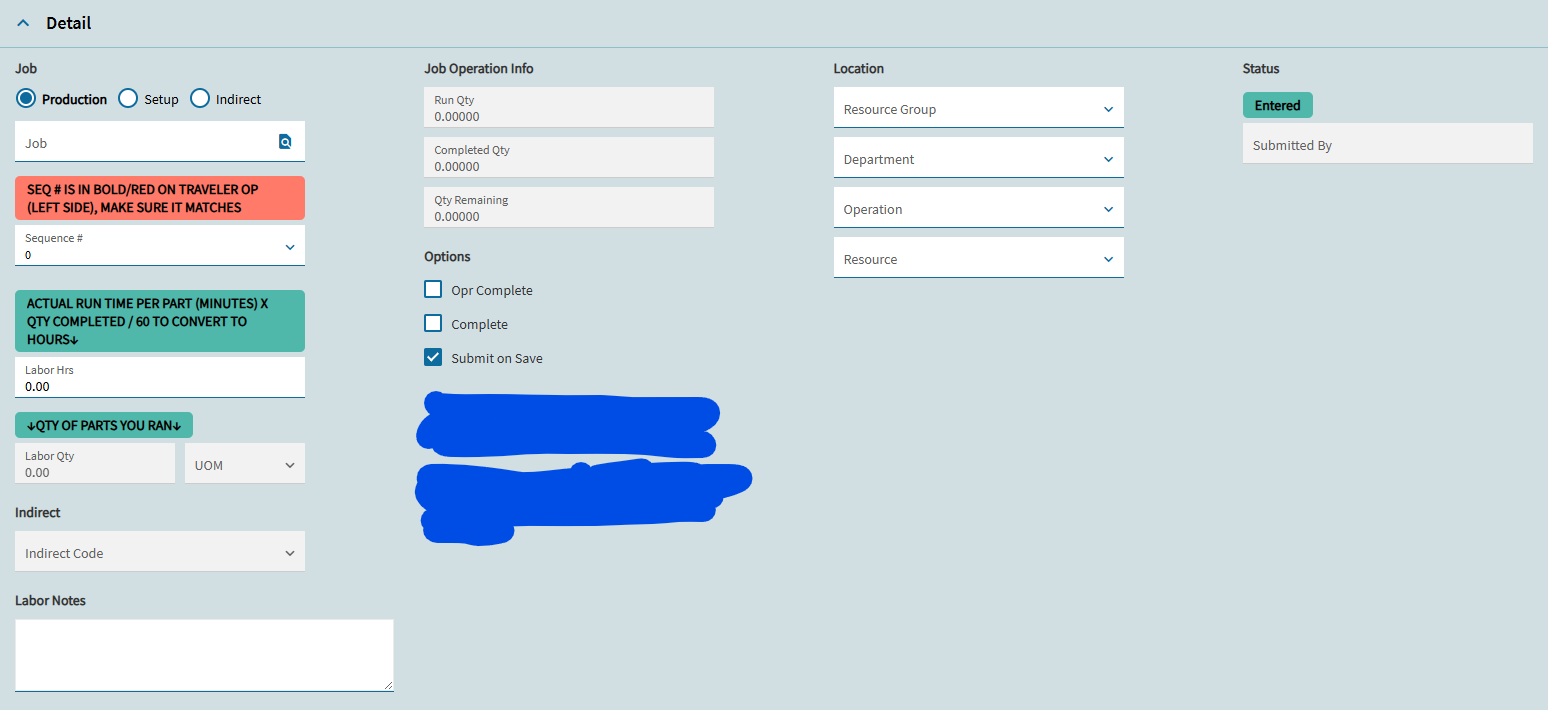
I’m working on getting our Epicor ERP/MES cleaned up so we can actually trust it for capacity planning. We’ve been fixing issues for a while and we’re finally at the point where we’re pushing users to log into MES and use it correctly.
Here’s the problem: the employees are still also required to fill out a paper time card where they write down production, time, and what resource they were on. Then our payroll person goes into Time and Expense Entry and edits the labor to match the paper card. So now Epicor isn’t really “truth” anymore, and it’s hard to build anything reliable off the data.
Right now I’m trying to understand something specific:
When one employee is logged into TWO jobs/resources at the same time, how does Epicor apply labor hours?
I’m going to run a test:
One employee logged into two resources
Two different jobs
Run it for 2 hours
Then I’ll post production to each and see how the labor hours and burden come out
One job is about a 1 hour cycle, the other is around a 35 minute cycle.
What I’m hoping to see
I’m hoping Epicor doesn’t just split it 50/50.
The machine with the faster cycle usually means the operator is doing more frequent load/unload and ends up spending more of his time there. I want to see where the employee actually spent most of his time — because that’s what matters for capacity planning.
Questions
Does Epicor split labor evenly when a person is running two jobs?
Or does it apply more labor to the job/resource that had more activity / more production?
If it doesn’t do it the way I’m hoping… how do you guys handle this in real life so labor reflects reality?
Do you force operators to only be logged into one resource at a time?
Do you change the process for posting production?
Is there a setting or best practice for this?
Any feedback from people doing capacity planning off MES data would help a lot.
There are settings on the Resource Group called “Use Estimates” and “Labor = Burden” which will determine how Labor Hours are split. Play around with them to see which way you like it more.
If Labor = Burden is unchecked for both resource groups these resources are in, then Epicor will split the labor hours 50/50 by default. With Use Estimates turned on, Epicor will use the production standard to allocate more/less time to each operation.
I believe it’s the opposite of what you’ll want, though: a larger production standard (longer cycle time) will mean more labor hours allocated.
When we went live with MES for our machining business, this was a “big issue” our team had with using MES to clock in and out of jobs. They wanted to allow employees to manually allocate the hours to each entry.
Eventually we as a business decided the 50/50 split was good enough for what we need. There are enough other factors that go into capacity planning and tracking time/costs that having employees spend even more time at the end of the day adding up how much time they spent on each job to enter it all at the end was less important than having them actually running the machines.
We use a custom Time Entry dashboard where shop personnel enter time after completing each operation. Because we quote and track machine time, it is critical that recorded time reflects actual machine run time, not total hours worked by the operator. An operator may legitimately record more than 40 hours in a day if they are running multiple machines simultaneously.
Labor Hours would equal machine hours in this case.
Fully agree with this, you are going to want to play around with and test the Split Burden, Burden = Labor, and Use Estimates checkboxes on the resource group to get labor reporting where you want. My company went fully digital on the production floor and if we knew about those checkboxes and how they impacted labor reporting when we started it would have saved us a lot of time and pain, since we have some different areas with different ways of calculating time.
It does look like the bulk of the labor is being given to the resource that takes more time to the resource with the longer cycle time. We do have use estimates on already turned on.
So, is there no other way to make it do what we want it to do. I cant understand why to Epicor longer machine cycles means more labor hours.