Forms accessed from other forms isn’t totally straightforward. There may be a simpler way for parent-child forms, but so far I’ve usually ended up iterating through the forms collection to find the one that’s relevant.
foreach (Form f in Application.OpenForms)
{
	if (true) //some check to make sure this is the right form
	{
		EpiBaseForm ef = (EpiBaseForm)f;
	}
}
That’s the generic code I use, but I admit I haven’t hung anything mission-critical off it. Someone else know better if there’s a more direct way of accessing a particular form.
Thank you very much. Mr.Daryl Hewison.
Here is my code snippet.
private void ToDoForm_Closing(object sender, System.ComponentModel.CancelEventArgs args)
	{
		// Add Event Handler Code
		foreach (Form f in Application.OpenForms)
		{
		   MessageBox.Show(f.Name);
			if (f.Name == "ReqEntryForm") //some check to make sure this is the right form
			{
				//EpiBaseForm ef = (EpiBaseForm)f;
			    f.Close();
			}
		}
	}
I am close to my required answer.
But i could not close the form.
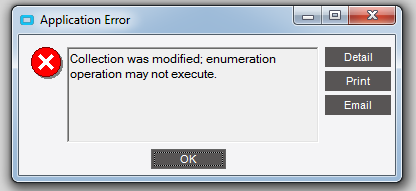
Here is the exception i am getting at run time
This is where I’d start being quite careful, personally.
There are things you can’t do within an enumeration, and typically removing an element entirely is one of them. If you step out of the enumeration and close from outside the loop you may be OK, but I’m not sure how Epicor reacts to shutting down forms that way.
Hi as you suggest i fixed by closing outside the loop by creating reference to loop. code as follows. it works fine:) thanks
Form formtoclose=null;
        foreach (Form f in Application.OpenForms)
        {

            if (f.Name == "ReqEntryForm")
            {
                formtoclose = f;
            }
        }
        if(formtoclose!=null)
        formtoclose.Close();
I wouldn’t be able to answer without working through the same thing myself, which I haven’t done.
As I suggested, Epicor may have trouble with simply closing the forms. My guess is that when you do so, there’s still some code running which is expecting that form to be there. You may be able to find a better place to do the closing, or you may have to delay the close somehow or hide instead of close or something, but the application probably isn’t going to make it easy.
What you are trying to do is highly un-usual can I ask the million dollar question?
Why?
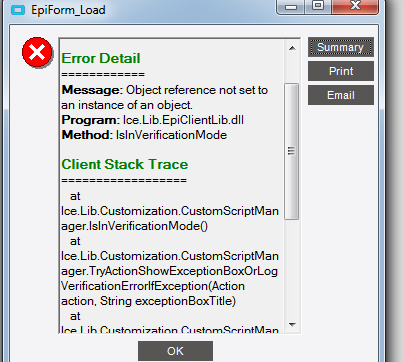
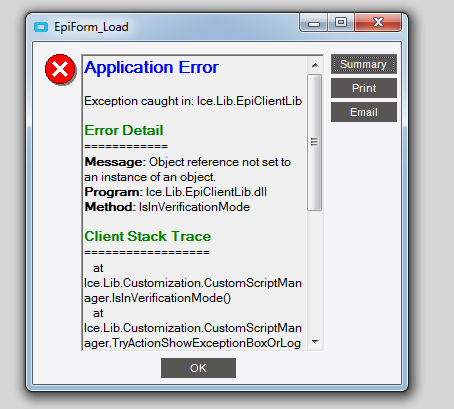
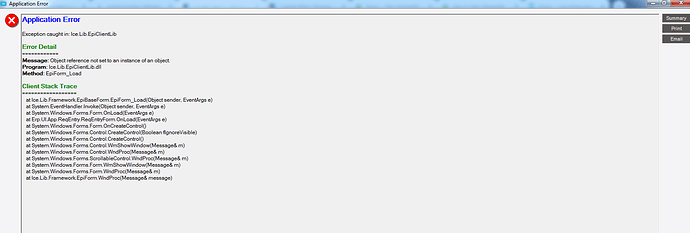
The issue you are running into is that there is some code that runs on form close which expects certain values to be loaded (which aren’t)
You may be better off just doing this outside of Requisition Entry. Invoke the TODO list directly from a different screen.
However I always go back to the why? What is the need being addressed? and is it reasonable?