
I am working on a case study for my final exam, but I’ve hit a snag regarding the generated PO suggestions. The system was supposed to generate suggestions for 5 different parts/items; while it did generate 5 entries, there were only 3 distinct part types, with 2 parts appearing as duplicates. Has anyone else encountered this situation and could offer some pointers on how to resolve it? I have already checked the time-phased entries for the missing parts; the suggestion history is there, but they aren’t showing up in the PO suggestions list.
hard to say without seeing Time Phase and dates for these suggestions.
If you had existing PO’s… suggestions may appear in the Change PO Suggestions (expedite this PO… or cancel this PO… create this NEW PO instead).
You may need to look at both NEW and CHANGE PO suggestions to get the full picture.
I would say buyer permissions. Are all of the parts the same buyer?
I have already checked the change PO suggestion and it is empty. Furthermore, we have not created any PO manually because this is still master data that has just been created for the exam task.
Actually yes, is this a buyer issue?, after I rechecked, the default buyer is all the same, but there are some parts that the buyer did not choose, is it because of this issue?. Because the default buyer is different from the chosen buyer, but the parts with the unchosen buyer will be empty and how…
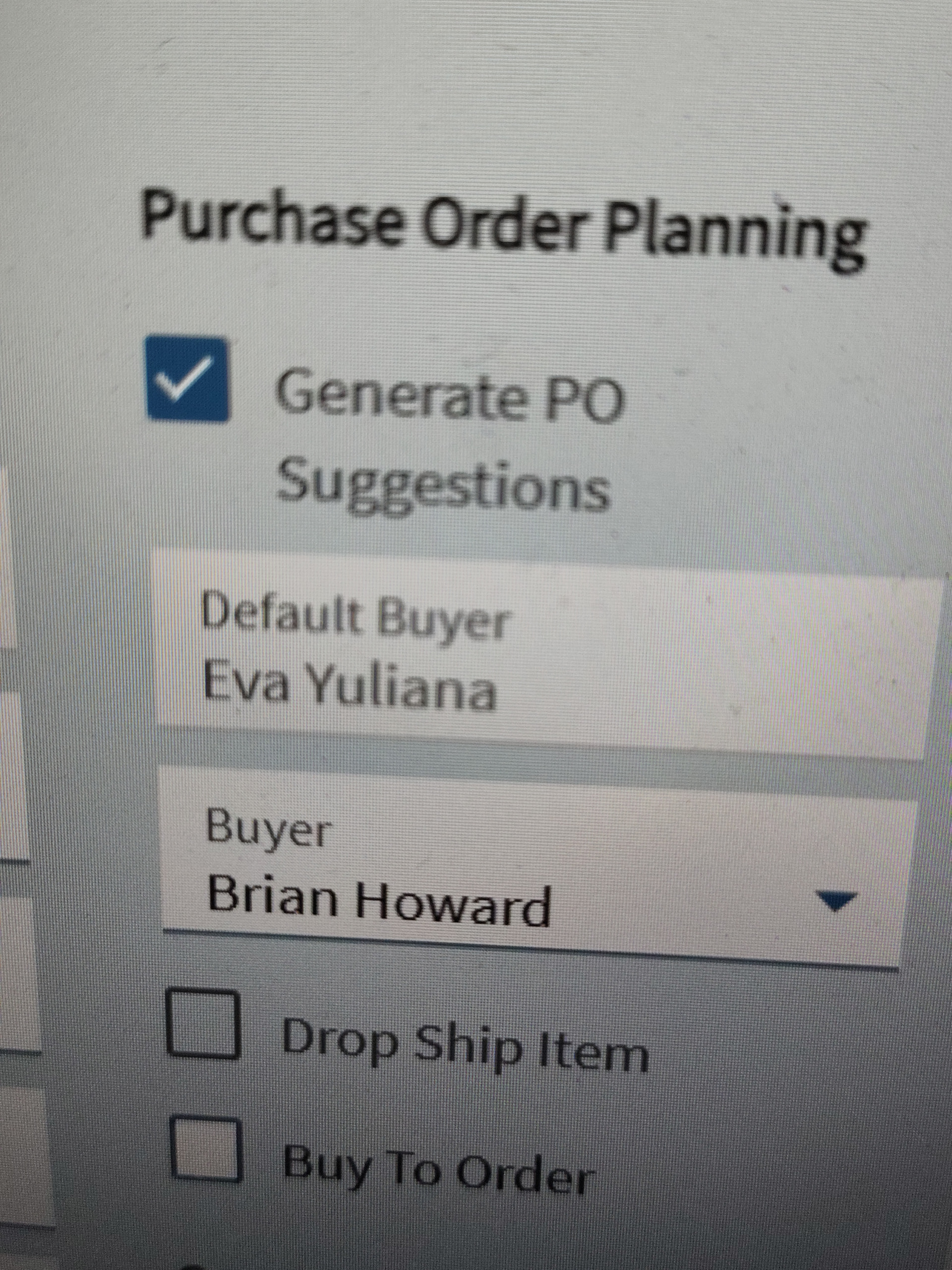
Look at time phase for the parts that you would expect to have a suggestion. It will show if there is a suggestion in the system. If you are not an authorized user for that buyer, you won’t be able to see the suggestions in PO suggestions.
Yes, thank you very much sir, it turns out that because the buyer wasn’t filled in completely, it didn’t show up in MRP, so now all parts are in the PO suggestion.