Are you not able to import the files? I thought the files would be updated on load 
Hi John, thank you for pointing me here. At this section, do you mean you create a new Inspection Attribute for every Table Field Name, for example, When I add a new attribute and pick the Attribute type ‘Numeric’ and the Table Field Name dropdown has Numeric001-Numeric200 I need to create an attribute for each? If that is the case, I assume DMT would make this much easier than clicking in the GUI
Yes, that is exactly what I did. I probably entered 1 to export out as a DMT template so I could know what I needed to enter.
1 Like
I’m making that DMT now. The interesting thing is ComboBox and Character sharing the Table Field Name ShortCharXXX. Do these conflict if you’re creating an Inspection Plan that uses CheckBox001 and Character001 because they would both be using ShortChar001?
1 Like
That is probably a mistake. I’m no longer at that company, so I can’t check what I did. But I agree that does not sound correct.
Where are you seeing that so I can double check the files?
I am looking in the Kinetic view for creating an Inspection Attribute. I have also BAQ’s the InspAttr table to double check, because DMT says AttributeUse is required, but the BAQ returns nothing.
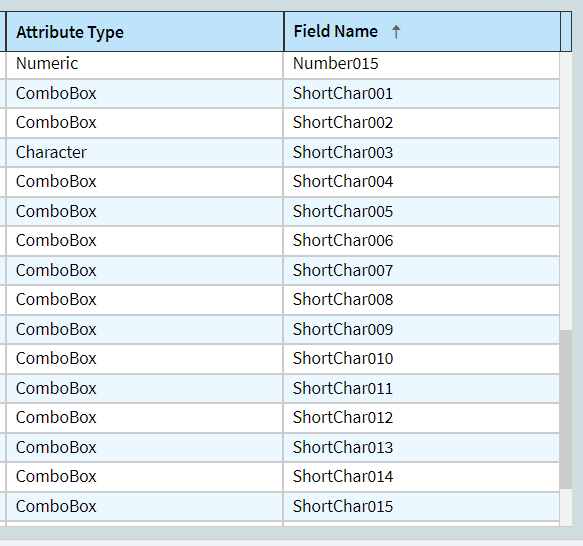
Here is a screenshot of Attribute Type with the FieldName that shows both of them sharing the same Table Field Name
Thanks for jogging my memory!!
Yes, Combo Box and Character both use the ShortChar fields. What I did was assign ShortChar001-ShortChar100 to combo box and ShortChar101+ to character. Both of those field types use the ShortChar fields to store their values. You should not double up, you should make an estimate of how many drop downs you think you will need and associate as required.
Make sense?
1 Like
Hi John, Can you help me get past this new error. Text: Bad SQL statement. It doesn’t like the FOR per my logs.
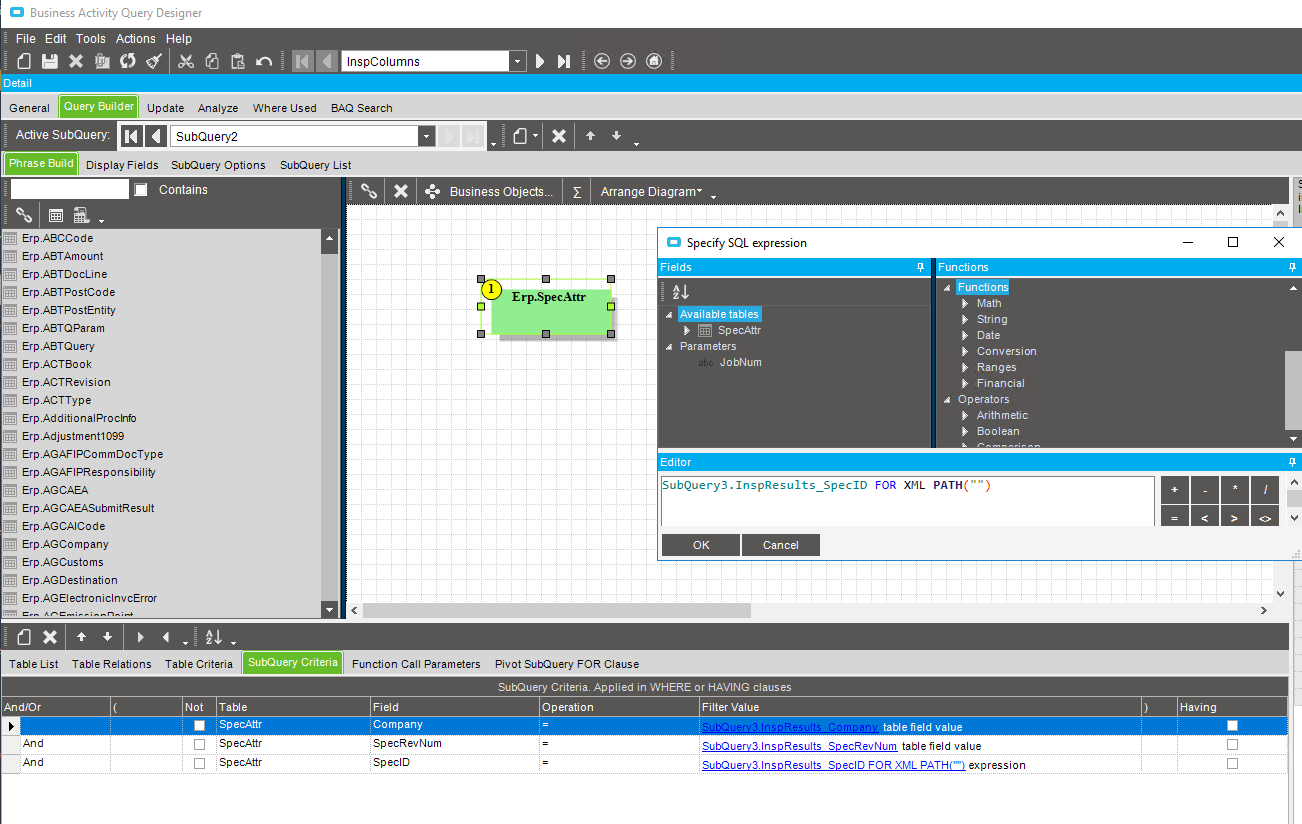
What version are you on?
10.2.700.40
You need single quote, not double.
SubQuery3.InspResults_SpecID FOR XML PATH('') expression
1 Like
Ice.Common.EpicorServerException: Incorrect syntax near the keyword 'FOR'. ---> System.Data.SqlClient.SqlException: Incorrect syntax near the keyword 'FOR'.
   at System.Data.SqlClient.SqlConnection.OnError(SqlException exception, Boolean breakConnection, Action`1 wrapCloseInAction)
   at System.Data.SqlClient.TdsParser.ThrowExceptionAndWarning(TdsParserStateObject stateObj, Boolean callerHasConnectionLock, Boolean asyncClose)
   at System.Data.SqlClient.TdsParser.TryRun(RunBehavior runBehavior, SqlCommand cmdHandler, SqlDataReader dataStream, BulkCopySimpleResultSet bulkCopyHandler, TdsParserStateObject stateObj, Boolean& dataReady)
   at System.Data.SqlClient.SqlDataReader.TryConsumeMetaData()
   at System.Data.SqlClient.SqlDataReader.get_MetaData()
   at System.Data.SqlClient.SqlCommand.FinishExecuteReader(SqlDataReader ds, RunBehavior runBehavior, String resetOptionsString, Boolean isInternal, Boolean forDescribeParameterEncryption, Boolean shouldCacheForAlwaysEncrypted)
   at System.Data.SqlClient.SqlCommand.RunExecuteReaderTds(CommandBehavior cmdBehavior, RunBehavior runBehavior, Boolean returnStream, Boolean async, Int32 timeout, Task& task, Boolean asyncWrite, Boolean inRetry, SqlDataReader ds, Boolean describeParameterEncryptionRequest)
   at System.Data.SqlClient.SqlCommand.RunExecuteReader(CommandBehavior cmdBehavior, RunBehavior runBehavior, Boolean returnStream, String method, TaskCompletionSource`1 completion, Int32 timeout, Task& task, Boolean& usedCache, Boolean asyncWrite, Boolean inRetry)
   at System.Data.SqlClient.SqlCommand.RunExecuteReader(CommandBehavior cmdBehavior, RunBehavior runBehavior, Boolean returnStream, String method)
   at System.Data.SqlClient.SqlCommand.ExecuteReader(CommandBehavior behavior, String method)
   at Ice.Blaq.Execution.QueryExecutor.ExecuteAndFillDataSetInternal(IDbConnection dbconn, QueryInfo queryInfo, DataSet resultDataset, Action`2 perfLogger) in C:\_releases\ICE\ICE3.2.700.40\Source\Server\Internal\Lib\Ice.Lib.Blaq\Execution\QueryExecutor.cs:line 118
   at Ice.Blaq.Execution.QueryExecutor.<>c__DisplayClass3_0.<ExecuteAndFillDataSet>b__0(IDbConnection dbconn) in C:\_releases\ICE\ICE3.2.700.40\Source\Server\Internal\Lib\Ice.Lib.Blaq\Execution\QueryExecutor.cs:line 37
   at Ice.Blaq.Execution.QueryExecutionHelper.DoJobWithObject[TObj](Func`2 theJob) in C:\_releases\ICE\ICE3.2.700.40\Source\Server\Internal\Lib\Ice.Lib.Blaq\Execution\QueryExecutionHelper.cs:line 195
   --- End of inner exception stack trace ---
It is single, I sent then wrong screenshot.
Looks like FOR XML PATH was taken away in 10.2.7. You will have to use STRING_AGG.
Unfortunately, I don’t know how to do that. I would search the site for STRING_AGG to see if someone explains it here. Or search the interweb. Sorry
1 Like
Ok, thank you for the direction. Hope you have a great day!
For anyone who runs into this…see this post. You all ROCK!
3 Likes
Must not be a lot of people using this, or if they are they aren’t having all the problems I am trying to get it to work. I am past all my issue’s and finally ready to I think preivew some data. Step four says it’s not a BAQ Report, then you say it is. Am I using the InspColumns BAQ to create the BAQ Report in designer. I’ve worked with Epicor on many reports but NOTHING at this level. Again, thank you for your time and help.
BAQ Report or URL. Sorry for my ignorance.
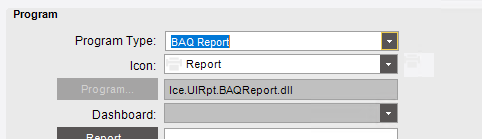
And I mean the Enhaced module 
No, you need to manually create an RDD and add the BAQs as the data source in that RDD.
Then it get’s added to the menu as a URL Link report? I do have your RDD loaded. Just not sure how to get it in the menu and to fire, I’ve never had to do a report this way. Not much I could find on it either, so you are my only source hehe.