We have a resource that’s going to become unavailable starting in a few weeks, and will remain that way for several months. Is there a way to set a future inactive date for scheduling? We’re trying to get a sense for capacity, and it would really help if we could tell Epicor that a specific resource isn’t available as of some future date.
I believe you can assign a production calendar to a resource.
Even better, you can go into Resouce Group Entry and set group and resource-level exceptions to the main production calendar.
ResourceCal is the table, if you wanted to DMT it.
I thought I might switch it to a calendar with no available time, but such a calendar can’t be saved without ‘calendar with zero hours’ errors.
John, I was considering that as a last resort. We don’t know how long it’s going to be down. It should be easy to add exception days with DMT but maintaining them later is likely to end up being a pain.
Maybe put in the initial exceptions so MRP doesn’t use it and then mark it “Inactive” on the first day it’s out of service.
Personally, I wouldn’t even DMT it. I’d just build a function that would either add or remove exception days as needed. I already posted on Friday something that does something similar to the ProdCal. Now that you’ve given me the idea, I might propose to the schedulers a variant that modifies the resource cal.
Last thought. If you have the Maintenance Module (or even if you don’t  ), add a job that eats all the capability way out into the future and change the schedule date as you know more.
I’ve been reading this book Wiring the Winning Organization: Liberating Our Collective Greatness through Slowification, Simplification, and Amplification and it’s forcing me to think more about simplicity.
I think this is the way I’m going to go unless a better solution appears. DMT since that’s our audit trail, plus the same DMT set will clean up the mess when it’s time to drop the exceptions.
If someone wants to beat me to it, before I manage to get back into Ideas, this would be a great one. It’s pretty normal to know in advance that a resource is going to not be available as of some future date. An ‘end date’ would be extremely helpful, like what we have in Employee.
If your operations are defined to schedule capabilities, set the resource to inactive when you take it out of production. Operations will schedule into one of the similarly capable resources you defined as the capability.
Similar if your operations are defined to schedule into a resource group with more than one resource. Just set your resource to inactive when you take it out of production.
If your operations are defined to schedule into the specific resource, define a capacity calendar for it & mark days as non-working days from the time you expect the resource to be taken out of production until your best estimate of when it’s back in production. You can later change what days are non-working as you have a better idea of the timing of it coming back as a production resource.
For that last scenario, if you have another resource capable of doing the same work (and you defined your operation(s) as resource specific or resource group specific when the resource group has only one resource), I would change the operation to use that alternate resource.
If that is not an option, the idea mentioned above of using a Maintenance Job scheduled to consume all capacity of the resource over the expected time frame of it being down is a solid one.
You can do that with a regular job as well if you Lock Scheduling in the job once you initially create and schedule it through a single operation scheduled into your resource.
If you capacity is 8 hr for the resource, set the operation to 0.125 pc/hr to consume 8 hrs. That means the quantity of the job consumes 8 hrs for every ‘piece’ you schedule and it makes it easy to manage when the qty effectively represent days.
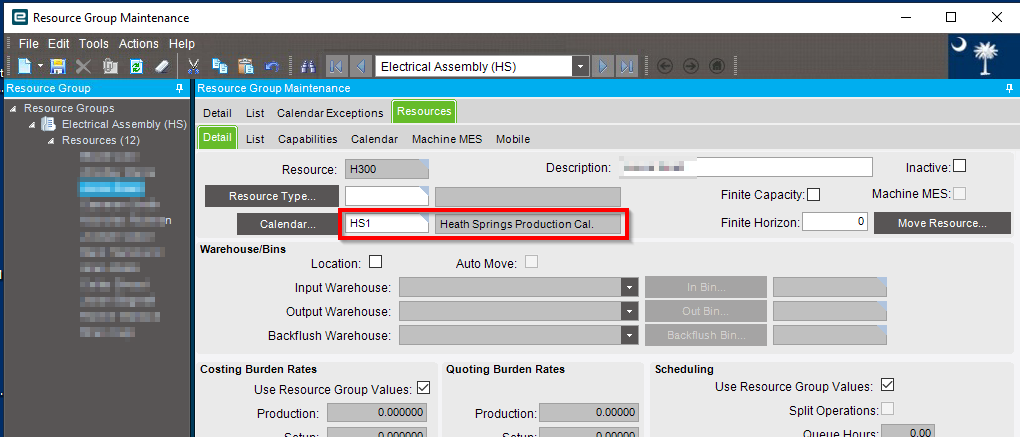

I went for the resource calendar exception route.
The bad news is, DMT hates resource calendar exceptions. Can’t make a new one because it tries to make a new duplicate resource group. Can’t update because DMT tries to pass the group ID as the company ID.
The good news is, REST.
curl -X 'POST' '<--- your server path goes here --->/Erp.BO.ResourceGroupSvc/ResourceCals' -H 'accept: application/json' -H 'Content-Type: application/json' -H 'X-API-Key: <--- your key goes here --->' -H 'authorization: <--- your auth hash goes here, unless you prefer un/pw, you do you --->' -d '{"Company": "<--- your company ID --->","SpecialDay": "1953-10-30","ResourceGrpID": "<--- ID --->","ResourceID": "<--- ID --->","ExceptionLabel": "<--- the exception's cover text --->","ProdHour01": false,<--- some more prodhours --->}'