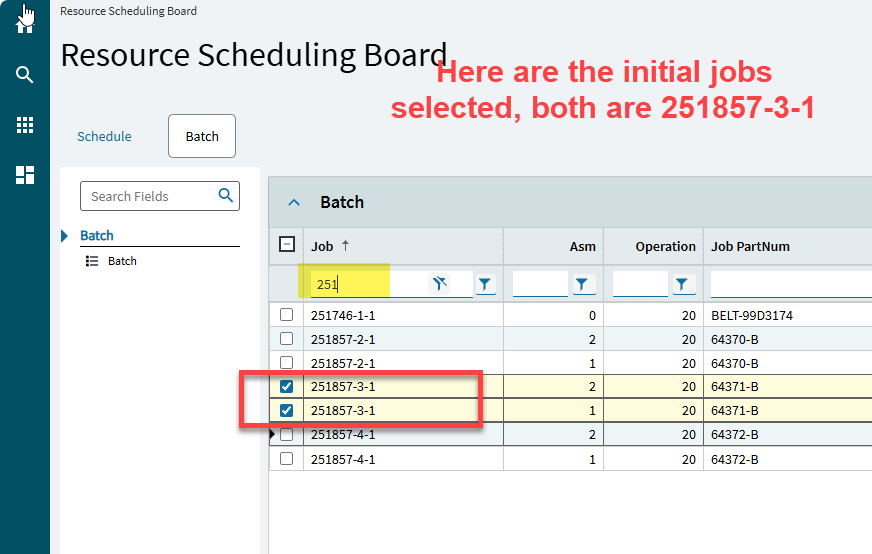
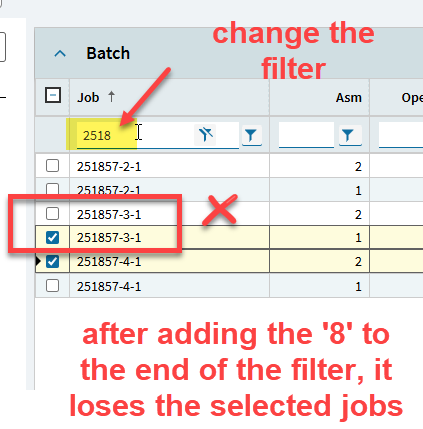
That will be a HUGE problem for me.
Why?
99% of my dashboards use it in some form or fashion.
Same here. Although, the update didn’t brick all of them. Some of them still work and I have not figured out the difference between the good and the bad yet
It seems the ones of ours that broke are the updatable dashboards. That’s the only similarity I’ve found .
Did anyone else see their Sales Order Entry screen change; just to move the Attachments button? AND… we cannot drag and drop attachments now. Is it just us?
Edit to add:
I see a Problem reported for this
PRB0318934
Description
Problem Description: 2026.100: When Drag and Drop attachments to transaction, Attachment prompt required to select attachment again.
Expected Behavior: When drag and drop, expect the prompt to already selected the attachment instead of requiring to click Add to select the attachment.
To work like 2025.2
Drag and drop attachment does not work for us too, any screen
I’ve had some non-updatable grids break for us and then I’ve got some updatable ones that do work…
Just tested this and found we are having the same issue…
Well so much for my theory 
I will say though, the updatable ones that don’t work are behaving differently than the non-updatable ones so that could play into things
Updatable: Won’t show any attempt to execute the BAQ in the DevTools. Just does nothing.
Non-Updatable: Will “refresh”, but then show no records. In DevTools it will say Bad SQL Statement and say to look at server event logs, even though the BAQ runs fine in the designer

Here’s a list of the issues we’ve got since the Prod upgrade:
-
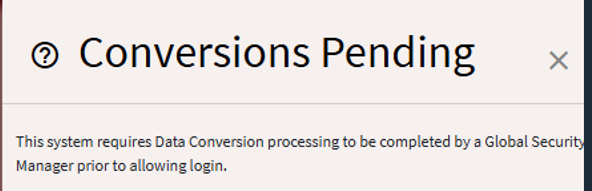
After receiving the email confirmation that the prod upgrade was completed, nobody were able to login to Epicor. The following message was displayed. We had dozens of conversions and we had to run them ourselves. One of them thrown an error an Epicor Support had to run it on their side. Lost about 2h back and forth with support
-
AR Invoice form throw an error, see PRB0319161. We flagged this issue in Pilot and Support fixed it, but I guess they forgot to fix it in Prod too.
-
Attachment drag and drop not working, have to maually add attachment as a workaround for now
-
All Bartenders label not working. We’re in contact with our VAR who handles the integration, must be an issue with the Linux file path format.
-
Issues with group by on custom dashboard grids. No data in the grid unless user disable group by
-
Got a custom dashboard that froze on refresh. Had to delete and re-create the events and is working fine now
-
Customer entry screens randomly refuses to load a customer record. Tough to replicate consistenlty
-
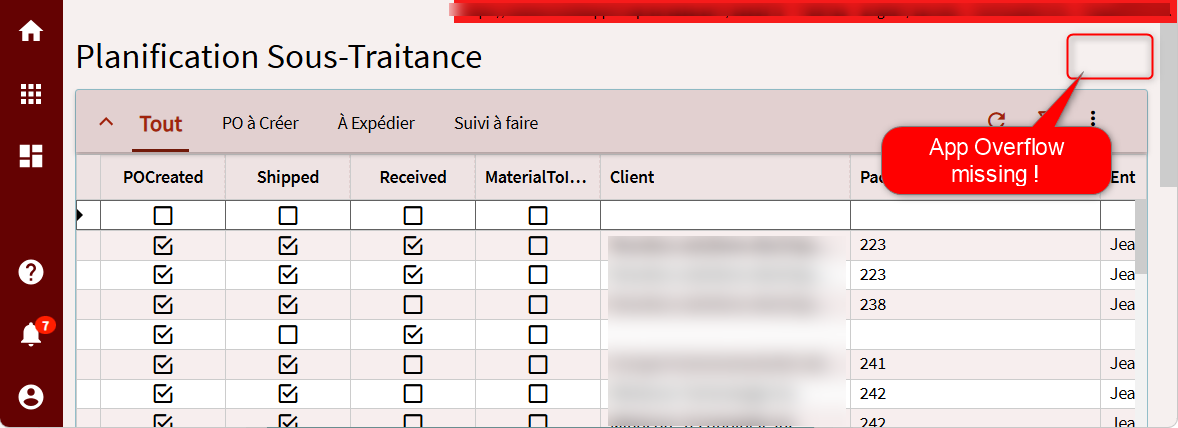
Custom dashboard randomly hides the overflow menu, not able to replicate consistenly
Can we get the app.json from one that works vs one that doesn’t?
We might break out a new thread to analyze.
This thread might be the same issue. Or at least related.
I see a Problem listed for this…
PRB0318934
Description
Problem Description: 2026.100: When Drag and Drop attachments to transaction, Attachment prompt required to select attachment again.
Expected Behavior: When drag and drop, expect the prompt to already selected the attachment instead of requiring to click Add to select the attachment.
To work like 2025.2
I was able to replicate the same issue. The drag-and-drop functionality was working on Friday before the migration. Another one of those “worked in Pilot and Epicor forgot to move it to Production” issues, maybe?
I was actually using the drag and drop functionality this morning. Then I stopped that project to answer some emails and one of those emails was asking if that functionality was available with the new version. When I went back to SO Entry, I noticed the attachment button had moved and then I couldn’t drag and drop attachments.
We also have the drag/drop issue.
I noticed Production is on a different hotfix than what we tested on Pilot!
You da man. Switching one of our important DBs to BAQ Parameters instead of using BAQ Where list under Provider Models is allowing us to filter and load data properly on our DB. Kinda runs faster too. Thanks man.
Now to update all of the other DBs…