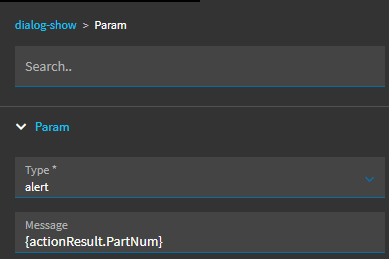
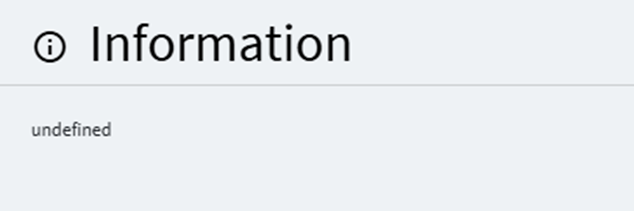
This should be easy, but honestly the documentation for all these event action parameters is really lousy
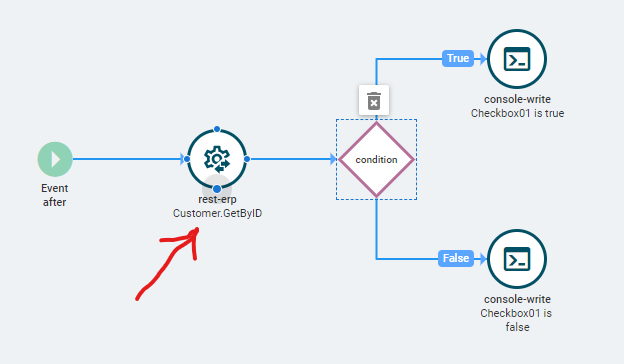
I’m using rest-erp action to call Customer.GetById
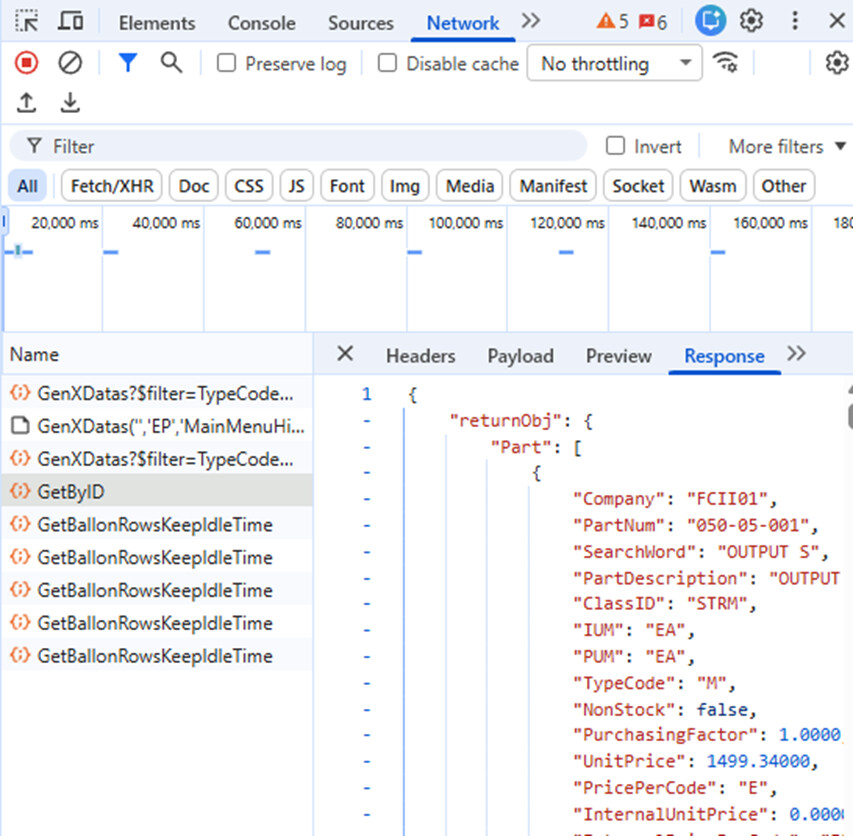
I see from the debug/trace network tab, a proper response payload
I want to grab a field from the response to pass along to the next action
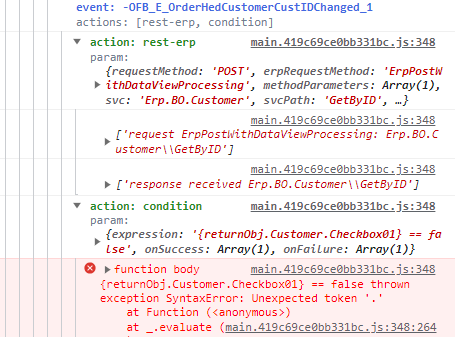
I’ve tried variations on “{response.Customer.Checkbox01}” (since that’s what the response payload looks like) in my next action which happens to be a condition,
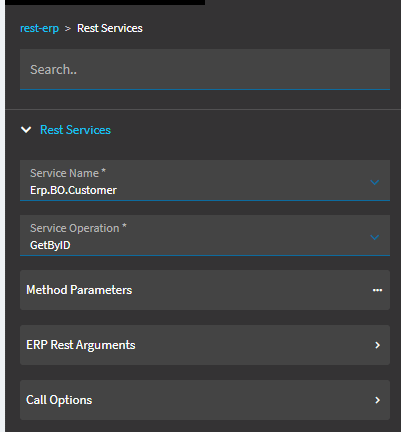
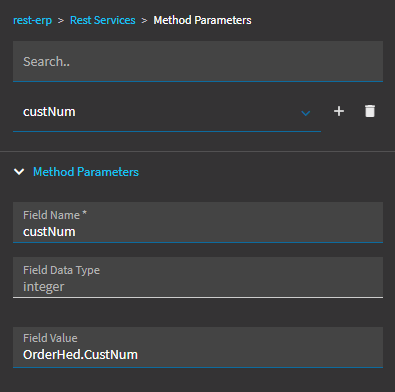
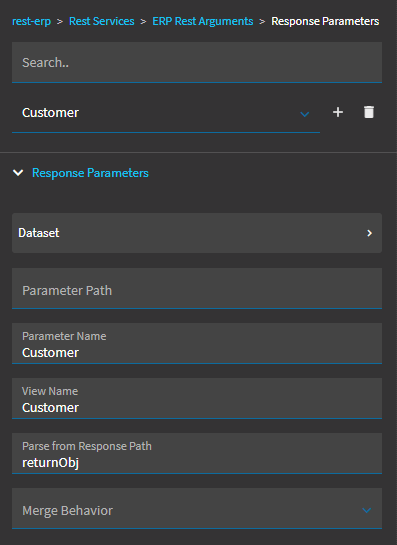
my setup of rest-erp action is simple:
I don’t believe in this case I should need to setup the “ERP Rest Arguments”
as I am not mapping anything to a dataview
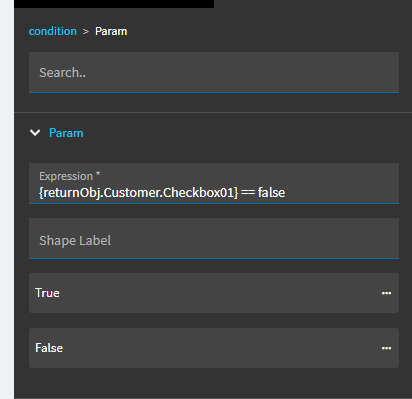
This is my condition expression (one of several variations I’ve tried
I have tried several variation on the syntax for my condition’s expression, which is where I get an error (the error varies depending on the syntax I use)
what seems to get me closest is:
{returnObj.Customer.Checkbox01}
in which case I get: syntax error: unexpected token ‘.’
this implies to me it likes the {}'s and understands what returnObj is ???
I really don’t like the idea of having to use a view mapping for this, there is no reason for that in my opinion and it makes cases like this overly complex.
again, no examples, no documentation on how this is supposed to work
Seriously ?, I did manage to try {actionResult.Customer.Checkbox01} and {actionResult.responseObj.Customer.Checkbox01} based on research but, argh…Thanks!
Too may things in there.
It will only ever be {View.Column}.
You may still need to tell it returnObj and Customer for the “Parse from Response Path” and “Parameter Name” respectively, but you don’t need the view.
I did try {Customer.Checkbox01} though and that did not work (that was my first attempt)
but now I see it’s different for a UD field, so I did the mapping thing
This will only work if you specified a view in the response and that view is named “Customer”.
If you don’t specify a view from a REST call, it’ll just be actionResult for the view.
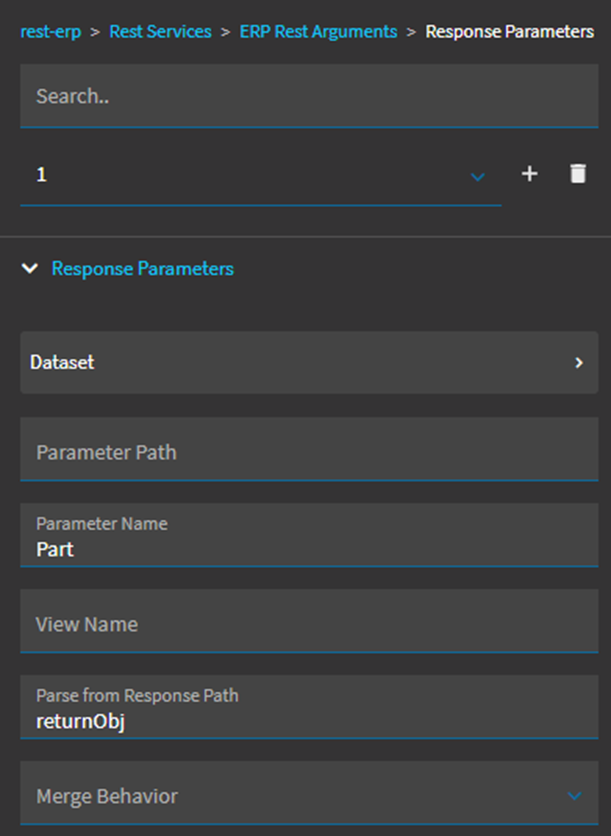
Thanks to all that have shared on this so far. I really feel incompetent with Application Studio and debugging. I’m trying to implement basically this very same thing for Part and I’m unable to get the resultant data pulled out. Using the same erp-rest widget for Part GetByID, I see the data queried successfully.
I’ve also tried including Part in the View Name of the Response Parameters…knowing it would then need to be {Part.PartNum} but it fails with the same undefined.
They may have changed the actionResult behavior. You’re better off creating a Part data view, then defining the view in the response param and using the data saved to the new view.