We are shutting down a warehouse and so want to move all bins and inventory to another warehouse, preserving the bin names. Is there a tool in Epicor for this kind of mass transfer? I can’t seem to find one.
If not, would this be a good approach?
Use a BAQ to export the PartBin table to collect the inventory
Use a BAQ to export all bins in the old warehouse
Use DMT to import all bins into the new warehouse
Use DMT to update the Warehouse values in the PartBin table from the old warehouse to the new warehouse
Part → Sites … you’re referring to Primary Warehouse, no? Not directly related to moving the inventory but definitely seems like a good point to update that too, thank you, good point.
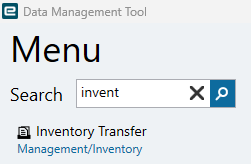
I tried seeing how the Inventory Transfer tool would work, but it is one part at a time and manually selecting the bins one at a time, it would take an entire day or two. That is why I am asking about how to do this via DMT.
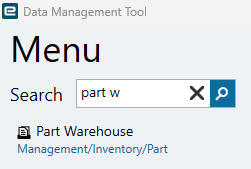
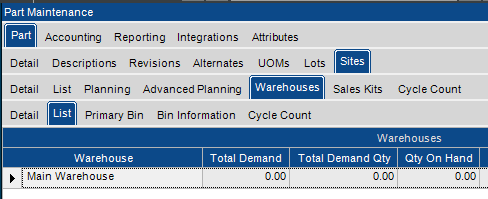
And Jason is referring to the Part Warehouse record. You can do that via DMT as well. You will need to do that before Inventory Transfer will work. The part must be assigned the warehouse as a ‘valid location’ before you can move it to the warehouse.
Part Warehouse in the Epicor client (Part Maintenance)
I had to do this back in 2008-2009 when DMT was “just a baby”. I used the Inventory Adjustment option within DMT.
In my case, the customer had just gone live that morning, and we found out that their data migration (using an OLD tool called “Pervasive”) was done incorrectly, and they put inventory into the wrong warehouse and all into one “defbin” instead of a correct bin. Luckily we had an inventory listing from the day before with the correct part/warehouse/bin values…
created a BAQ to export all the CURRENT values
Created a spreadsheet from the Current values but made the quantity negative and the current bin/warehouse
Created second spreadsheet to include the new warehouse/bin with POSITIVE values for adjustment
Ran DMT on the first spreadsheet
Ran DMT on the second spreadsheet.
I think the end result was that it took me about 15 minutes to make the two spreadsheets, and another 5 minutes for the 100s of adjustments to process in DMT.
Hi Tim,
Sorry to bring up an old post but this is sort of what we are trying to do right now.
We are wanting to upload a list of bin #/part number to establish primary bins in new warehouses that we created.
Does the process you listed out only work if there are already bins set up?
i believe the the process above would be different. you will need to use DMT to first establish all the BIN Numbers in the warehouse bin table. once that is done, then you can set the primary bin on the part (also with DMT)
Hi Tim,
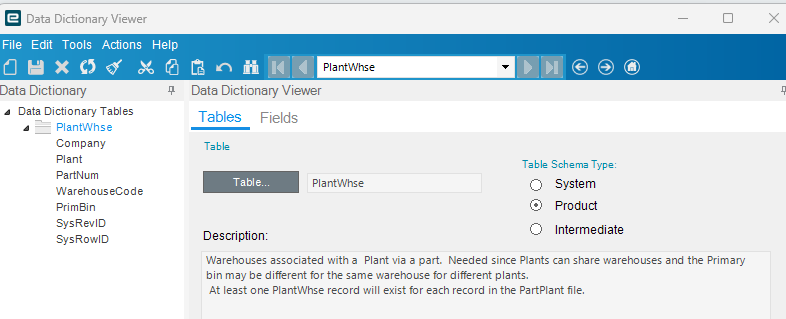
We have been looking into this and our IS team cannot find primary bin table to update. Do you know which table it is set up for on the part level?
Can we mass update primary bin with DMT?
In fairness, a part could exist in two different plants, and it is unlikely the bin system would be the same. Having it at the part level is not sufficient.