the 2 is the hot key (J was used for something else) and I am using the Bar-Code 39 font…when I scan the barcode in Word, I get the correct text returned
Shoot…as I type this out I realized our job numbers have extra dashes in there…which is messing up the values…I need to have it ignore the extra dashes in my job number…
ok so I change the delimiter to + and I no longer get an error…but it doesn’t clock in…something flashes briefly but nothing actually clocks in…so getting closer…status bar changes from “ready” to “retrieving data” but nothing changes or gets clocked in
Are you sure it’s not getting clocked in? You automatically close your screen, and unless you are refreshing the main screen after it closes, it probably won’t show the clock in.
Since you don’t have visual studio working, start dropping message boxes in your code to see what is being done where.
Hmm ok nevermind I am still getting the Invocation error…I commented out the close, and restarted MES and am now getting the error. Seems as though i get the error the first few tries and then it goes into the brief pop up and no error…but now with the close commented out but the form doesn’t even show
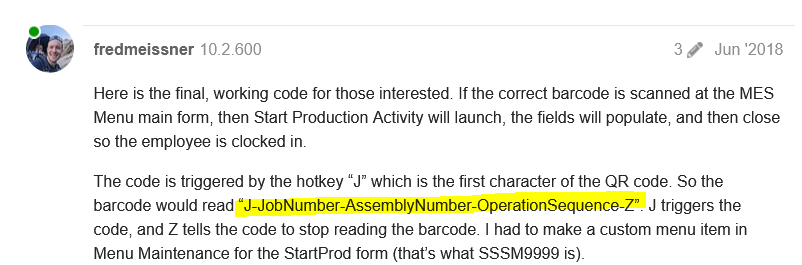
Ok let me try that…I was basing it on @fredmeissner original post and he had the hotkey at the start and then a “Z” call out at the end to signify the end of the barcode I believe…
Looks like I’m late to the party, but I am excited to see that this issue was resolved as we ran into it a while back and never figured it out. It was not a priority at the time so it got dropped. I’m going to revisit the code and see if I can get it working using Brandon’s suggestions!