Hello,
I’m trying to make a modification to MES to where when a job is clock into from a certain department, it automatically launches the End Activity Window after they finish clocking in.
I’ve never done a customization before, so I’m not sure if i’m going about it the right way. below is the script I’m using in script editor, it is launching the window, but it doesn’t seem linked to the job. I’m getting the application error below after I clock in.
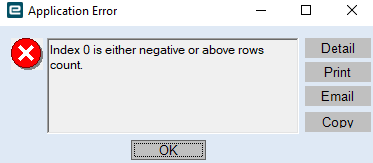
and then it opens end labor activity, with no information like job number linking it to the job.

// **************************************************
// Custom code for MESMenu
// Created: 3/6/2025 6:28:39 PM
// **************************************************
using System;
using System.Windows.Forms;
using Ice.Lib.Framework;
using Ice.Lib.Customization;
using System.Threading.Tasks;
public class Script
{
private EpiDataView edvLaborDtl;
private bool hasLaunched = false; // Prevents duplicate
public void InitializeCustomCode()
{
    edvLaborDtl = (EpiDataView)oTrans.EpiDataViews["LaborDtl"];

    if (edvLaborDtl != null)
    {
        edvLaborDtl.EpiViewNotification += new EpiViewNotification(LaborDtl_Changed);
    }
}

public void DestroyCustomCode()
{
    if (edvLaborDtl != null)
    {
        edvLaborDtl.EpiViewNotification -= new EpiViewNotification(LaborDtl_Changed);
    }
}

private async void LaborDtl_Changed(EpiDataView view, EpiNotifyArgs args)
{
    if (args.Row > -1 && !hasLaunched) // Ensure it's a valid row
    {
        try
        {
            // Get values
            string opCode = view.dataView[args.Row]["OpCode"].ToString();
            int activeTrans = Convert.ToInt32(view.dataView[args.Row]["ActiveTrans"]);
            string laborType = view.dataView[args.Row]["LaborType"].ToString();

            // Conditionals
            if (opCode.Equals("WC15", StringComparison.OrdinalIgnoreCase) &&
                activeTrans == 1 &&
                laborType.Equals("P", StringComparison.OrdinalIgnoreCase))
            {
                hasLaunched = true; // duplicate trigger check

                // Wait
                await Task.Delay(1500);

                // launch
                ProcessCaller.LaunchForm(oTrans, "Erp.UI.EndActivityEntry");

                hasLaunched = false; // Reset flag
            }
        }
        catch (Exception ex)
        {
            MessageBox.Show("Error in LaborDtl_Changed: " + ex.Message, "Error", MessageBoxButtons.OK, MessageBoxIcon.Error);
            hasLaunched = false; // Reset flag
        }
    }
}
}