I’m brand new to Epicor and was brought into my role to help with development and maximizing Epicor potential. I’ve got nearly 10 years in C# development and am finding myself quite honestly stumped by Epicor’s coding environments. Keep in mind im completely new to Epicor as a whole but I’m sort of pioneering this for the company I work for. I’ve got a few questions:
Where can I go to learn about the developer side of Epicor Kinetic? I’ve been through the developer track on Epicor Learning Center which covers BPMs, BAQs and Application studio in a generalized form but felt it was lacking in understanding Epicor’s specific syntax and what’s available and how to access things like formal documentation etc.
How does one go about learning the syntax structure for fields within Application Studio? I see a lot here on Epiusers regarding custom code and application studio and am so perplexed on where everyone learned these entries they put into things as its not really C# specific material so I assume is an Epicor quirk.
Is everyone really using the internal code editor for Epicor? It’s pretty limited and I’m wondering if there’s a way to use a proper IDE when coding for Epicor.
Honestly would appreciate any advice on getting out of the stage of feeling totally in the dark.
Welcome! This forum is a great place to learn, so buckle on your reading glasses!
Honestly, it takes years to grasp the development of Epicor. There are a ton of nuances that simply take working with it to understand. So be ready for some frustration as you work through it all. You’ll feel like you’re totally in the dark for while. It’s normal.
That being said, understanding what places customization and what the differences are is the first place.
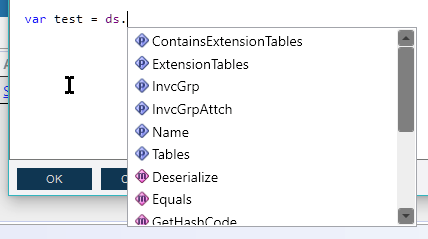
Server side code is things like BPM’s (business process management) and Epicor Functions. This is where you can use C# code to do things. The basic IDE in there has some intellisense, but you have to use Ctrl+Space to use it. After a while that can become so automatic, you don’t even think about it.
Client side code used to be C# within customizations. These will be refereed to “Classic” customizations around here. Depending on where your company is in the kinetic journey, you may or may not deal with those anymore. You mention application studio, so you are probably working with the new browser screens.
Application studio is “Low code/No code” (which really means to me just some other coding syntax that causes carpal tunnel…). One of our users, Hannah has compiled an extremely long How To for all of the different controls.
Learn how to do a trace before you start any real code work. There are some posts around here to show you how to do that, but it’s a good way to see what epicor is doing natively and then you can use that information to recreate that in code, then sprinkle in the things that you need to do to automate things.
That’s some really super basic info, but over time you’ll start learning the normal patterns that Epicor uses to do this with the business objects, but there isn’t really a magic bullet to get you up to speed on it. You’ll have to work through them to see what they are doing.
Many of us copy and paste between VS Code and the Epicor code editor since the table/field names are already engrained in our minds… That said, Github Copilot AI VS Code extension is getting better and better at knowing Epicor field names.
I’ve never been outside of Epicor, so what follows may be painfully obvious, but here are some overarching thoughts:
Kinetic is two things simultaneously
A SQL database
An interface built on “Business Objects.”
Do not edit the database directly, the end.
The interface is what modifies the database – even if you are customizing things.
Now, when I say interface I don’t just mean a user interface. Business Objects are used as the interaction:
In the old classic screens (will be unavailable starting in ~May 2026)
In the new browser UI (Kinetic)
In DMT
In (Method Directive) BPMs
In Epicor Functions
In external API calls
They all use the BOs as the mechanism to do anything.
As we discussed earlier today on another thread, the BOs are centered around the task, not the database tables. The OrderHed table is modified in a BO called SalesOrder.
So, please get familiar with actually working in the Kinetic UI. Then you’ll be able to follow a trace as @Banderson said.
In addition to the above useful information (and since I haven’t seen it mentioned) I am going to give a shout out to @josecgomez and the Kinetic Trace Helper Utility plugin for Chrome/Edge:
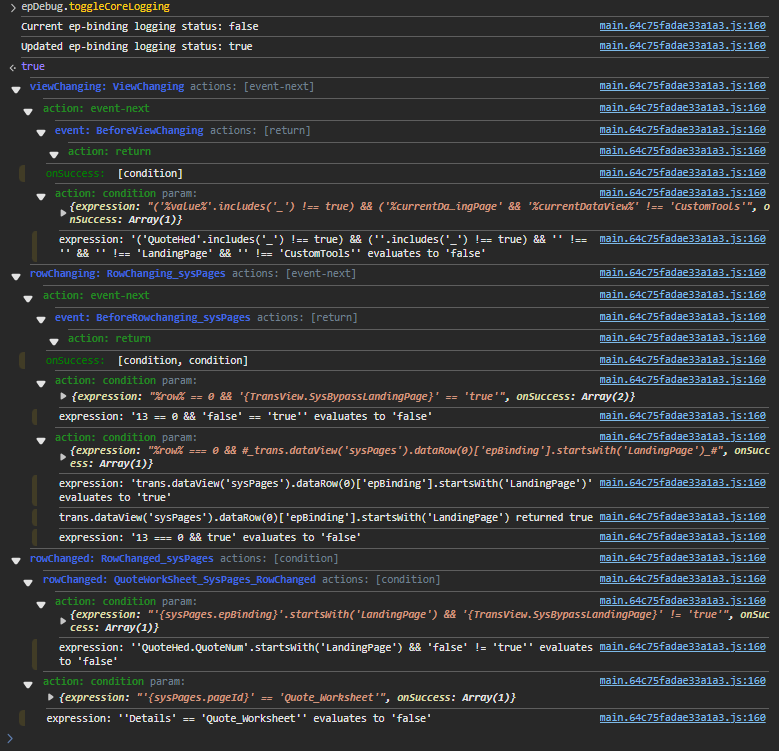
Some additional shortcuts for browser debugging that have been immensely helpful for me developing customizations:
Console tab is client side information (events, data rules, data views, etc.)
Console Debug commands:
Ctrl + Alt + 8 : toggle console tab’s debug mode
(or type in console: epDebug.toggleMetaFxLogging)
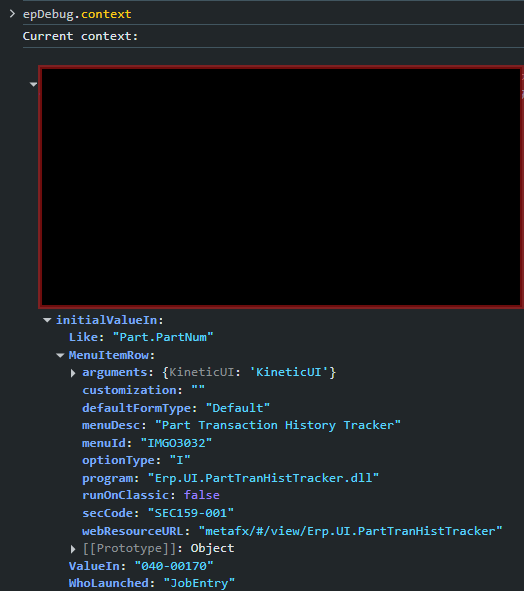
Ctrl + Alt + L : Show all components/controls
Ctrl + Alt + 1 : Show data rules in a tree format
Ctrl + Alt + 2 : Show data rules in a table format
Ctrl + Alt + V : Show data views
Ctrl + Alt + 3 : Show “Dirty” data views, i.e. data views with unsaved changes
Network tab is server side information (like business objects and their methods, what was shown in Classic tracer). Helpful in developing BPMs (and Functions?).
I particularly like the show data views one when trying to dig into something further, because it will show any of the active/used data views in a red font, so you can quickly pinpoint which ones to focus in on.
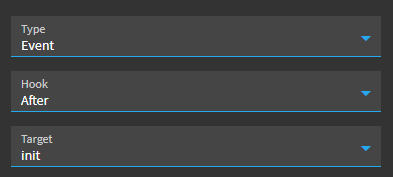
First thing I do on anything i make in app studio is set up the Window.OnLoad event to be a condition checking if the user is me, and turn debug logging on if so, then i put the normal Window.OnLoad stuff I want to do in another event with trigger After Event (the Window OnLoad event).
This helps to capture early events that fire before you get a chance to press ctrl-alt-8 etc.
Perfect example of why this forum is so great, helpful, and an amazing community. I’ve been doing this for 5 years and have learned more debugging tricks in this thread.
I started from a similar position as you about two years ago - it’s definitely not ‘normal’ … but it is also not too strange
The documentation, as you’ve seen is … lacking, but there are some good reference manuals available from Epicor - and epiusers.help is excellent.
A lot of the syntax weirdness is just input/output/environment variables that aren’t necessarily visible. The pane on the side of the editor has a lot of those variables available to see. LINQ is your friend - if you haven’t used it before, it’s well worth getting a handle on it. Also, Datasets have Tables which have Rows, which have fields – that’s another one I wasn’t very familiar with before…
The code editor is weak, but it has gotten a lot better
Good luck! and ask specific questions as needed - there’s always someone on here who will at least try to muddle through it with you
Wow! Thank you all for all the helpful tips and tricks. Its definitely a huge weight knowing folks are so helpful and kind here. Really appreciate you all, I’m sure you will all see a lot more of me on the forums moving forward haha.
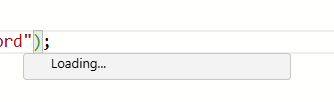
Well, it’s pretty much always going to be after a . So, I wouldn’t expect anything to come back after what you are showing there. Also, it looks like that’s in the browser? I’m not sure how good the browser is yet for the autocomplete. I currently am using the smart client, because of those limitations. Unfortunately, Epicor is in a transition period, and some of the new tools still need some work.