Hello all,
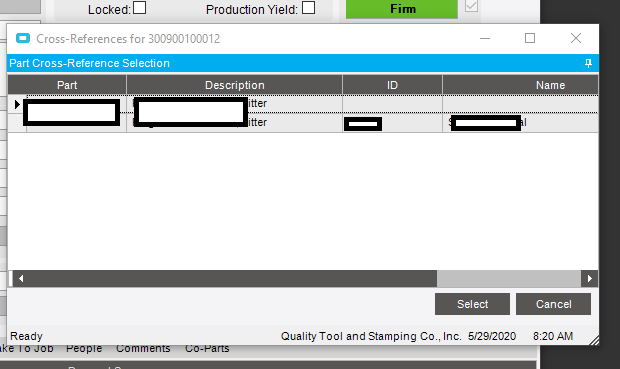
I would like to customize the selection grid for PartXRef to also include the revision. Right now it looks like this:
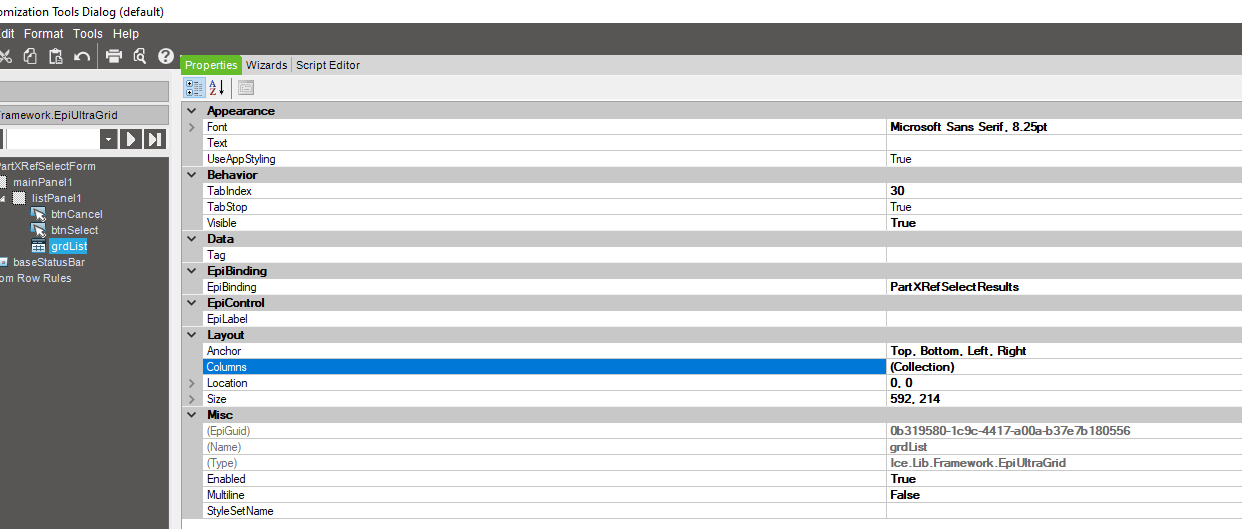
In developer mode, I see that the binding of the grid is “PartXRef Selected Results.”
Is there a system query that I can access to see if I have the option to bring additional columns into the selection grid? I browsed a lot of “z_” queries but couldn’t find anything.
Thanks,
Alice
When you trace the transaction, does it show it calling a baq or directly calling the BO reader?
If I had to guess, this is most likely a hardcoded, compiled on-the-fly query in the source code.
Thank you. But Yuck. Looks like I will have to bark up a new tree.
As I expected, it is hardcoded in the BO itself (code removed as it isnt helpful).
You might be able to still use a FKV to link and pull some additional data
So in this trace packet, there is reference to a Erp.Tablesets.PartXRefSelectTableset. Is this tableset a SQL view or does it live as an accessible entity within Epicor. From your response, I imagine this is not something I can customize, but for my own understanding…
.
<tracePacket> <businessObject>Erp.Proxy.BO.PartXRefSelectImpl</businessObject> <methodName>GetXRefParts</methodName> <appServerUri>net.tcp://epicor1/EpicorERP/</appServerUri> <returnType>**Erp.Tablesets.PartXRefSelectTableset**</returnType> <localTime>5/29/2020 09:24:30:1270093 AM</localTime> <threadID>1</threadID> <executionTime total="51" roundTrip="40" channel="8" bpm="0" other="3" /> <retries>0</retries> <parameters> <parameter name="ipPartNum" type="System.String"><![CDATA[300900100012]]></parameter> <parameter name="ipCustNum" type="System.Int32"><![CDATA[0]]></parameter> </parameters> </tracePacket>
and thank you both for your help.
It is a harcoded object baked into the BO.