We are currently trying to diagnose some issues with out UOM conversion shorting some of our orders. In the mean time I have been trying to create a BPM to warn a buyer about generating a PO where the SellingRelQty of the order does not exactly match the PO Qty (Variance is usually 91 vs 90.99).
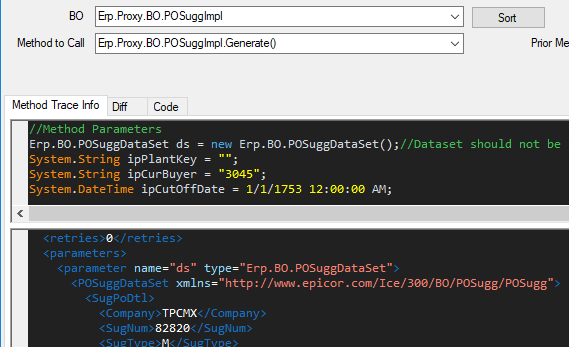
However I’m having a hard time understanding why my dataset list 0 rows in POSuggs.Generate. Preproc, Baseproc both have zero row counts for this.ds.POSugDtl and ttPOSugDtl. Based on my trace this method still has data.
But my for loop never fires with a basic message box. I have also displayed the row count. Not sure what I am missing
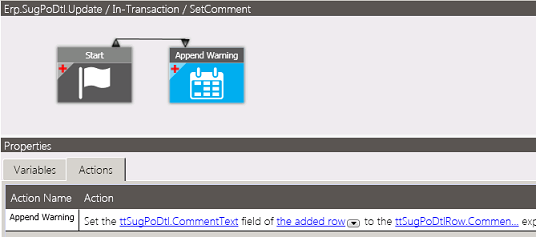
This just reminded of a hack I used for Sugg/POs to get a note/warning into my PO’s
Where I used a data directive on SubPoDtl.Update to write warnings to the ttSugPoDtl.Comment.
The comments are automatically copied over the the PO when generated.
Assuming you Buyers check the comments… might get you by until you answer your original question?
@cfinley Also not an answer to your question, but more questions.
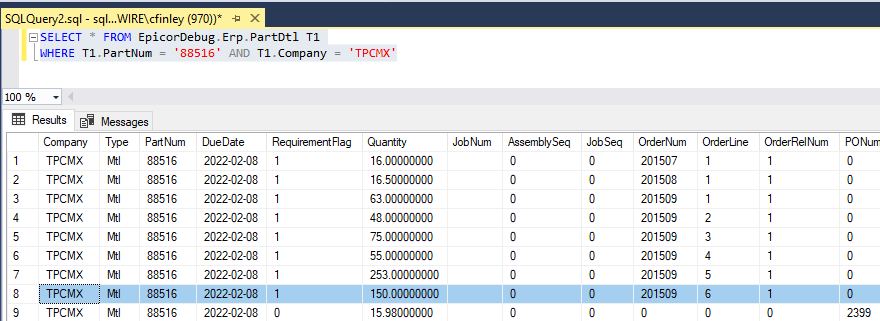
Is the delta visible in PartDtl records between the demand and the supply records? Is the quantity difference visible in buyers workbench? Or is it correct in both places but wrong when generated. I do a bunch of checking in GetRowsPlant to set warnings in a field and then row rules to color code the suggestions that need research before generation.
Thanks for @bordway and your input. To answer your question first @gpayne, we are seeing the discrepancy in New PO Suggestions right after we run PO suggs. So when the buyer opens open New PO Suggestions they see a suggestion with the incorrect qty. The qty seems to be correct in PartDtl
@bordway, My coworker and i were looking at using a different method. POSuggs.Update, but were also getting weird results there. Our idea was to check at the step they click the buy checkbox(Generate Suggestions triggers a save event), but we kept getting two duplicate rows when only one was selected.
@cfinley A routine post processing on POSugg.GetRowsPlant would allow you to either alert the buyer or just fix the quantity so then the suggestion and the PO are correct.
The basics of what I do are this.
Read ttSugPoDtl for the current buyer setting a flag so you don’t have to review a suggestion more than once.
Read PartDtl for all requirements that make up this suggestion.
Update the suggestion as needed.
@gpayne I ended up writing a simple BPM based on your suggestion to correct the qty. While im not happy about not fully understanding the cause, im happy to have a fix. Thanks to both of you @gpayne@bordway
@cfinley Sometimes you have to move on. If you really want to have fun then you can lookup that part in the PO regen log and see if it has clues. Since you were going down this rabbit hole I took a look at mine from last weekend and found that on some bom we are using a fraction of a label I wonder if they tear it or cut it clean at .45 of a label.
 I wonder if they tear it or cut it clean at .45 of a label.