oh ok, but download from where?
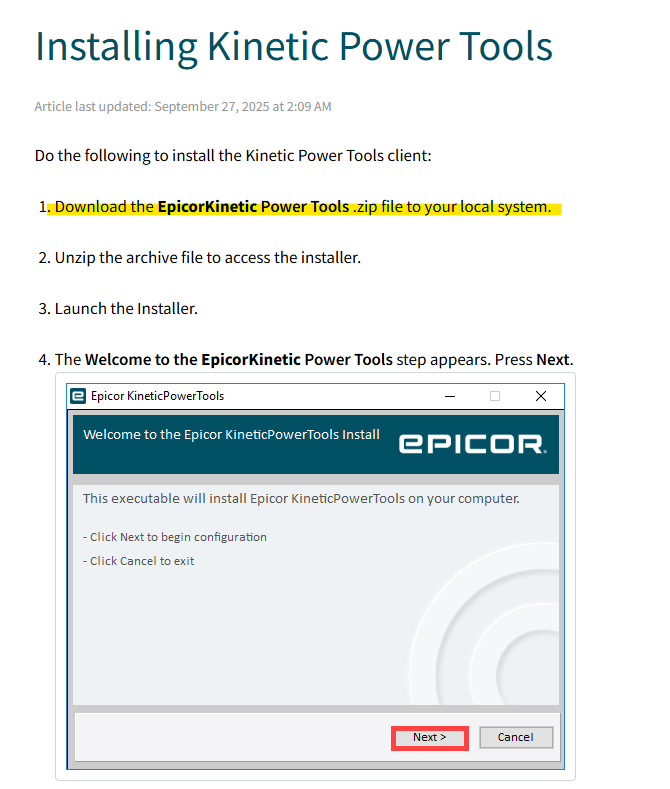
Probably the same place as the cloud client download
1 Like
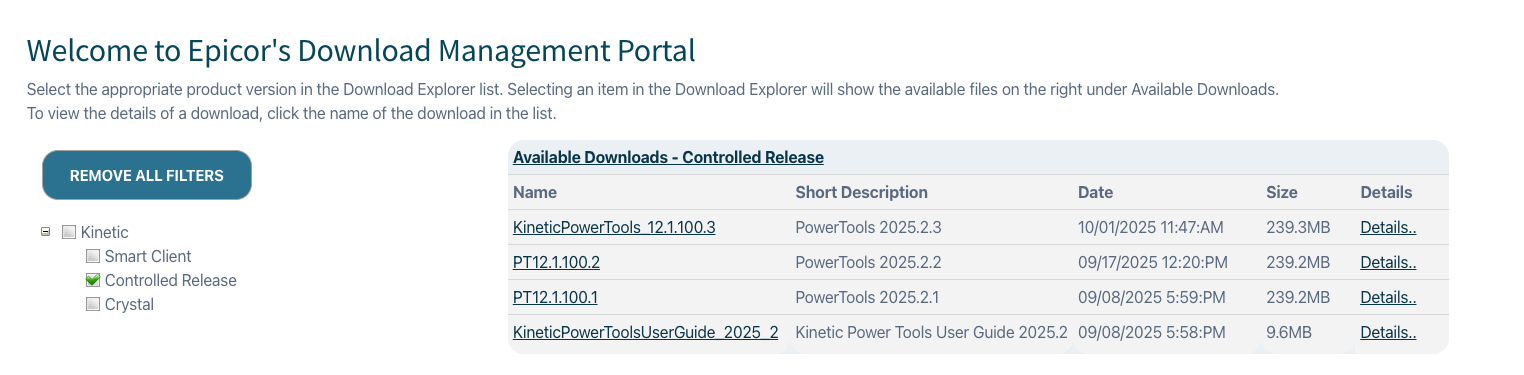
I do not see it there or on EpicWeb. I imagine this is still under Controlled Release and we may not see it until 2025.2 hits production environments.
Yep, I’m not seeing it for my 2025.2.3 Pilot environemnt.
They stuck it under Controlled Release in EpicWeb and never moved it out. The CR program ends this week, so they may be waiting for that. Either way, if you contact support they can tell you for sure.
2 Likes
Thanks. Is CR something you enroll into?
You can make your interest known, I’m not sure how they select who participates. @timshuwy can tell you much more about it.
1 Like
The controlled release program is a very limited subset of customers who sign up for it through their Customer Account Manager. We rotate companies into and out of the program over time as the needs change. We are currently limited to about 15 cloud customers plus a few on-prem customers.
If you would like to be put onto the list. please contact your CAM and they will submit your name to our Project Manager who can put you into the rotation.
3 Likes
Thank you sir. Although I am interested in early release and would put in the time n effort for feedback, it sounds too exclusive for the likes of me. 
Anyway, we’re a week into the pilot test window, might I suggest having assets ready, when pilot updates or at least noting the download instructions and GA availability date in the help articles?
Thanks for listening.
Our company was offered when we signed onto cloud, but our deal since changed to gov cloud, which isn’t supported - like most cool things >:(
You should reach out to your CAM for sure.
1 Like
It is now avaialable to download.
Cloud: Cloud Downloads under Kinetic > Power Tools
On-Prem: On Prem Downloads under Kinetic > Version 2025.2
3 Likes
Thanks Ben.
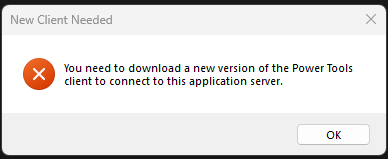
Has anyone been able to successfully download\install Power Tools? I just downloaded the Power Tools installer and after installing Power Tools and logging in I get told I need to download a newer version of the application.
1 Like
I ran into the same thing and what I think it actually means is I need a newer version of kinetic. The download file says it’s for 12.1.100.4 which translates to 2025.2.4 and my test environment is still on 2025.2.3.
4 Likes
I got my test environment updated to 2025.2.4 so it matches the power tools version now, but it’s only giving an option for basic auth login and no way to use IDP.
Does the Power Tools client have to be added as an App to IDP? Anyone have any info on how to do that?
1 Like
no clue but curious, did you self-update via CMP? My notice says Sunday 10/19 for non-prod.
Try setting the AuthenticationMode value to IdentityProvider in the .sysconfig file. The default install directory is C:\Epicor\KineticPowerTools. In the config folder, you’ll find server.sysconfig. Open for editing, and under AppSettings>AuthenticationMode, set the value to IdentityProvider and save.
3 Likes
I did! I’d like to find some more info from Epicor on how to know when a dot update is really available because it showed up as available for pilot and third starting on Tuesday this week, and I tried updating pilot on Tuesday but it just seemed to hang and then after ~24 hours gave up (still worked but not updated). After some comments on here about .4 being available I tried yesterday afternoon in Pilot and it worked so I updated Third this morning which also went smooth (30-40 minutes to update).
1 Like
I tried to update via CMP yesterday as well and I got an error. I submitted a ticket with Epicor this morning to get our third environment updated. I’m glad that it worked for you. I’ve had very intermittent success accomplishing anything with the CMP so far.
Thanks @spaceage This worked perfectly!
1 Like