Generally, you should be able to pass a $select parameter to select the columns that you want. Check it out in swagger (I’m assuming that this is coming from Epicor?)
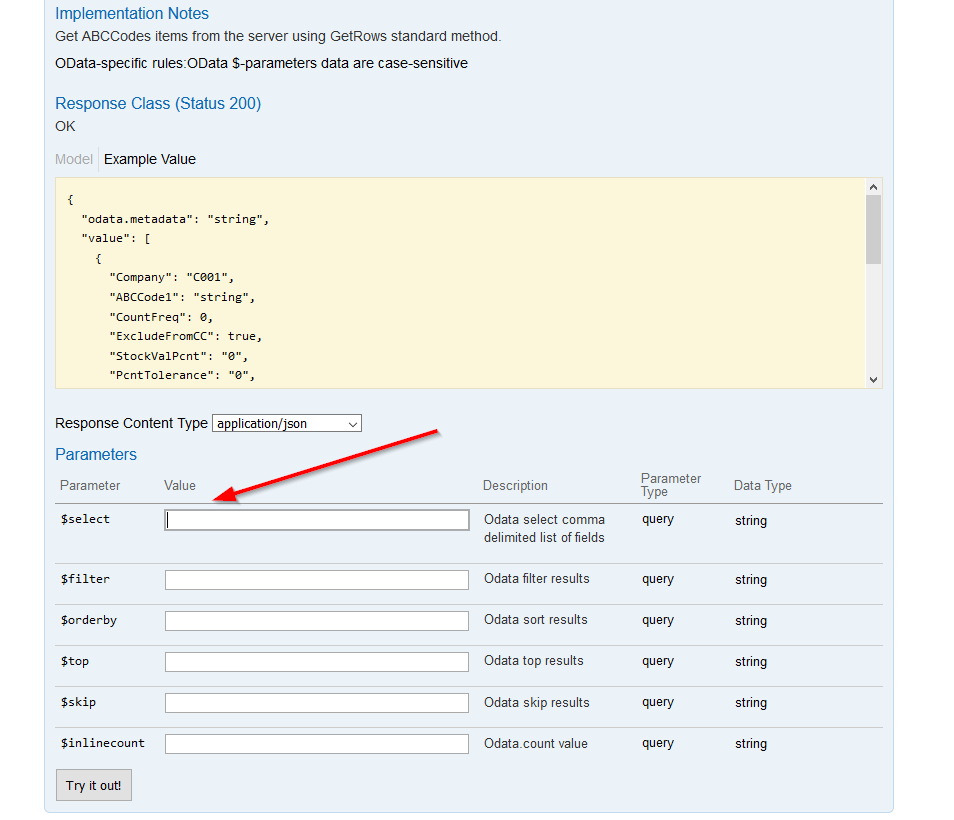
I think that column is present with every call, so you might consider filtering it out on the consuming side rather than the receiving side
How would I do that syntax wise?
I haven’t been following this thread too carefully, but I take it you’re calling the Epicor API from powershell to return results from a BAQ I think? What are you doing with the results from there?
That will be the place where you’d modify the data
It looks like you’re storing it in a variable, so you should be able to just trim off the last column either by index or by creating a new data set and filling it in from the old one and peeling off any column names you don’t want. I am sure there are 100 ways to do this
How to loop through a dataset in powershell? - Stack Overflow
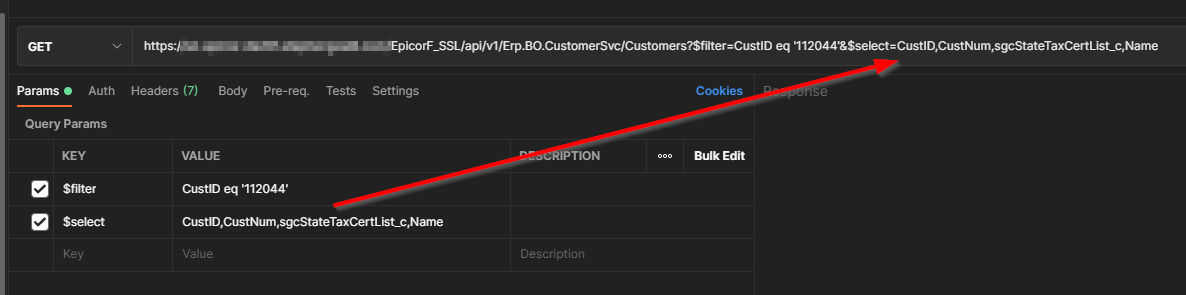
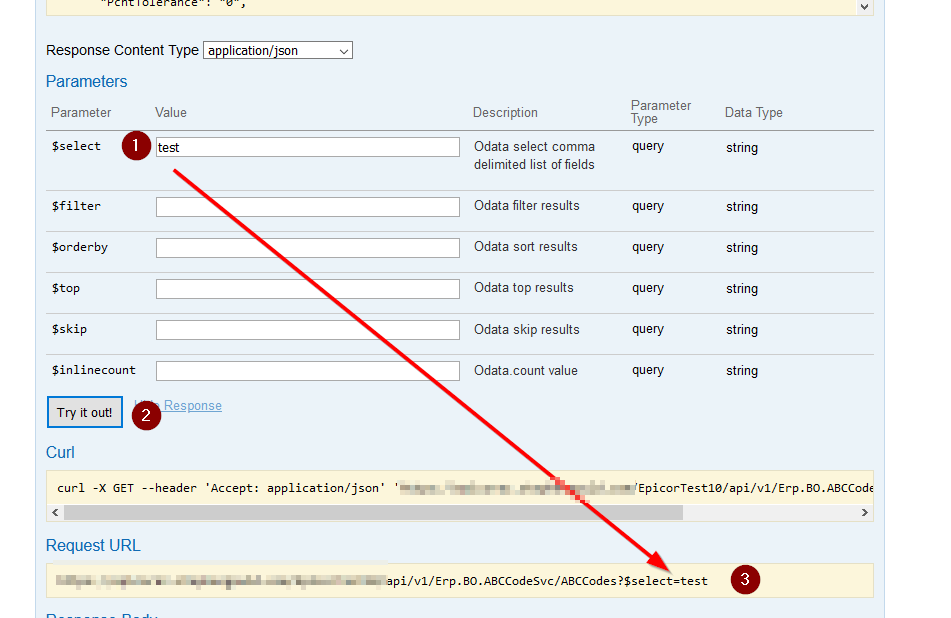
That worked perfectly for me. Got another question for you though. The data coming in has a total of 23k lines. If I just leave the data alone it seems to store it as a meta data format. I have a command to convert the data into a json format, but when I try to write that data to an array it doesn’t seem to be writing anything. Is there a clean way to get the data that comes in from the GET method and then POST that data elsewhere without all the manipulation and FOR loops that I have been using?
Finally got the code working as it should:
$headers = New-Object "System.Collections.Generic.Dictionary[[String],[String]]"
$headers.Add("Authorization", "Your Authorization")

$response = Invoke-RestMethod 'Where the code came from' -Method 'GET' -Headers $headers

$headers2 = New-Object "System.Collections.Generic.Dictionary[[String],[String]]"
$headers2.Add("Content-Type", "application/json")

$response2 = Invoke-RestMethod 'Where the data is going' -Method 'POST' -Headers $headers2 -Body (ConvertTo-Json @($response.value))
$response2 | ConvertTo-Json
A few key notes for anyone trying to recreate this push data set:
- Power Bi only allows you to Post a total of 10k rows worth of data at a time.
- Power Bi only allows you to queue up 5 Post requests at a time.
If your data is larger than that those two instances then you will need to create multiple get/post statements and use the top/skip to select 10k rows at a time
Any thought to uploading to cheap blob storage first and then do the import from there?
Not sure what blob storage is. Would you mind giving me a run down on it?
As for a push/live dataset within Power Bi, the rules would still apply.
All cloud providers provide various storage solutions with a wide array of price and performance. Amazon has S3 and Azure has its own offerings: Blob, Table, Queue, Files, etc. Price varies with performance and access characteristics (hot → archive).
Uploading to blob storage will not have the record or size limits.
Once there, you can access the Azure Blob storage from PowerBI. There’s probably a way to import from a blob into your dataverse but I haven’t tried that.
I’ll defiantly have to give this a look see. Thanks for the recommendation!