Its not working with an Exception either. I wonder if my Epicor version is different. I swear I saw this work before.
Are you sure you’re using a pre-processing method and not a post-processing?
as @d_inman suggested, this should be a PRE Processing BPM on the Job.Update method. I have done this same exact type of thing with no challenges…
BUT i do see that you are doing “too much work”. Your BPM, you are switching the released checkbox back to false, but that should not be necessary. The error message you throw will automatically abort the save. if they try to save again, it will throw the error again.
I just tested this again, and throwing the error DOES reject the change… you try to save, it continues to fail.
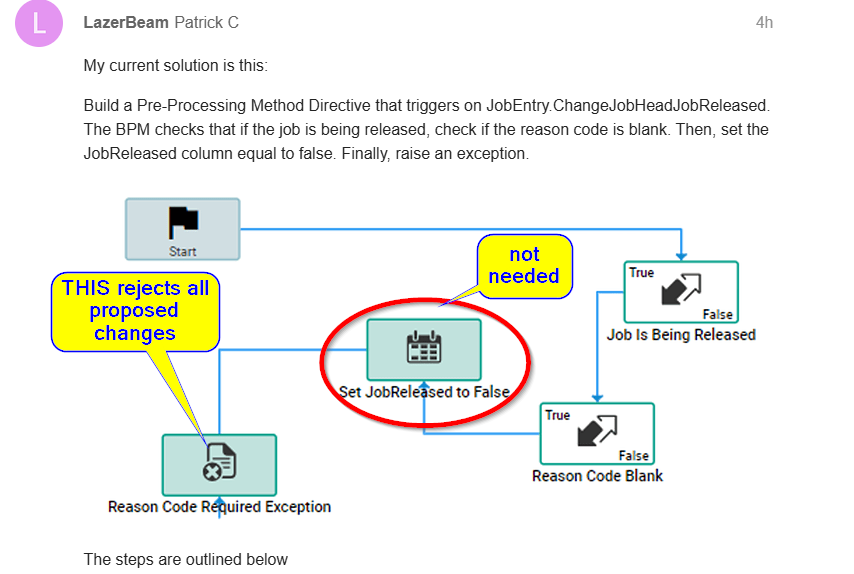
Have not tried it but going to suggest using a row rule to manage this.
Just to experiment, I tried duplicating the “uncheck the check box” behavior with a JobEntry.Update BPM. BPM details below:
BO Method is Job Entry.Update

The Method Directive is Pre-Processing

The Workflow
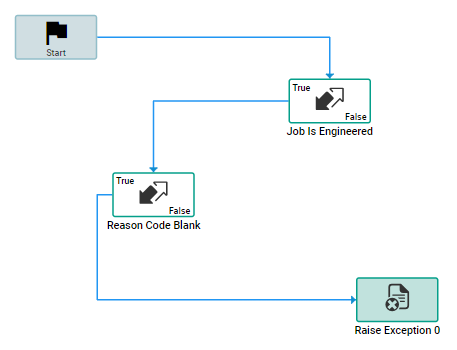
Job Is Being Released
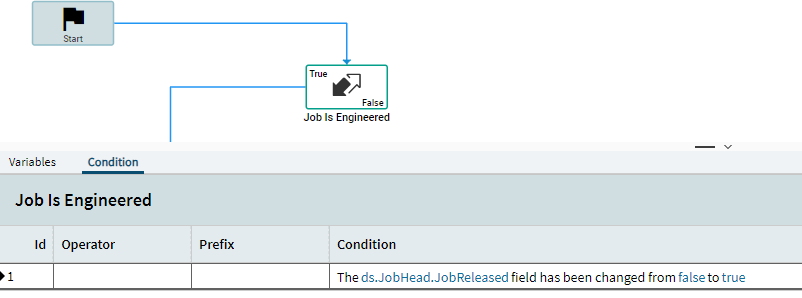
Reason Code Blank

Exception Step
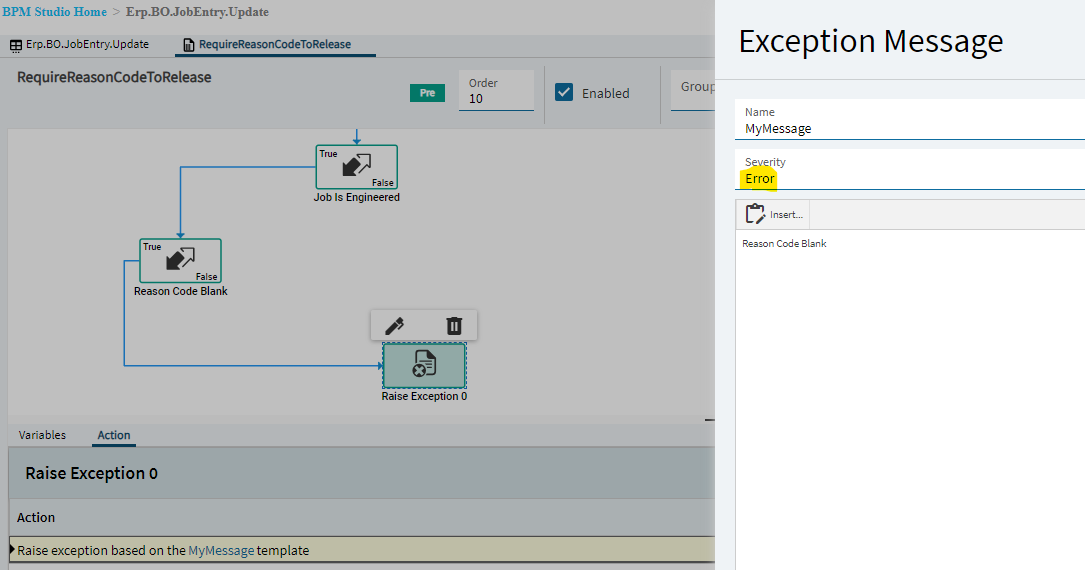
The BPM is enabled

Yet when the BPM trriggers the checkbox remains checked.
It appears to work for everyone on this forum but me  Is there a setting I am missing? Am I triggering on the correct business object? This is blowing my mind. lol
We are on Epicor version 2025.2 and I wonder if the something is different in the Epicor version

I just did a trace in browser for what happens when I click the Released box and the first method to fire is the JobEntry.ChangingJobHeadJobReleased. Try that one instead of the ChangeJobHeadJobReleased method; I think this is acting like a post-processing, so the field is already set by the time this method fires.
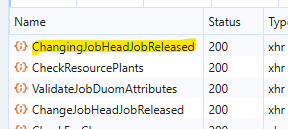
The ChangingJobHeadJobReleased doesn’t trigger the BPM at all  It is interesting because the ChangingJobHeadJobReleased method doesn’t appear in the on-prem trace log. But it does in the network tab of Dev Tools. Who knows.
Are you sure it’s not triggering and not that it’s going to the False side of your condition(s)?
Put Show Message widgets as first widget and on the false side of all condition blocks you have to see if it is truly not firing (maybe it doesn’t in Classic) or if it’s going the wrong direction than expected on your conditions.
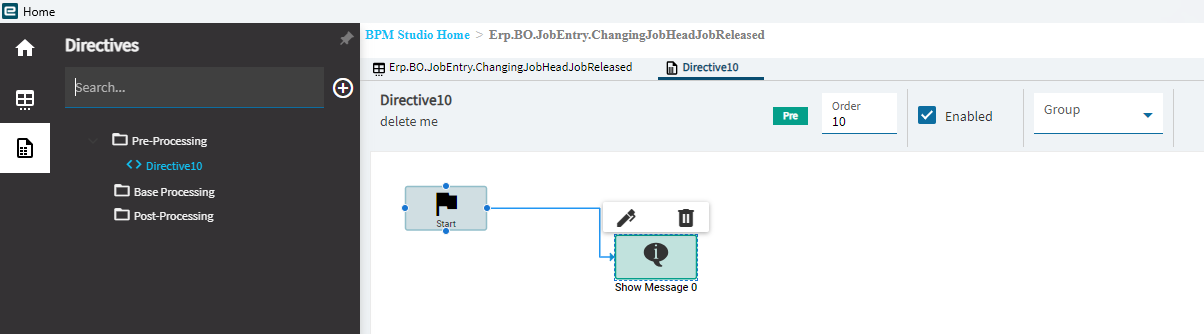
Yep, appears that method isn’t used in Classic program. Good luck!
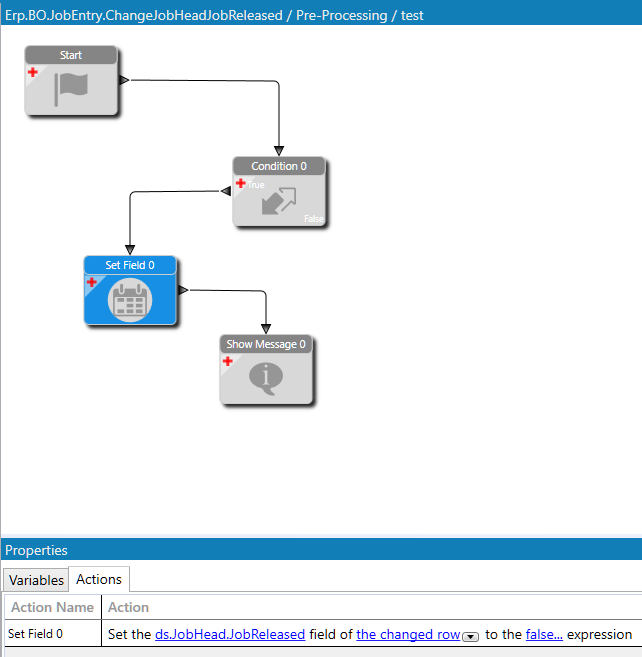
@cpilinko Your help is most appreciated!! Even in a stupidly simple BPM, the check box flows to next state (checked vs unchecked) regardless of an exception getting thrown every time.
This BPM throws an exception everytime the release check box is checked.
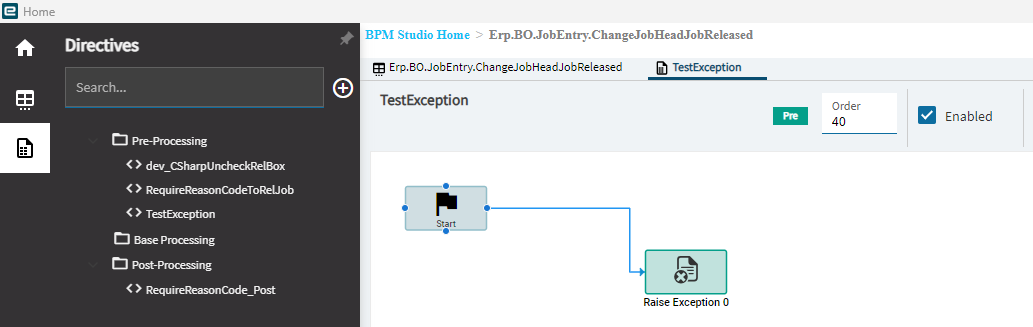
Yet the Release Check Box keeps changing.
We just upgraded to 2025.2.14 and I think our classic UI received some changes. I think the new version works slightly differently.
I’m a little confused. Did you solve this or are you still having issues?
Condition = if the JobHead.JobReleased field has been changed from false to true AND if Reason Code = “”
Then I used a SetField to set the released back to false
Then used a ShowMessage widget, not a RaiseException.
@cpilinko I was having issues. There was conflicting information in this thread. You need to use the Show Message with Severity = Error.
Raising an Exception does not uncheck the check box. I marked your post as the solution.
Thank you so much!!