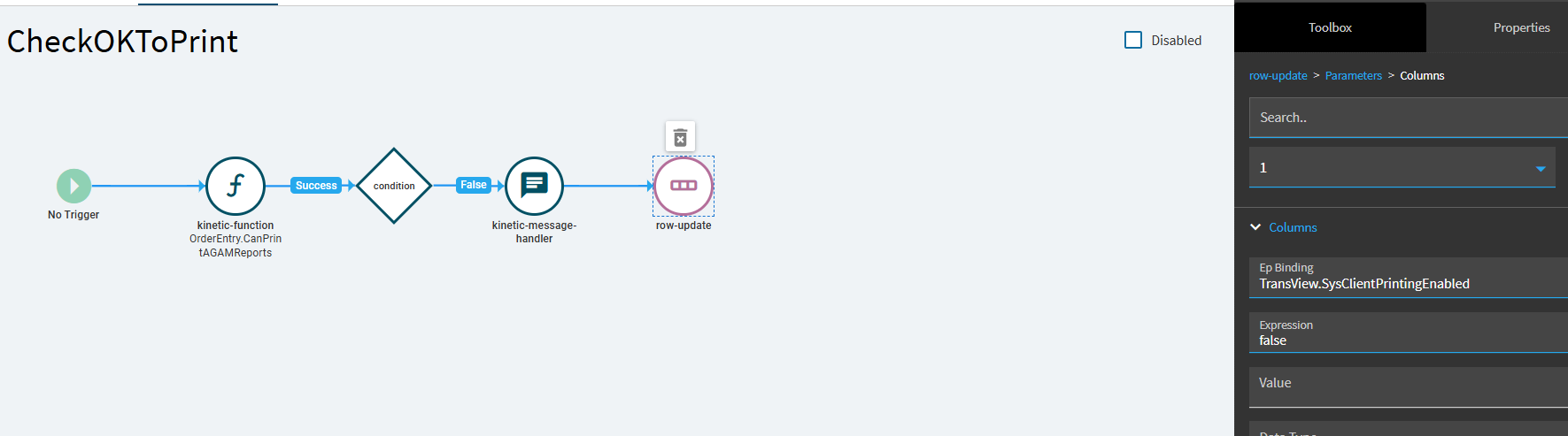
I am try to prevent the printing of a BAQ report from inside a layer on the Report Submission app. I am able to pick up the initial parameter passed by the caller and pass it on to a function which returns a boolean if it’s ok to print. If not I display an error message, but I’m not able to either close the app after displaying the message or perhaps disabling the print preview or client print tools. I’ve thrashed about for several hours using row-update on TransView fields or property-set on various items in the tool list for the page. Nothing seems to work.
I have added a layer to the ICE.UIRPT application for the BAQ Report which copies “%session.context.initialValueIn.ValueIn%” into ReportParam.Option01 which in this case is a Sales Order Number.
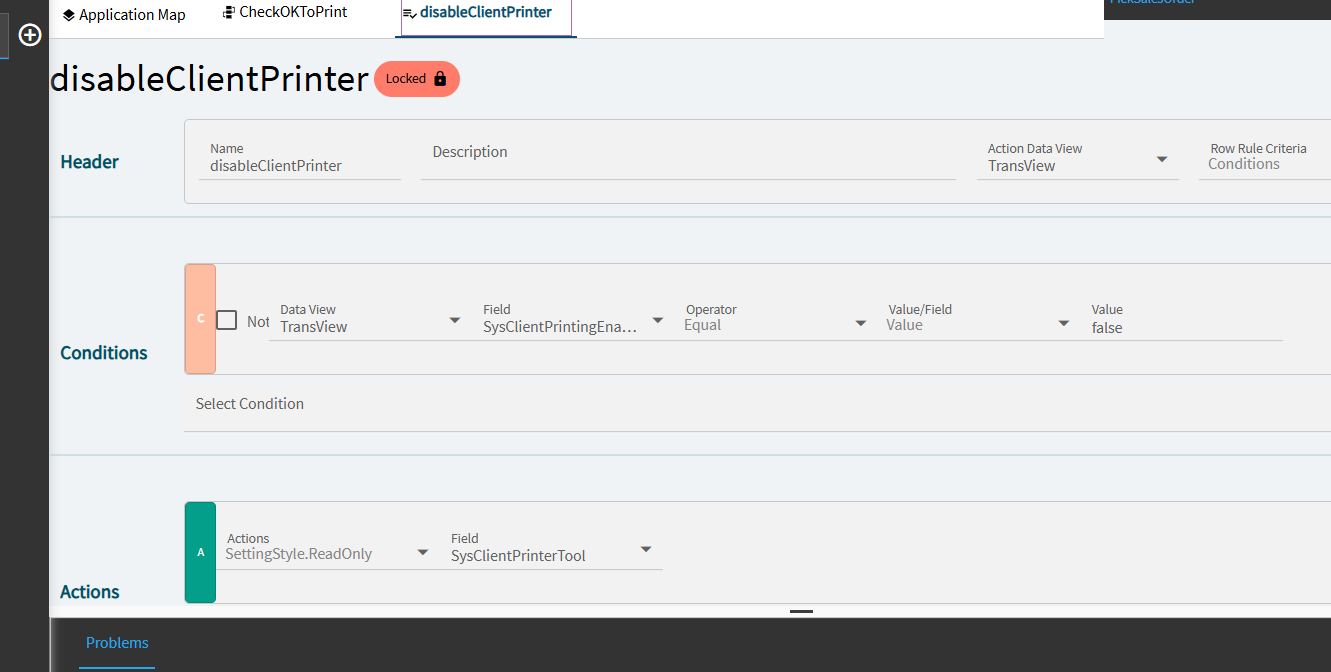
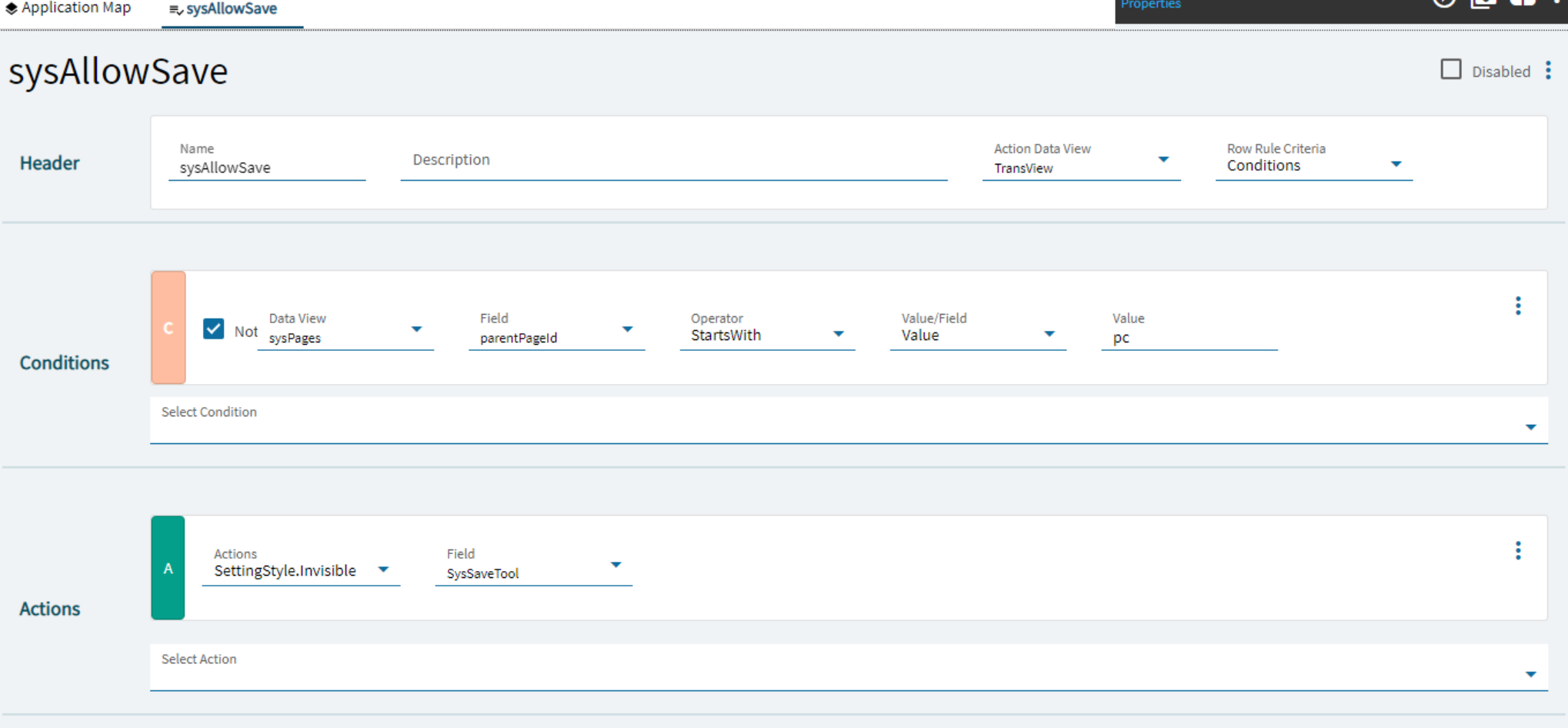
There is an addtional requirement that the report be supressed if the Ship To Address has not been validated by Avalara. So I have created an EPicor function that takes the OrderNum and checks if all the conditions have been met. If not it returns an error message which I display to the user. I would like to simply close the entire application but the app-close doesn’t do anything, so I thought I could disable the action items Print Preview, Client Print and Server Print but I can’t seem to get those page tool items disabled, either using property-set on the controls or row-update on the TransView fields which the Row Rules use to Disable those action items. So the user is still able to preview and/or print the report.
So I’m asking how do I either close the page or disable the various action items when the conditions are not met.
When do the row-rules get re-evaluated? Or can i force a re-evaluation from an event? So far I can’t get the row rules to re-run when I change an associated TransView field.
Can I use a row-rule to close the page or just simply hide it?
I tried using property-set to set the buttons invisible based on the id’s of the Tools item, but that didn’t work properly.
I do that when the reports are being requested from the Order Entry application. But these report selection apps are also launched from the context menu and a stand alone app on the menu.
I would to abort the submit from the app but they are buried down inside locked events. Does the ability to replace an event with another one actually work? I guess I should try that next.
The submitToAgent event override worked. But I like the BPM idea as well that provides an single point of logic that can easily be maintain and applied to any BAQ Report.