So you are rendering/converting to PDF?
I will preface my answer with I am brand new to ECM…i dont think we are. If i use the print preview widget in my design instead of printing, it will open excel in order for me to see the file (classic and kinetic in client) or it will download the excel file via the browser. The next issue i am running into, which is why my work around has so many parameters, is if i print preview from the browser all attachments will download to preview as well as the traveler itself EXCEPT for PDFs. I do not know what system is doing this, but it adds a suffix to the file name and makes the file not recognizable. For example it produces “filename.pdf_tasknumberpdf” So i am currently stuck in between a rock and a hard place with my users wasting time opening sometimes up to 20 attachments per job and manually individually printing them.
ok - let’s take that apart
This means that ECM is storing it as Excel. You’ll need to investigate this. Even if the checkbox is checked, I suspect your ECM Client/MS Office combination doesn’t exist properly and files are gathering in your Distributed Queue (Admin Tab) waiting on a client that can do the conversion.
These sounds related, like you have suggested. I think the process of getting the attachments in there to begin with needs to be investigated. There are a few places where the process can generate a unique filename and it sounds like the syntax/structure to do so is a bit ‘flipped’. We haven’t discussed how each of the attachments are getting created to begin with, but I’d backtrack that process until you are seeing the exact, expected, filename show up in the ECM metadata(Fields).
You have n>1 problems and need to work them one at a time. I think your overall process within APR is on target, but the files you’re working with are not OK yet.
Do you have an ECM consultant lined up for the occasional odd job, or in this case, to save your sanity? There are a couple here I can point you to if you need them. You should always have one in your back pocket 
It might be better than me helping you, since you are new and need some deeper insights to make this more complicated stuff work properly.
@MikeGross You would be correct that the number of documents in my distributed queue continues to increase and they all seem to be excel or word documents. I believe if i can get that issue fixed then printing with APR will work and we can go on our merry way.
Currently i do not have a back pocketed ECM consultant. I am working with Epicor directly on this one as it is my first time doing this, but i am not getting very far, clearly.
On that Dist Queue page, the lower section is for “Queue Processors”. You should have AT LEAST one in there. This entry is created when an ECM Client is connected properly (the first two tabs in the client have green check boxes). We have a client installed on the server (we’re on-prem) and on my PC. I may also be that your license doesn’t have the Office Integration module licensed - I think that’s what you need for rendering. And you have to have a newer version of office installed on the same device as the client.
Get all that working, and then we can start trying to flush the queue.
@MikeGross According to Epicor, APR cannot PRINT any document except PDFs and the orientation of the page, portrait or landscape, must be the same as the Epicor document. So i guess i need to start converting everything to PDF now. Thank you to yourself and @jkane for all of your help!
1 Like
Interesting. I swear I have done it before, but maybe I am misremembering.
In order to get around the portrait/landscape problem, I would create another report style that was a blank sheet of paper set to the orientation that I needed. Then in the main report style, I would also call the alternate style which would run that report style’s APR and it worked.
1 Like
@jkane If you happen to recall what you did to get it to print, please let me know! thanks!
Could you please explain how you achieved this? I’m currently stuck at the same point.
Also, how can I confirm whether APR (Advanced Print Routing) is available in my environment?
I’m trying to print a PDF file stored in a network folder along with the Job documents from the Maintenance Job Report screen. I’m not sure how to include or trigger the printing of this supplementary PDF. Any guidance or solution would be greatly appreciated.
First off, in order to use APR you need to pay for it as it is yet another add-on module in Epicor. You can either look at your annual renewal invoice to see if you have the subscription or look at the licensing in the admin console and see if it is enabled. If you want to use APR to print directly, you will need to also have ECM installed and then have all of your documents in ECM in order to use the specific widgets which then you can point to a printer. The HUGE issue is, currently APR/ECM will ONLY print PDF documents.
If you could explain the situation you are in and where you are stuck, I can recommend what i would do going forward based on my experience. I have a customization that we use in order to print all job attachments but it only works in classic. All of this has been trying to find a replacement for it in kinetic.
3 Likes
Thanks, Sam
I appreciate the clarification. This helps me understand the APR/ECM requirements and limitations much better.
I did find a way around the issue of ECM not being able to print excel or word documents. It does require you to have APR and ECM though still, if you are interested.
1 Like
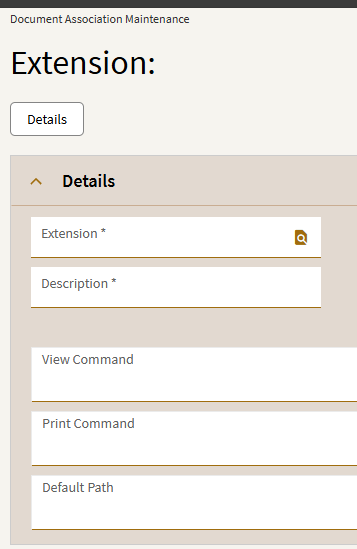
@jkane I tried that as well but it did not work. According to Epicor it is logic within the system (ECM or APR I dont recall which one specifically) that pretty much says because the report is a PDF (all are PDFs out of epicor) it creates a “PDF stream” which then doesnt allow any other type of document to enter or print. When i change the output to excel or word, it greys out my print button.
The current solution, while still needing paper, that i found is to use an outlook add-on tool. I will put the link at the bottom. It cost $30/year but it is worth it as a work around for us right now. I use APR to still pull all the relevant documents attached to the job but i then have them emailed to the user and they can use this add-on tool to print all attachments. It is quite nice because they can select multiple emails and print all attachments as well.
Maybe a little janky but the users are happy for now.
2 Likes