There is a PRB for the issue where the criteria flip out of order too but they won’t fix it until 2026.1.PRB0304623
3 Likes
When I report issues for UX instead of you they get very low priority  So the story about NULLs has lower priority comparing to what Alisa’s story would have.
About table rearrangement - they only rearrange when you edit them in both editors - classic then browser. If you will stop changing tables in classic, Kinetic won’t rearrange it after that
That was retrofitted into 2025.2.5 (at least what I think it is - described in PRB0304623)
(sorry, not 2025.1 - I am lost in versions)
Its still broken in 2025.1.12. I asked support again last week for a fix and they reiterated its not fixed till 2026.1. So if there IS a fix for it support is not aware.
right, 2025.2, not 2025.1
1 Like
I try to do all my editing in the browser and just data analysis in Classic. But I have had it randomly rearrange while I was working too.
The logic is to check that diagram can be restored from DB (Ice.QueryDiagram table) and it still contains same number of tables and relations as query tables.
Here’s an idea that’s a daily annoyance for me
Enable Direct BAQ Loading by Query ID in Kinetic Editor
If I type in the query ID of an existing BAQ, it should load that BAQ without having to search for it.
Many times I know the ID and I just want to load it.
In classic, I can tab out of the field to load the BAQ. In the Kinetic editor, it does not do that. This makes the process many more clicks than it needs to be
6 Likes
That’s fixed in 2025.1. Finally.
3 Likes
That’s good!
I have to get our pilot set up. It’s hard to submit relevant ideas if we don’t have the latest.
1 Like
4 Likes
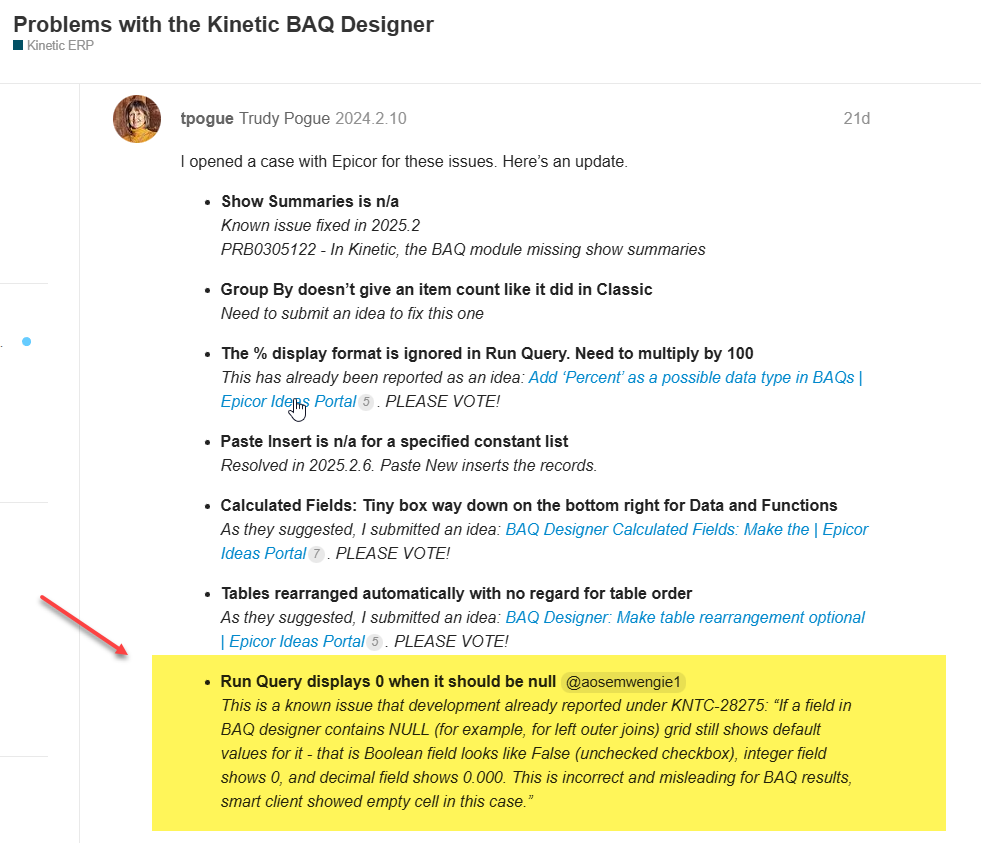
The only solution is to put a calculated field in your baq that checks for the null and displays . . . something. For example a checkbox that says null and then you know if that box is checked your other field is null. If you export to excel you can also see the nulls that way. There isn’t any way to get it to just show the null in the dashboard.
6 Likes
I know they removed the ability of “deleting” a Calculated field from the Display Fields tab when you click the left-arrow, but I don’t want to DELETE the calculated field – I just want to remove it from the display output; I still need to use the field’s expression in my SubQuery Criteria.
If you know SQL, you know their raw expressions get duped elsewhere, so having them in the SELECT list is not a requirement. This is a UX bug/oversight I’m guessing?
Anyone know if a workaround?
1 Like
That’s consistent with classic.
I don’t know why it matters. BAQs are not meant for display. What harm is there leaving it in?
1 Like
Bytes overhead is all. I don’t need that extra data in my stream man! LOL 🏃♀➡:high_voltage:
1 Like
Then top it off with a new top query, include the original as sub, only add what you want.
5 Likes
It’s easier if you just co-miserate instead of providing a viable solution, Kevin! 
7 Likes
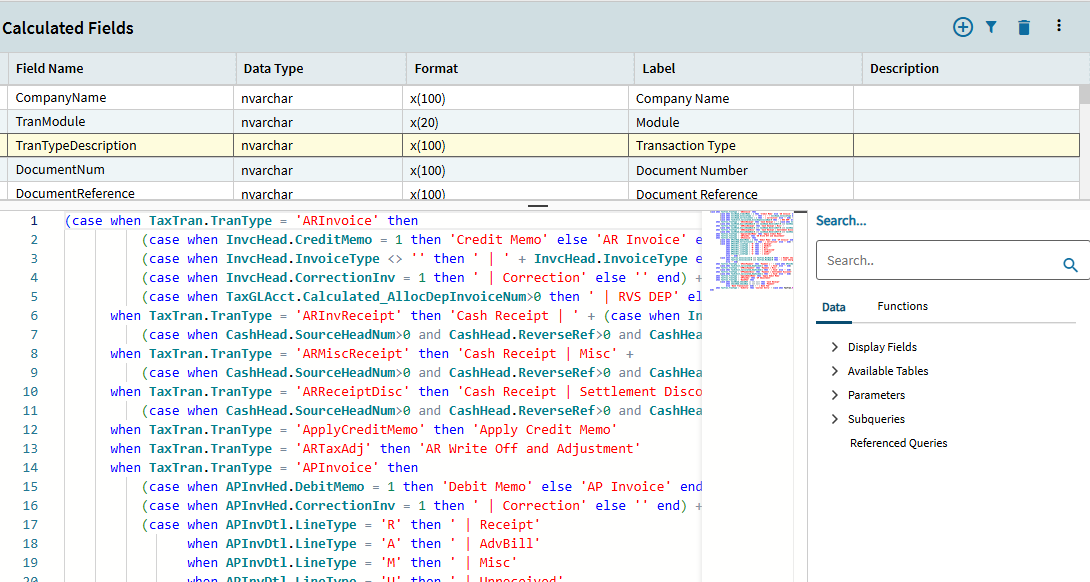
This is a huge pain point for me. It continually destroys my baqs. Here are the steps to reproduce:
- Go into a baq with 2 or more calculated expressions
- Open the expressions editor
- Delete one of the expressions that is not the last one in the list
- The expression from the following field now moves up one in the list and now your calculated field has the wrong expression in it
And there is no way to delete the expressions from the list without going into the editor, which would theoretically avoid this issue. I have to go in, copy paste all of my expressions out into notepad before I touch anything because otherwise they all get destroyed.
6 Likes
I think that was fixed a while ago when someone reported that.
As for deleting calc fields from the grid - I don’t like that because you can easily lose the expression you created for it just by accidental click on remove
3 Likes