Dear experts, How to set purchase order status Pending on Unapprove Checkbox selected, When no Buyer limit & Approval Person has been set in “Buyer Maintenance”.
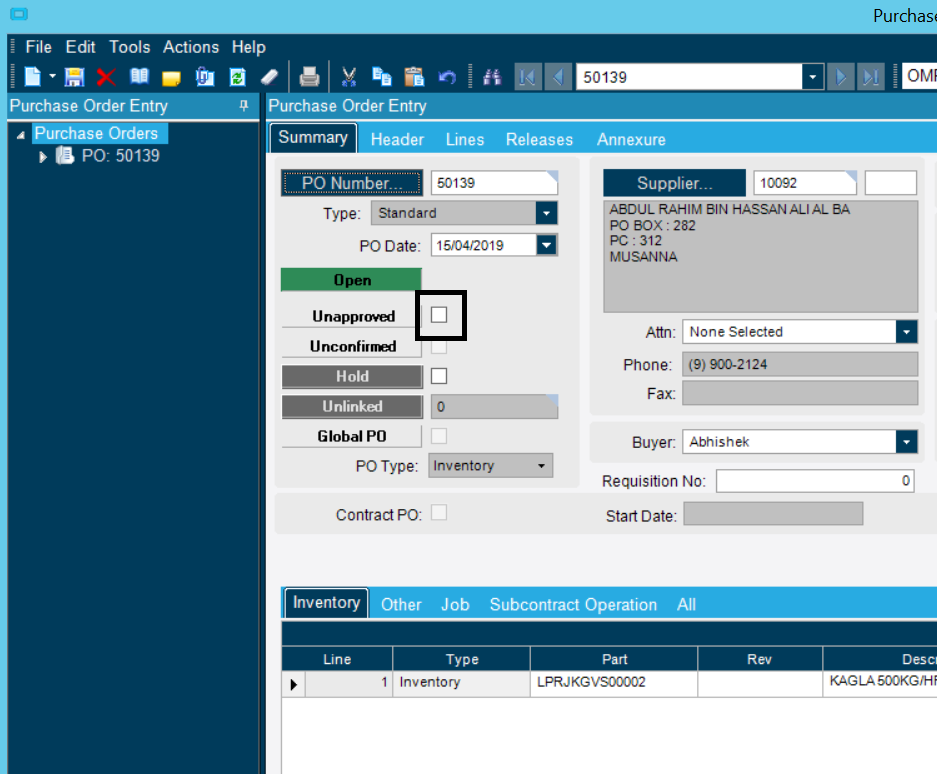
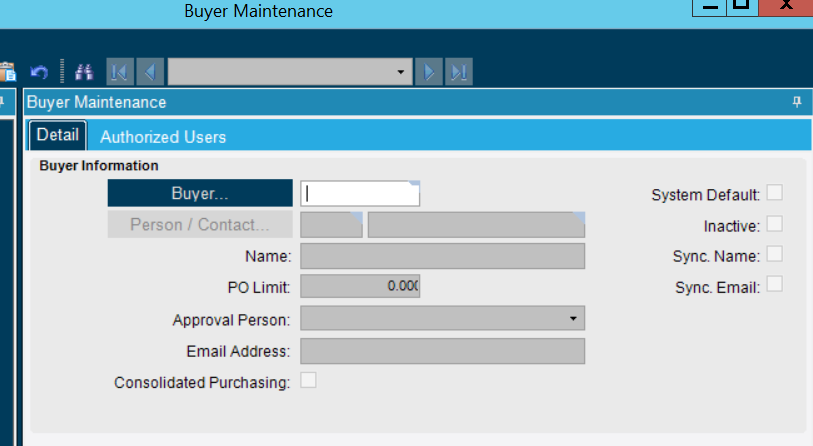
write a BPM on Change Approve switch Pre-Processing checking the above conditions
Client Requirement:
Purchase Order requires to be approved by HOD, FC and GM as per DOA Matrix
Project
Upto 2000 – Project Manager and HOD Finance
2001-5000 – Project Manager, HOD finance and DGM Operations
Above 5000 – Project Manager, HOD finance, DGM Operations and CEO/GM
Capex, Operations and Fleet Maintenance Upto 2000 – Sr. Operations Manager and HOD Finance
2001-5000 – Sr. Operations Manager, HOD finance and DGM Operations
Above 5000 – Sr. Operations Manager, HOD finance, DGM Operations and CEO/GM
As per user above requirement, We have set the multilevel approval for different PO types like Operations, Project, Capex, Inventory, Subcontract etc…
We have added the custom button DOA in PO screen refer to below screen
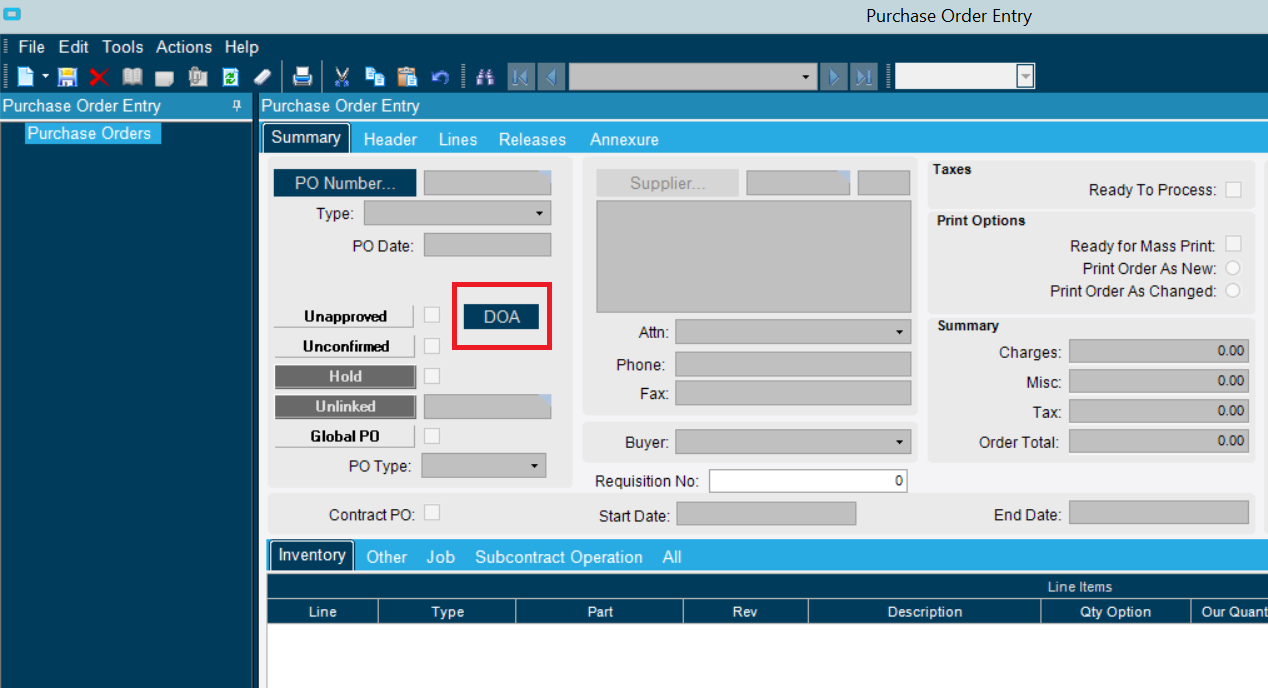
on button click , By default set the PO status “Pending”
private void ChangePOStatusPending()
	{
		POAdapter objAdapter = new POAdapter(this.oTrans);
        objAdapter.BOConnect();
        int PONum = Convert.ToInt32(edvPOHeader.dataView[edvPOHeader.Row]["PONum"]);
        objAdapter.GetByID(PONum);
		DataRow objdr = objAdapter.POData.POHeader.Rows[0];
		if(objdr != null)
		{
			objdr.BeginEdit();
			objdr["Approve"] 	   = true;
			objdr["ApprovalStatus"] = "P";
			objdr["ChangeDate"]	 = DateTime.Now;
			objdr["ChangedBy"]      = session.UserID;
			objdr["POTaxReadyToProcess"] = true;
			objdr["RowMod"] = "U";
			objdr.EndEdit();
			objAdapter.Update();
		}
		objAdapter.Dispose();
	}
Now when the end-user are trying to “Reject or Approve” the PO from customize screen the system is throwing below error
Business Layer Exception
Purchase order 50147 is approved, Field(s) ApprovedBy,ApprovalStatus,ChangedBy,ChangeDate cannot be changed.
Hello,
Have you tried just changing all the fields apart from the approve field first, then updating the approve flag to true?
Hi Just wondering if you solved this issue? Looking at doing something similar and just trying to work out the best place/trigger for a BPM.
Hi @neil_shilson,
I have resolved this issue and move customization to BPM.
Can you share you solution?
Thanks Neil
Hi @neil_shilson,
Could you please share your requirement?
we are adding a flag to suppliers, indicating that the PO needs to be reviewed incase we can manufacturer in-house.
so in PO entry, I’m looking at setting the PO to pending if this flag is set and trigger an email.
Hi,
Do you have any tips on the workaround you found.
Thanks
@neil_shilson, Please follow the below mentioned steps
- Write BPM For Data Directive.
- Select table “POHeader”
- Select “In-Transaction Directive”
- Click on Design button
- Drag Execute Custom Code tool.
- Select the Execute Custome Code and enter the below mentioned code
if(callContextClient.CustomizationId == “PO Entry Form Customization ID”)
{
var ttPOHeader_Row = (from ttPOHeader_R in ttPOHeader where (ttPOHeader_R.RowMod == “U” && ttPOHeader_R.Approve == true) select ttPOHeader_R).FirstOrDefault();
  if(ttPOHeader_Row != null && ttPOHeader_Row.ApprovalStatus == "A")
  {
		if("Check Your Condition")
        {
                ttPOHeader_Row.ApprovalStatus = "P";
		}
  }
}
Thanks. very helpful.