Hi All,
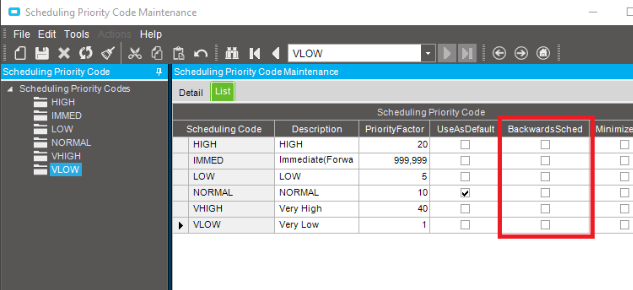
How can I set forward schedule to default in Application studio? It currently defaults to backward when the option is selected.
In classic interface, it defaults to forward.
Thanks

Any ideas on this?
Go to Site Maintenance, under Detail - Planning and set the scheduling direction to Forward.
Then, take a look at Scheduling Priority Code Maintenance, and make sure that “BackwardSched” is unchecked for your priority codes.