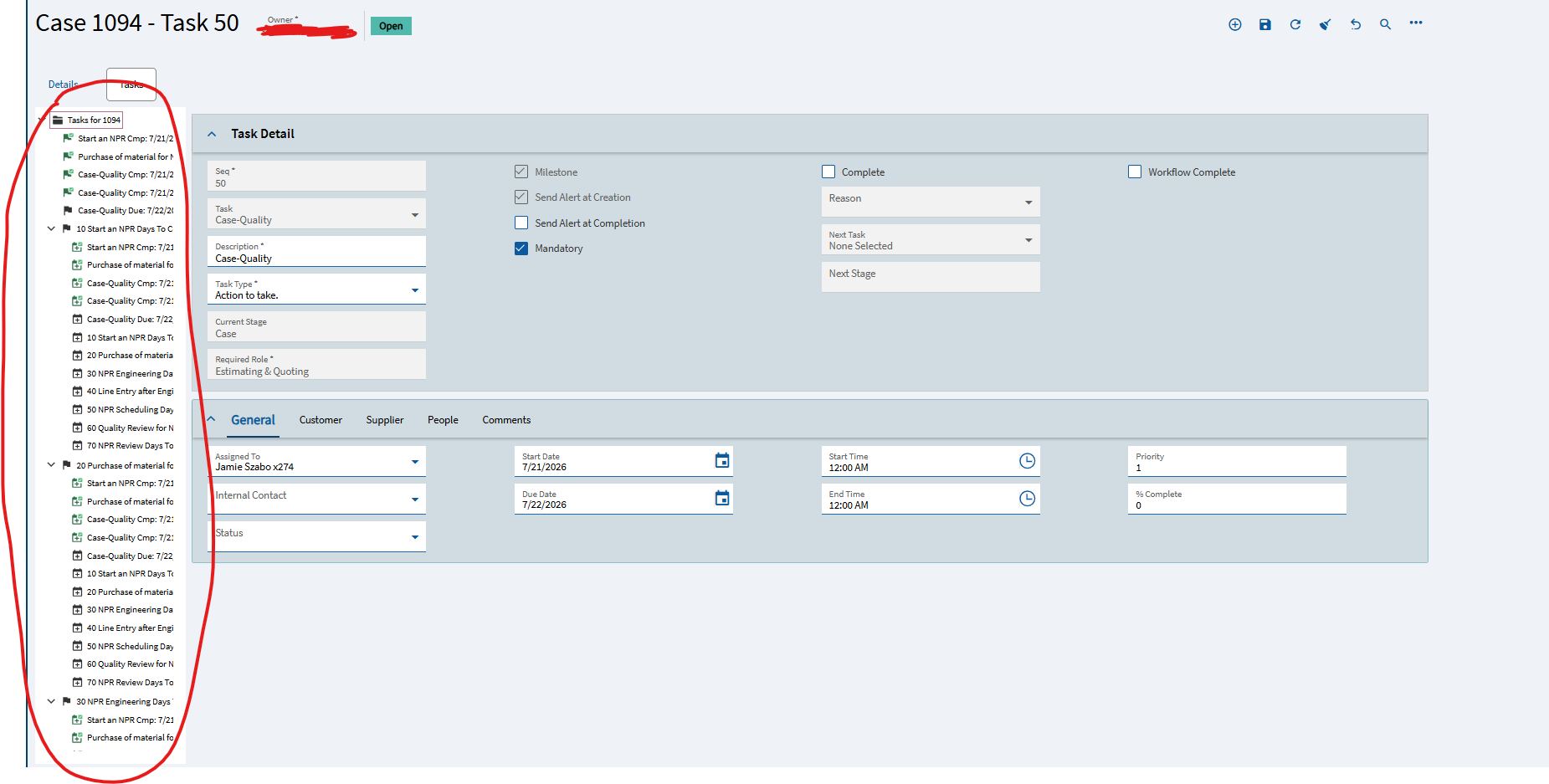
The issue is that the Task Detail Pane in case entry lists every task as a nested sub-item under each individual task, creating a cluttered, redundant tree view that will likely confuse users. Can I disable this nested configuration? If not, how do I edit this detail pane in application studio?
I am seeing this issue too, did you get a PRB from support?
I would like the PBR # on this one too - we just started seeing this in a recent upgrade. We can tell people to ignore all the “noise”, but the window opens expanded and is a nuisance to collapse everything.
I only have a case so far. We are still at the stage where support re-asks all the info that was already provided when opening the case, one question at a time.
Any movement on this for those with support cases?
Still waiting for support to send it to development.
I am curious if anybody else has made progress on this. Support attached our case to an unrelated problem, and has so far been unresponsive to requests to submit the issue that was actually reported to development.
My customer created a support case on this issue too - I’ll let you know if it goes anywhere.
Finally received a new PRB.
PRB0324606

Thanks, just reported this today on 2026.100.14