Very interesting, I would have assumed the standard RDD for that report would have included the CartonTrkDtl table but it doesn’t. Nevertheless appreciate the work troubleshooting this!
It does in the “Base” (it isn’t always visible, if its considered an essential table which I guess it is now) I had to use a server side debugger to see what the problem was.
@josecgomez Your fix worked for us - thank you!!!
THANK YOU 
My day just got better
Jose: You are a Genius: Thank you so much.
DaveO 
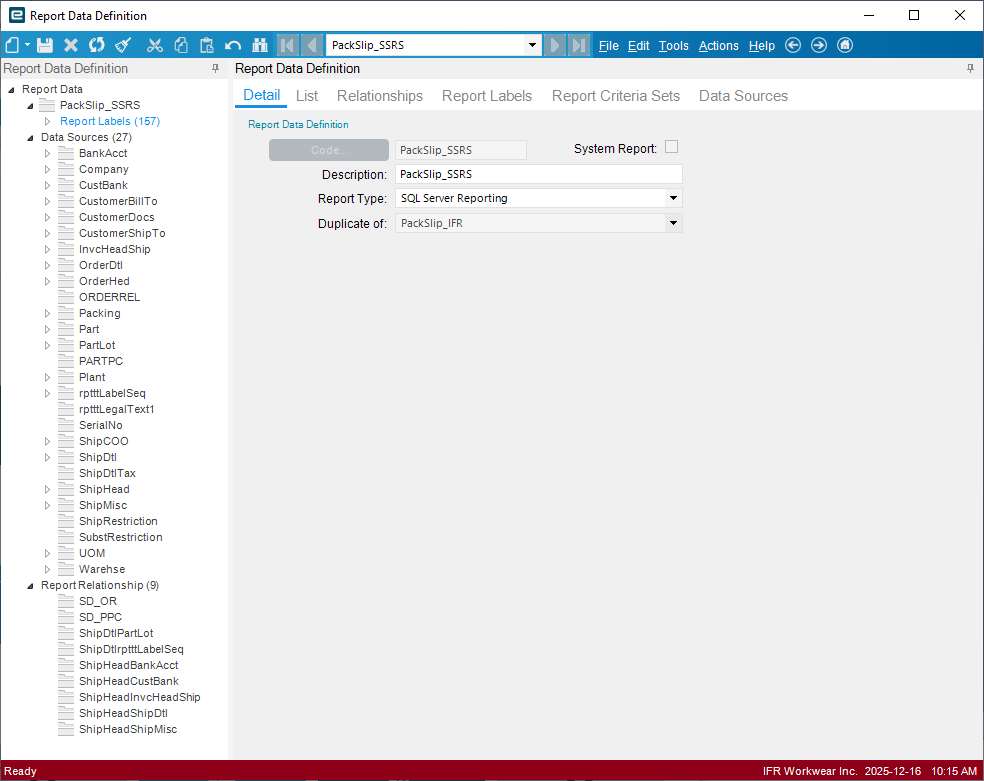
Please ADD it to your RDD per Jose’s instructions. We did and it works perfectly.
Please Note Everyone: We had to update the Bill of Lading (BOL) with the same Gomez fix.
Thank you again Jose - you ARE A ROCK STAR 
DaveO
Don’t forget to mark it as the solution 
Thank you @Evan_Purdy I was so excited to get the fix applied I forgot to check the solution.
Done,
DaveO
FYI: Support is showing an update from “Development” that this will be fixed in 2026.1.
“High priority” and “Escalation” appear to be shadows 
DaveO
As @Randy explained @ReneZ add it anyway. The Carton table was added as part of the new Base RDD Requirement so even though it isn’t listed in base it is required for it to exist so adding it to your custom RDD fixes the problem. Please note that the Name is very important and must match the expectation of Epicor so name it exactly as outlined above
Thank you, Jose! I missed the point of starting to add the table. You’re awesome!
@josecgomez - I followed this step by step. Was perfect. Appreciate you.
I’ve got a client who’s got this issue, both my client and I put in a ticket on this. I got the standard “fixed in 2026.1” reply from support, he actually had support send a link to this post!
Thanks for the fix!
Support is sending out a link to this post now. Thanks Jose! Worked for us.
@josecgomez should start charging per link sent to this post
