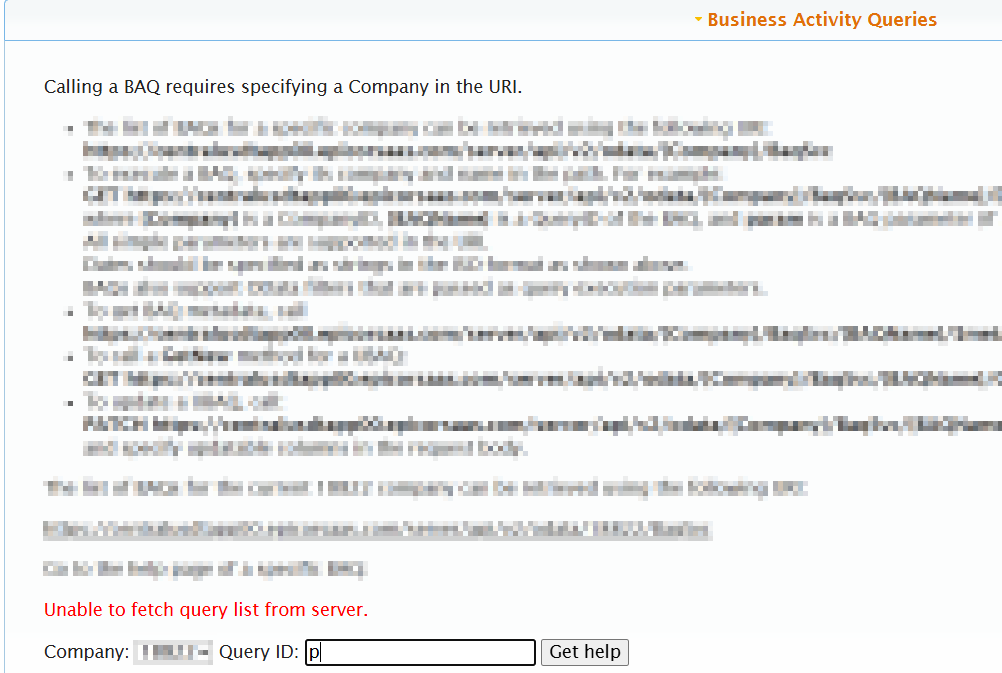
We pull a lot of BAQs into Excel via the v2 API, and odata. We use the API key, and an integration user account. These reports all ran fine last week, and far into the past. Today, I have several reports that won’t update in Excl via power query. I get this error:
I can run the BAQ in the editor without issues. I can also run the BAQ via the REST API helper. No issues there either. As soon as I try to run in Excel, I get that error. What did they break this time?
EDIT: from POwerQuery side this is what the error looks like:
DataSource.NotFound: OData: Request failed (404): The remote server returned an error: (404) Not Found. (Not Found)
Details:
    DataSourceKind=OData
    DataSourcePath=https://centralusdtapp01.epicorsaas.com/server/api/v2/odata/VTAERO/BaqSvc/DailySales/$metadata
    Url=https://centralusdtapp01.epicorsaas.com/server/api/v2/odata/VTAERO/BaqSvc/DailySales/$metadata
Note the use of “server” in the error message, that is not in my API call, just the error message. is it trying to censor itself, or is this a clue?
We’re running into a similar issue this morning in Power BI. My guess is that this is related to the Nginx maintenance they did this weekend. When I look at the BAQ in the Rest API Helper, I actually receive an error. The V1 version will give a 404 Nginx error specifically.
I just opened a ticket CS0005328282 in case you needed one for reference.
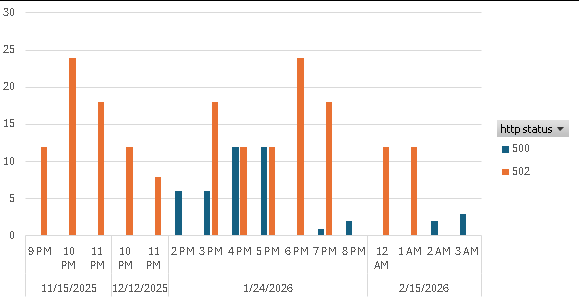
I’ve been writing 15 minutes logs from an integration I middleware’d several years ago, and I coincidentally happen to be reviewing the last few months today. Just for funsies as long as I’m here, here’s a low quality graph of the big HTTP error days from that period.
I saw this /server/ “issue” before, when logging into REST help all the URLs showed /server/ and would not work - application server logging was not writing out anything except for the user EpicAdmin. (This was in all of our non-prods at once)
I’ve seen in other user’s systems that were set up more recently (2024+) /server/ is the actual functioning URL. Maybe there is a switch that got flipped somewhere inadvertently.
For me, when I saw /server/ a few things didn’t work, it took a few months for Epicor to rectify, and I requested a RCA that they could not deliver a root cause on.
…which is all probably not very helpful but that’s all i’ve got. lol
Gabe that’s what I kept posting on other threads about the differences people were seeing if they just went to cloud or if they had been on cloud several years through several upgrades.
We had a similar issue that appears to be resolved for the OData call. Looks like we needed to append a trailing “/” at the end of the BAQ, separating the query name and the parameters passed. If no parameters are passed, the trailing “/” was still required.
Not sure where the change came from in handling the request..
I submitted a support request and they took a couple of days to fix it. Once fixed, they gave me a new address to use in my API calls, with our company name right in the address. So far, so good!