Is there a way to remove commas from numbers in application studio? The Mask properties don’t seem to do anything (Or I don’t know how to set them).
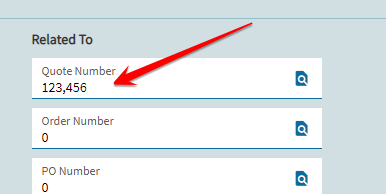

Per @hmwillett’s compendium… you could try setting your mask to all 9’s and see what that gets you.
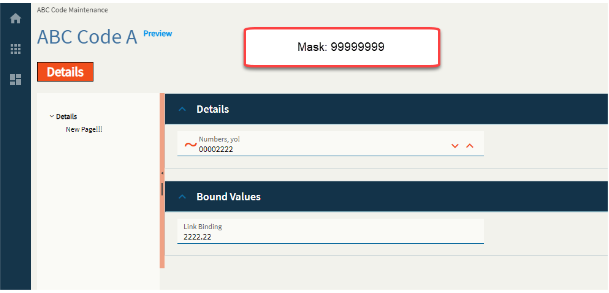
Doesn’t seem to work anymore. I think >>>>>>9 and 9999999 used to work, but it broke again sometime in 2023.2.
Anyone have luck removing thousands separator commas?
I’m running into the same issue in 2024.2 - Epicor adds a thousands comma separator on an integer UD field I added. Shows fine on the Sales Order Entry landing page grid, but not on the header panel. Even the default order number is showing a comma!
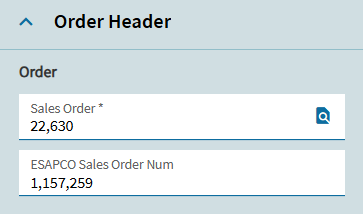
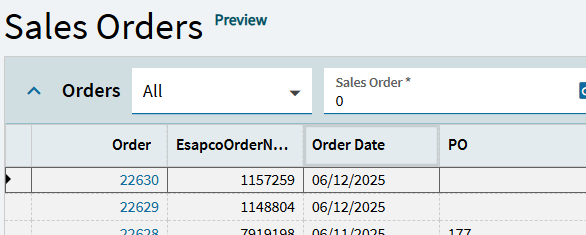
If you want to use a Numeric box for an integer with no thousands separator, try using 0 in the Mask. This works for me.
@nznicky I’ve tried your suggestion in version 2025.2.16 by putting one or more zero’s in the format field without it changing anything related to either the format or the style’s appearance. Could you provide more detail on how you got this to work?
The inconsistency to me is that the field type is called numeric and does not have integer or decimal as options within the style drop down which lists Currency, Percent, Scientific, and Accounting. Why both currency and accounting are represented when they seem to be minor options with subtle format distinctions and the most basic Numeric - Integer is not represented is bewildering.
Doesn’t help with the comma, but for integers, I just set the max decimal digits to 0 in advanced.
With a numeric box, there are two properties I always play with:
If you just want digits (no commas)… I use the Mask.

This successfully allows you to control the number of digits before and after the decimal.
BUT… just note that putting a comma here (in the mask) doesn’t do anything!

Notice in the above my second mask… it accepted the decimal places, but did not insert a comma.
If I WANT commas… I go into the “Format” and put a minimum fraction digit value.

Comma appears:

BUT… when doing this… you DO still have to pay attention to your MASK!
Notice in the top box (below), my MASK still only had (2) decimal places… but my format called out (4). So it DISPLAYS (4) the Minimum Fraction Digits… but ROUNDS to the Mask format (2)!!

I recommend doing a little DOE in App Studio and playing with the settings… then you can see what changes what. Paste the settings into the field labels for easy reference and comparing:
integers: (again, if you want commas, add a min fractions digits value, even if it is ZERO)

Decimals:

Ah, yes. That was my result as well.
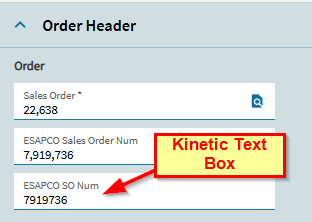
Thanks @dcamlin! I had thought I’d tried all the seemingly logical permutations, but you have shown a few combinations I did not even think to try and brilliant killer suggestion on editing the label to keep track of the experimentations! I’ll give it another go. I did solve it by swapping the numeric box object for the textbox object, but it just doesn’t seem consistent to me to do so and was trying to future-proof it against any consistency improvements that might occur in the future, silly me.