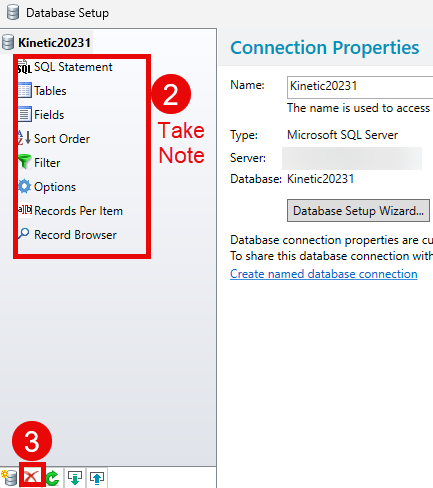
So our Bartender to Epicor integration for printing receipt labels stopped printing last week. I had been trying to figure out how to add a table to the RDD and figured I had somehow killed the integration. I’ve gone back through it about 100 times at this point. The sample file is still there, the label is there, I didn’t change any of those connections but am now getting a popup saying "The following database fields are referenced by the template objects but are not present in the database. " And it’s every single field on the label.
I’m at a complete loss as to what to do …and in the meantime no one can receive material because we can’t print labels…
I’ve looked at other postings and found similar things but nothing that tells me where to look if the fields are there and labeled correctly…
I have had similar behavior happen in Bartender when revising data or templates and the only solution I could find was to rebuild the database connection setup in Bartender. Everything looks like it is correct but until I have done that, I will receive the same error you are seeing.
Ok - I’ll go back through everything and try to do it in a reasonable order. I feel like I have done all those things but maybe it’s the order they’re done in. I’ll also name the database connection differently – I deleted it earlier and then when I added back the same name all of the data populated from the previous connection.
That’s unfortunate, sorry it didn’t get you any further. Are you using the basic stock file drop integration and is Kinetic generating the .bt files as expected but they aren’t printing? If the files are being generated have you tried making a new sample file from one of the newly generated files?
you may want to check the text file to verify that it contains the correct name of the label you are updating.
Also, when you re-train Bartender to read the text file make sure to first delete the first two lines in the text file - those are “command lines” that bartender uses to figure out What Label to use and What Printer to print to.
Yes - using the basic file drop and the .bt files are being created. I did try using one of them to create a new sample… Everything looks like it’s working as it should until I get to the integration…and then … nada…
So…I’m looking at the Admin Console for Bartender for divine inspiration… and under Database Connections I now see the two text files I’ve tried using today along with our Production and Test databases. Previously, the only thing there had been the Production and Test databases…no text files. That seems potentially significant maybe?
Oddly enough I usually get along with “Bartenders” much better than this!