Thank you for putting your time into helping me. I do appreciate it.
I like to help, and I like a challenge. This place has both AND a few crazy people.
In your pre-processing one, did you set the RowMod to U on the rows you updated?
I’m going to say no since I don’t think I know how to do that.
So on my preprocessing BPM Do I need another widget or is that just part of my Call BPM data form?
I seem to recall, but I may be incorrect, that you can’t set the RowMod with widgets.
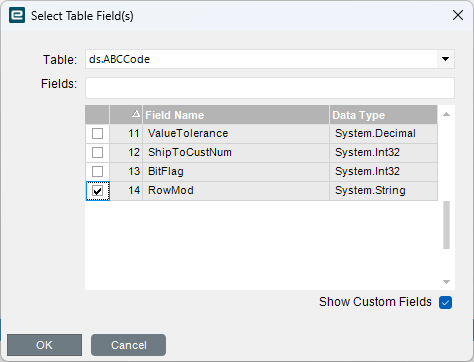
or you mean it does not work?
I read it somewhere, happy to see it can be done.
OK, It sounds like I need to learn a lot more about BPMs. I’ve never added anything like that.
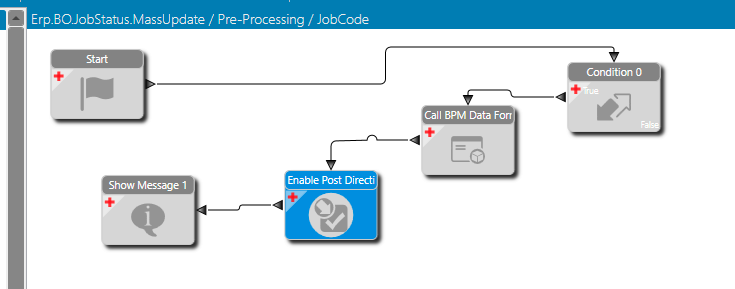
My Preprocessing is very simple. I have a condition, call BPM Data form (for the order number), enable my post processing BPM and a message (just to show me it worked.
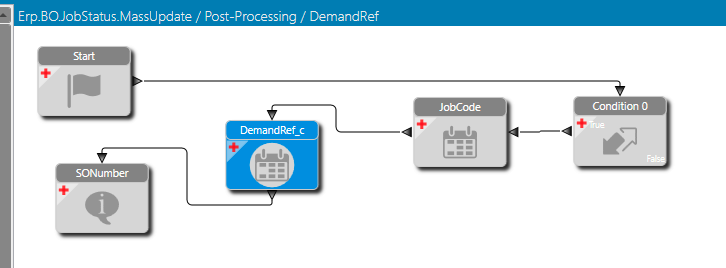
My Post just has the condition, Set Field for JobHead.JobCode and JobHead.DemandRef_c and a message.
It sounds like I need either another widget (or 2) or some C# code to do more stuff. Is that correct?
I admit I’ve not done anything more complicated than a raise exception or show message BPM.
I think you should do all in preprocessing.
You definitely won’t change anything in Post-Processing for already updated tables.
I don’t remember how BPM data form is processed, do you see your ShowMessage twice?
No, I see my preprocessing message once and then my post message once.
If I do this all with preprocessing it doesn’t seem to do anything. I get my data form, add my order number and can get my showmessage at the end but nothing updates.
I’m guessing there is where I need some kind of widget to update the fields besides Set Field.
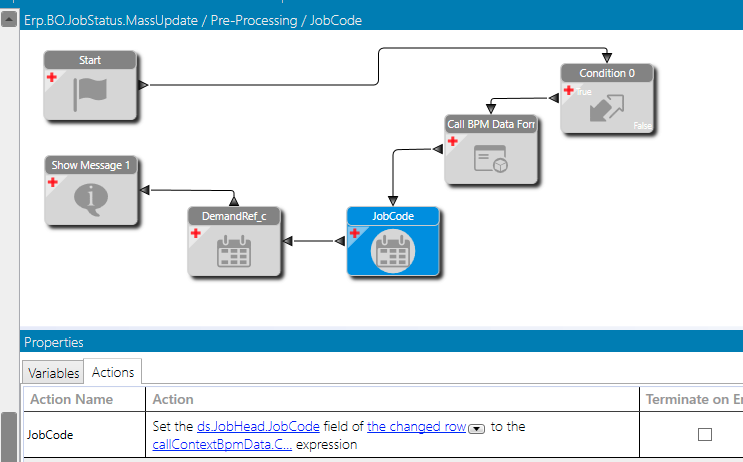
will it work if you temprorily remove BPM data Form at all? just set some test value in the field you are trying to update?
That was a great but it didn’t work. I removed the data form and just added “yes” and “no” to the two set fields. It ran, message was shown but no fields were updated.
well, it all looks wrong. disable this directive and start new one from scratch. Just Start and Set Field widgets. Maybe you miss something like calling some other method and get message from some other BPM.
Finally got a minute, doing some tests now.
I started over as you said. I built a simple preprocessing with start and set field. Set field to fill in the UD field of the changed field with “no”. I firmed 1 job and clicked Process. The field did not get updated. I’m sure the BPM is firing because if I add a showmessage at the end that gets displayed.
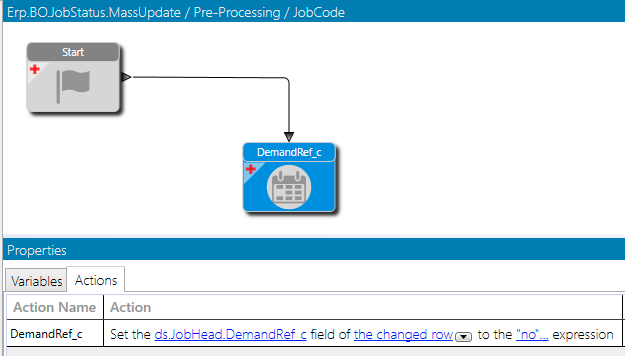
First test → Check on Condition, Set Field → Works
Second test → Check on Condition, call BPM Data Form, Set Field → Works
Third test → Check on Condition, multiple rows, call BPM Data Form, Set Field →
Fail - Only brings up one BPM data form, not one for each row & writes to all 
Interesting.
Can you show me your work flow for the second test? I can’t get that to work.
I can, but I don’t think it’s going to work like you want anyway.
When you choose multiple rows, are you getting one BPM data form, or 1 per row?
I’m getting one data form and it fills in all rows, at least temporarily.
Thats using a post BPM. I can’t get any fields to update using a preprocessing.