For displayed fields in a BAQ is it possible to set the alias rather than it be imposed by Epicor?
What’s the need for this? You have an old report or dashboard, that you don’t want to have to redo?
I was looking for the same thing due to a character limit in an SSRS query.
It is a little bit of a pain, but just add the same table twice and name the second one with the alias you want and then delete the first one you added. This way you can control the alias if needed.

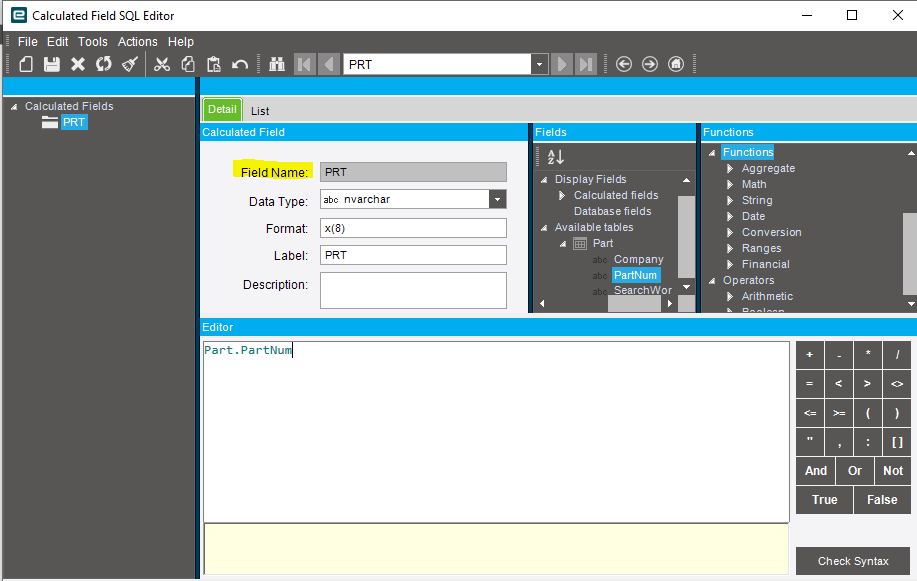
We have a large number of APIs that we are considering converting from direct SQL queries against the database (MS SQL Server 2016) to BAQs. Obviously, to not break the API fhe field names need to match the names in the SELECT statements. Being able to change the alias would mean saving a ton of work of having to pick apart the returned data and basically rename every single field of every returned record for every single API. The solution from @jkane appears to be renaming the table, not the fields.
Correct, only renaming the table. You could create each field as an expression and name it that way, but that does not seem like a workable solution.
Yes, agreed. I assume by expression you mean a calculated field, which automatically gets “Calculated_” prepended even if you don’t want it.
Yes. Shoot, I always forget about the Calculated_ part.