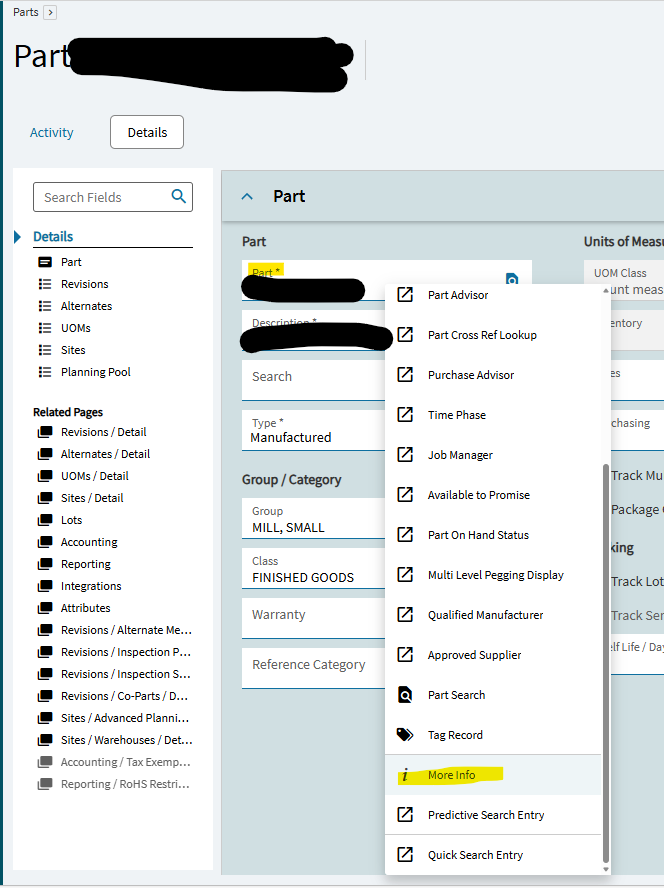
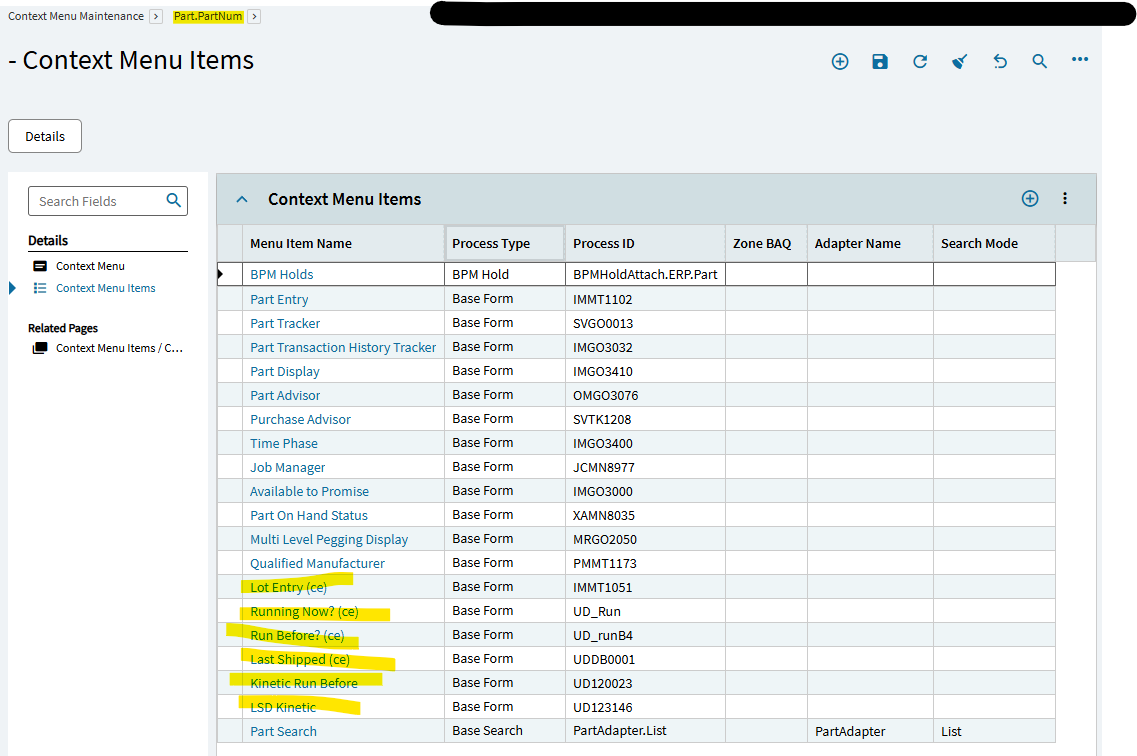
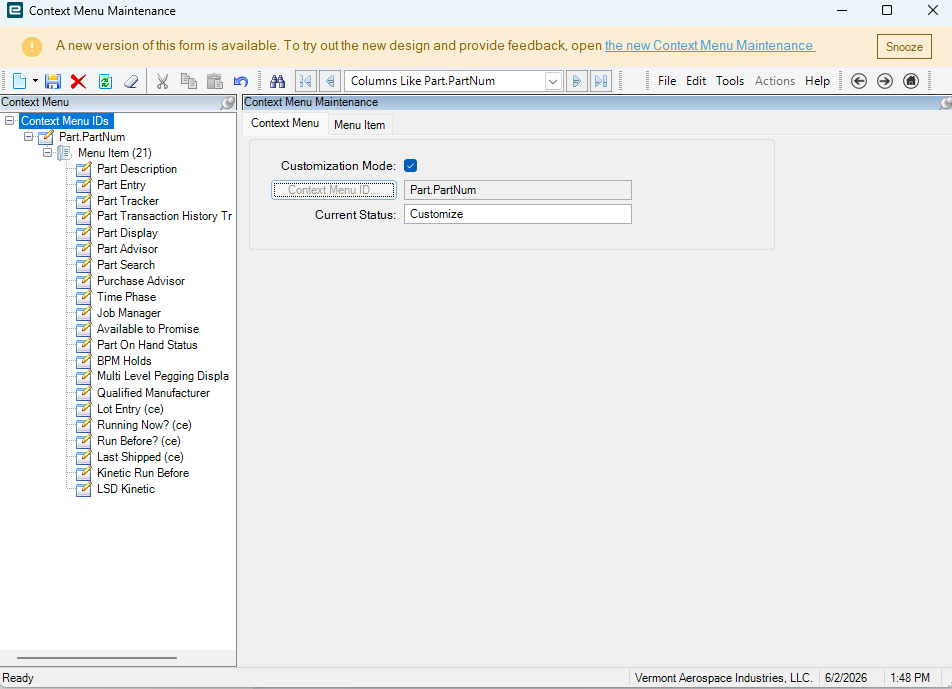
My right click context menu is not showing a menu item that other users can see. A while back, I added an item for opening a dashboard in app studio. It runs a BAQ that checks to see what jobs have been run before for the part that was right clicked on. My Part context menu does not show the missing item on my PC, but it is showing and is usable on other users PCs. To confuse things even more, where there should be a context menu item, instead i am seeing this “More Info” option that opens a slideout with the fields I expect in my dashboard.
What is this more info option?
Where are my custom context menu items?
Why would I be missing context menu items, when my coworkers can see them? (I’m security Manager)
I checked Personalization List and Delete, and I don’t have any personalization on Part Entry. I am opening the same menu item as my co worker MRMT1010. The context menus have been in there for a long time, many years in some cases. But I had edited the list to work with Kinetic earlier this year. It has been working all along, and still works for other users. So strange!
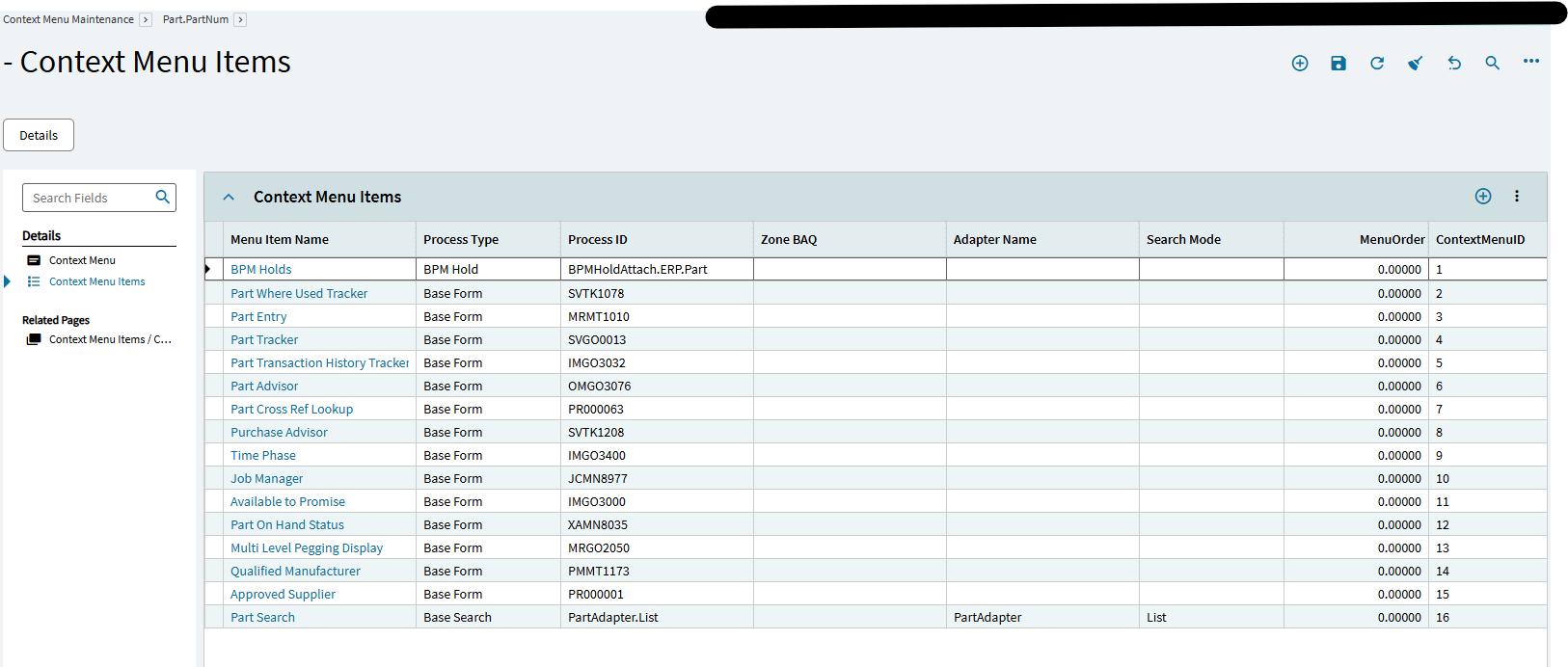
Well, I meant any personalization in Context Menu Maintenance, since they’re not even showing up for you in there! That’s the weird part. Even in the maintenance screen, they don’t even exist! For a Security Manager! Very odd.
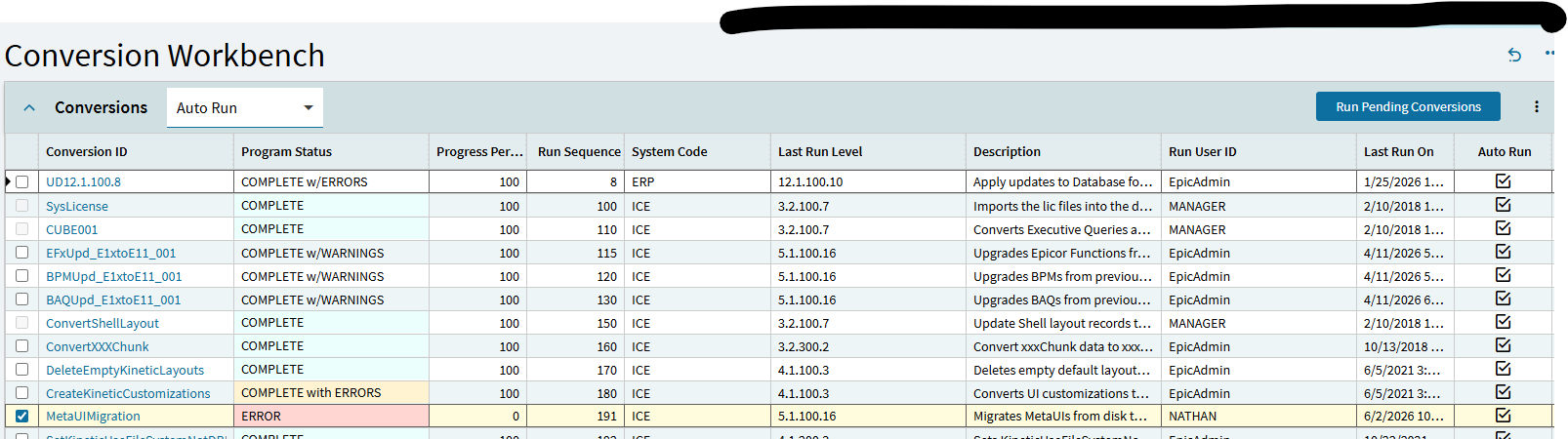
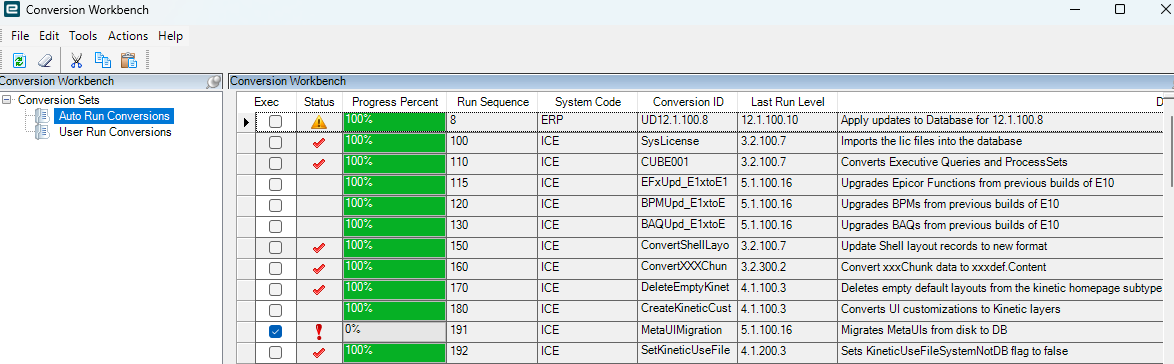
Would running the user run conversion 191 ‘MetaUI Migration’ regenerate it correctly? That would redo the cache for everyone, right? I think you could do it app by app as well in AppStudio (maybe the ‘Upgrade Selected Layers’ in the overflow)… Just spit ballin’.
Don’t run this conversion during the workday! It bricked our system. Its been almost an hour and it is still running some process that I can’t stop. Hopefully it works!
This failed with errors, but wont show the errors. Now I can’t login without running this again. It took over an hour to fail last time, so I am not going to run it again.
I found the “Progress Percent” field in Kinetic that shows the status of the task. This is helpful when you are waiting on a long running task that has locked everything up, and you aren’t sure if it’s doing anything. You can refresh and watch this percent tick up.
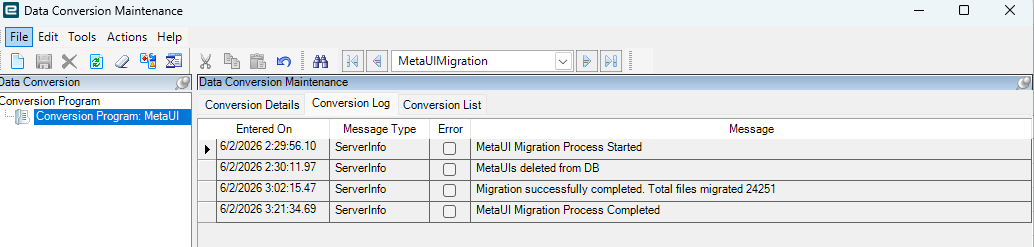
At Insights, I saw a Kinetic screen somewhere that shows the Conversion Workbench messages (and hopefully error reports), but for the life of me, can’t find it.
Support got involved and ran the conversion again. It ran faster this time and completed without errors. Opening a new ticket to talk about the context menu item issue.
IIRC from our upgrade last year, in Kinetic clicking the Conversion ID will take you to a details page where you can browse the errors. That of course assumes that it writes any.
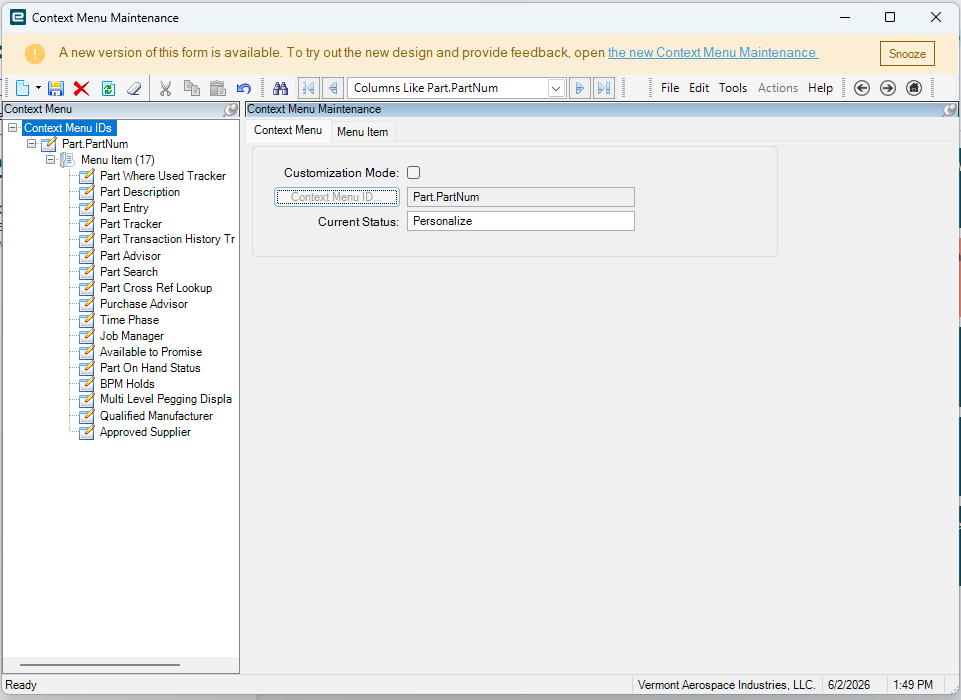
Support helped me figure out there was some kind of hidden personalization locking my context menu to the base. Once I deleted my personalization, it reverted to base and matched everyone else! Nice job support!
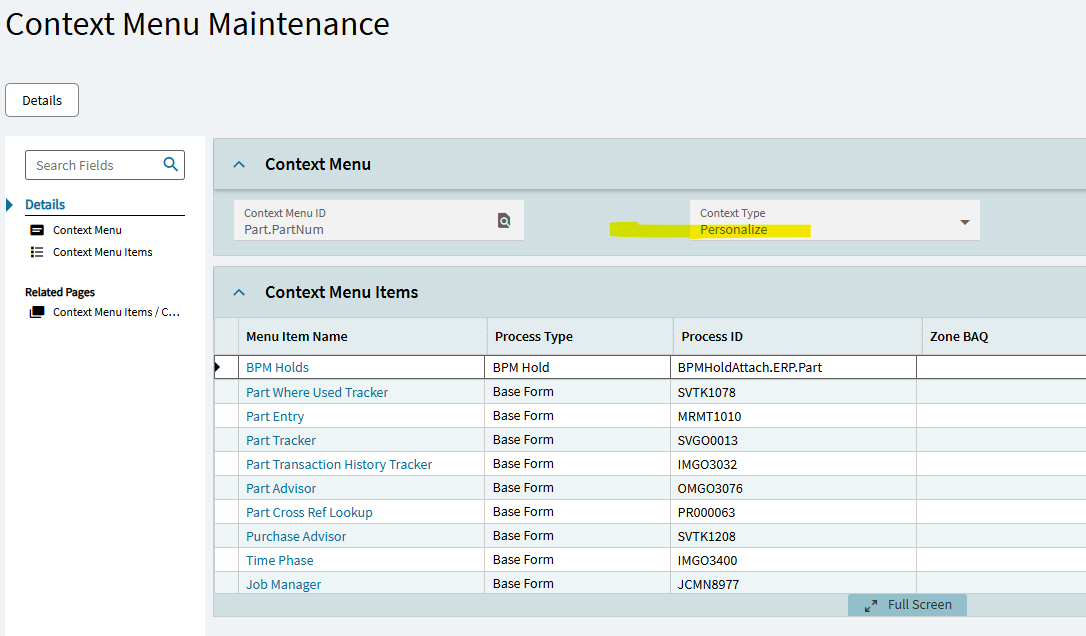
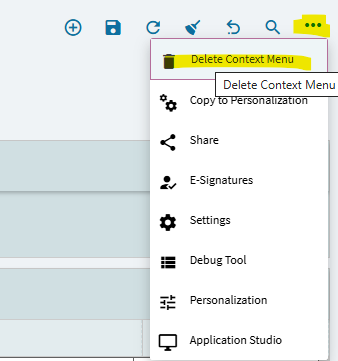
If your context menu shows Personalize instead of Customize: Go to … Delete Context Menu. it sounds like it removes the whole menu, but it just removes your personalization.
Interesting… just played with this. So, I have to assume at some point you (perhaps inadvertently) clicked the “Copy to Personalization” option. That changed my setting to read “Personalize”.
Also interesting to note, that you can create a “Customize” menu… but if you do then click the “Copy to Personalization”… it doesn’t copy the “Customized” menu, it creates a copy of the “Base” context menu which you can then personalize.
Indeed a scary wording. Feel like they need a separate tool option to “Clear Personalization”… or have the label of that tool change depending on the circumstance.
I’m a little confused on the functionality here, though. You can’t grant a standard user the ability to “personalize” their context menus (user account setting). Perhaps you could give a standard user access to Context Menu Maint. and then they could??
But apparently you can set up a Custom Context Menu (which is then broadcasted to all users)… and then a Personalized context menu for yourself? But then in Context Menu Maint… there’s no way to toggle back and forth and see both (that I can find). Personalized appears to trump Custom… but it is only for one person? And you have to delete the Personalized to get back to Custom.