I just deployed a BAQ as an application studio dashboard (or whatever we call them now). In preview mode I can right click a part number and a job number and get to the context menu. However after I save and publish, the context menu disappears, and I just get the copy/paste options. For now I have given my user the preview mode, so at least they can use the context menu, but this need to be in production. What am I missing here?
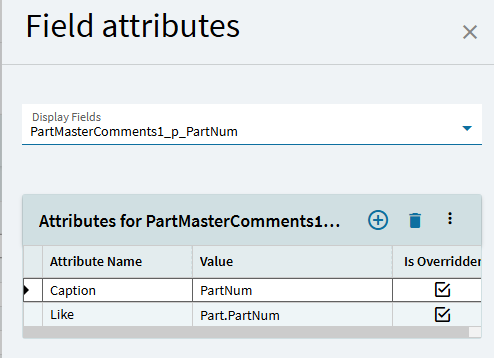
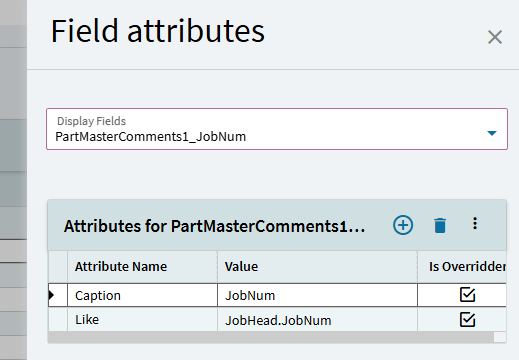
I changed the fields in the BAQ to have Like Part.PartNum, and Like JohHead.JobNum.
I have set the grid in application studio to editable.
I am not really sure what is causing the problem, but it works in preview mode, and not in published mode. I started looking at using IsLink, but seems like I am just reproducing the feature that should already be there.
I seem to remember something about collapsing / expanding the grid fixing it. I probably have a dashboard somewhere with the grid closed with an event that expands it as a work around. Obviously not an ideal solution.
This is so frustrating. I was just about to try this idea. I changed nothing, opened the application, and now context menu works on those fields. I don’t know how to make it work still.
This is wild. I have the same exact form open in two tabs. One works an one doesn’t.
I refreshed both screens. After the refresh, the screen that was working is now not working.
I collapsed the grid in both tabs. Reopened the grid, and BAMOLA! Context Menus again!
This is the solution for now! Thank you!
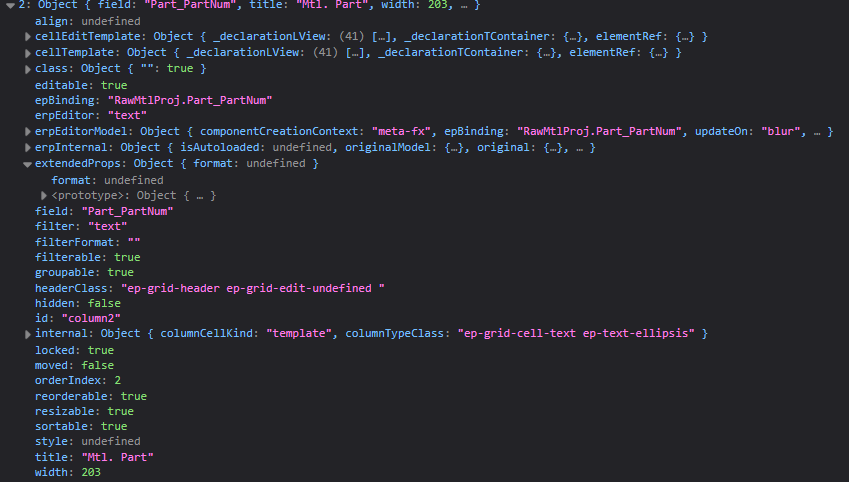
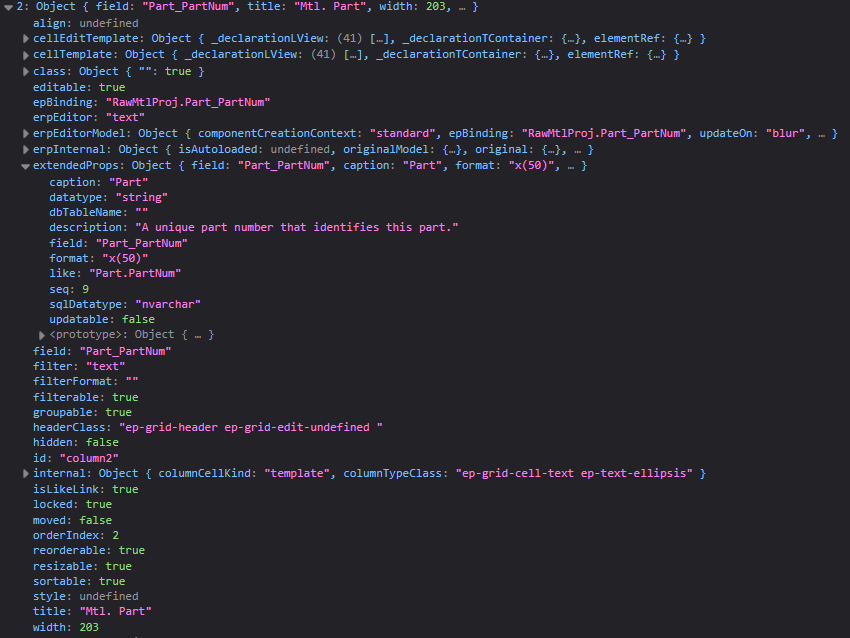
I went back to my dashboard with the issue to poke around. Looks like extendedProps aren’t being populated until after the grid is closed / opened. I’m wondering if the BAQ isn’t bringing over column definitions on initialization in some cases, like maybe an empty BAQ result set.
Did some investigating on this a while back and found the same. Then got blocked and confused about extended props in panel card header vs those on columns. Maybe devs did too. Ha.
Anyway, expand being the only grid hook is just silly. Vote
Ps - you can also just property-set like as Ben suggested
I might’ve been doing it wrong, but I wasn’t able to get it working on a grid column. I didn’t spend much more time looking into it, but would the property be something like gridModel.columns[0].extendedProps.like?