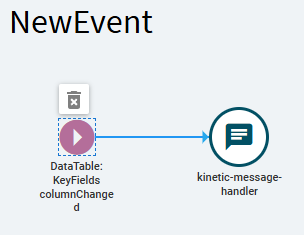
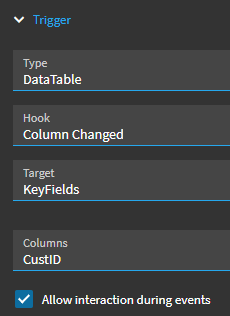
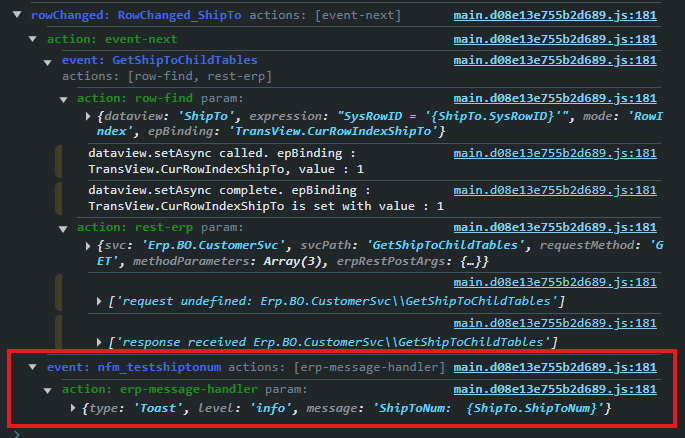
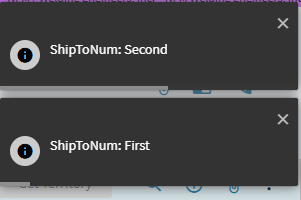
I want an event that triggers when the customer ship to* being viewed in customer entry changes. No matter what event I am choosing for my before/after/override (I’ve tried them all) trigger, I only ever get the customer ship to* number for the first record I open off the landing page. No matter how many times I go back to the landing page and select a new record, I still get the same customer ship to* number. Even though I see the event I am using as a trigger is using the same binding as I am, and is getting the correct value.
This is driving me insane, I don’t even understand how its possible. At the very least it should only lag by 1 value and use the customer number that was just closed. I cannot for the life of me understand how it gets the first record ever opened.
How would I even go about troubleshooting this issue? I’ve tried a number of events as the trigger, right now I am using the last event to appear in the debugging window after opening a record as my trigger so its as far down the chain as I can get.
If I make it trigger off a button click, it works, so its clearly a timing issue. But what I don’t understand is if its a timing issue, why does it have the correct value for the first record I open and not null?
Oops, I wrote the wrong thing – I’m trying to get the shipto ID when you are cycling through ship to records on a customer. Not sure how I wrote the wrong thing.
My guess is that whatever you’re doing is based on the CustomerSvc.Update method?
This is going to send a dataset which includes ShipToRow… and if the “row” isn’t defined, or called out in some manner (using ShipToNum), it may default to row (0) which would be the first record.
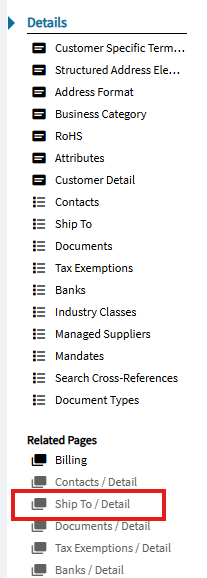
When I first open a customer, there is nothing in the ShipTo dataview. Note the ShipTo/Detail is greyed out.
It is not until I interact with the ShipTo table that a couple different events fire .
There is a RowChanging_ShipTo and a RowChanged_ShipTo event which both fire and populate the ShipTo dataview.
This sets the value of TransView.CurRowIndexShipTo to the corresponding row number on the ShipTo dataview (starting at row 0).
When I first load a customer, that transView column doesn’t even exist. Once I start interacting with ShipTo… that value is set to (0).
Changing rows in the shipTo dataview will update the value to (1), (2), etc.
I’m not sure what you’re trying to do with your custom event (setting/updating, etc.)… but perhaps exploring value being held in TransView.CurRowIndexShipTo may help?
again, when you perform a customer.update you’re sending a dataset which includes a Tablesets.ShipToRow. It could be that you’re passing a null value here, or it is always sending the default (0)??
I have a UD table that ties to Ship To ID’s. In the detail view, I have a grid that shows these values from the UD table that are tied to a particular customer + ship to id – thus in order to update what is shown in the table I need to capture when a different ship to is navigated to and what the new ship to ID is.
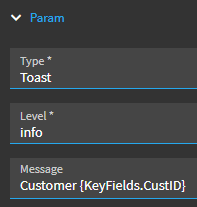
Even if my event is as simple as a messagebox with the current ship to id and the trigger is RowChanged_ShipTo I get the wrong value in the messagebox.
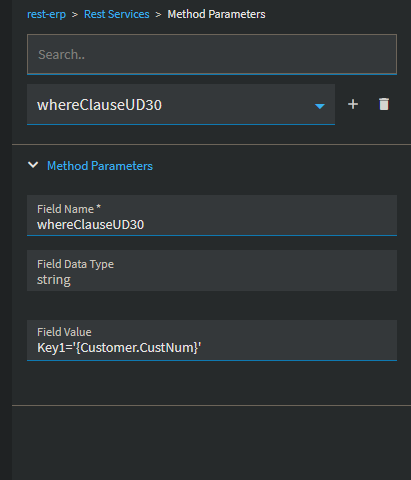
Still fighting with this type of issue. I see in the network tab it sends the previous CustNum, but the console prints the new, correct one. Same if I use a dialog show before the rest call. I tried deleting the rest call and remaking. No use.
I would recommend trying to split your event into multiple and using “event next(s)”. I know you’re using on-success between most of your actions, which, yes, should work… but I’ve found if things don’t fully resolve… putting them in a new event and calling that event on-success of the previous tends to work.
I can’t tell where in your event chain a good place might be for this break. But, its something you can experiment with.
That worked. And it was splitting it that was the fix, I copy pasted the widgets so it wasn’t the properties on those being messed up.
This no code / low code stuff is so hard to understand. I gather this issue is caused by some kind of async behavior, but its super hard to troubleshoot when the dialog or console print values put out one value, and a different one is given to the rest widget..
I’ve ran into this issue multiple times.. having to split up logic into multiple events with different triggers to get them to fire in the order I want them to. I’ve also had cases where certain actions won’t fire following an ‘OnSuccess’ behavior of a previous action-- but will fire just fine when using a blank arrow/no behavior declared after that previous action completes (specifically row-update).
Pretty sure every “low-code” environment I’ve used has forced me to spend twice the amount of time troubleshooting and debugging than if it was “only-code”