Delete selected lines in a list / grid

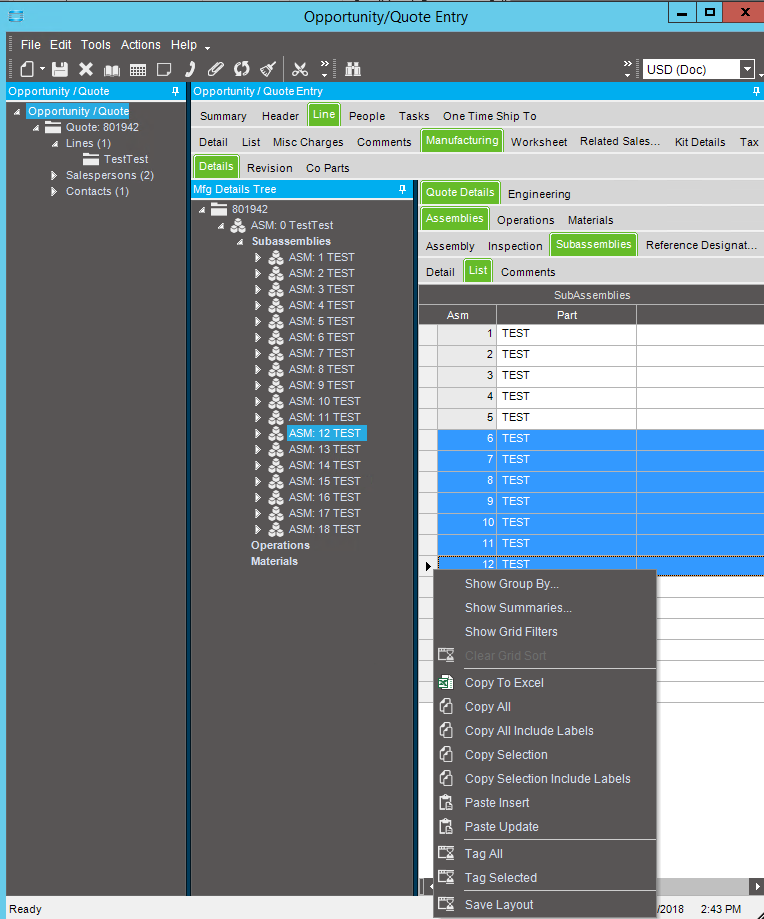
Anyone know of a way to allow for multiple lines to be delete from a list view / grid. When you select multiple rows and delete on the ribbon up top it only deletes the last row.

Would it be possible to add an option when you right click to do something like that without a tremendous amount of effort.

Currently we will delete one by one and if there is a lot that needs to be removed we will drop it in excel, delete what we don’t need, delete all rows from the control on the tree and paste insert what was in excel.

I run into this situation a lot too, gonna hurt my hand clicking delete over and over one of these days.

Requires customizing

1 Like

Do enter enhancement request for the screens that need this. However in the meantime a customization can be used to trigger on the delete menu and delete the selected row of a grid.
The DMT tool is worth its weight in gold.

It’s not exactly interactive right in the form, but the process would be:

  1. Copy all to Excel
  2. In Excel, delete the rows you want to keep (you want the excel file to be the rows to delete)
  3. Tweak column labels. You may have to add a column for Company code
  4. Launch DMT
  5. Load the excel file
  6. Choose Delete records
  7. Select Process
1 Like

Do you have more detail about it? I want to create a button for delete selected lines on the OrderDtl list. Thank you!