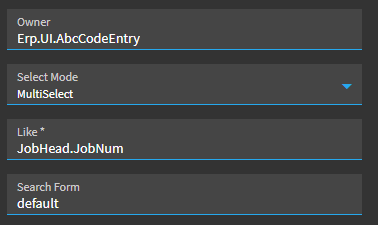
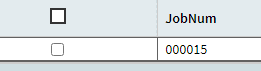
I have used this strategy, more or less, to pass a parameter to a BAQ from a layer to populate a grid. The parameter comes from a MultiSelect Job search. My issue is, it only sends/returns 1 of the selected Jobs:
I am thinking I have to build a delimited string using the dataview-condition component to loop through the dataview searchResult. Is this the best way to get each selection and pass it to the Item List parameter in my BAQ? Is there an example out there that I missed? I apologize if this has been asked already; I looked I swear but couldn’t find a post involving Item List parameters.
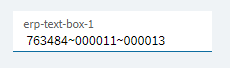
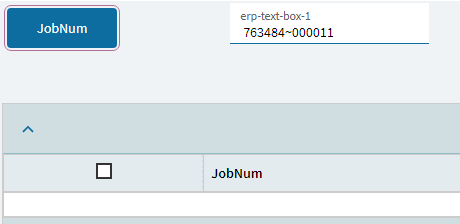
Correct, I apologize for not being clear there. I click a button that opens a multi-select search. If I choose one JobNum, it works. If I choose more than 1 it completely fails (no rows populated) even though I’m seemingly passing in the value with the ~ delimiter. I’m on the verge of just building a function
I had that the other day and I may have given up… maybe… I forget. I’d have to reference something I know that uses a search. I’ll get back to you next week if it’s not already solved by someone here.
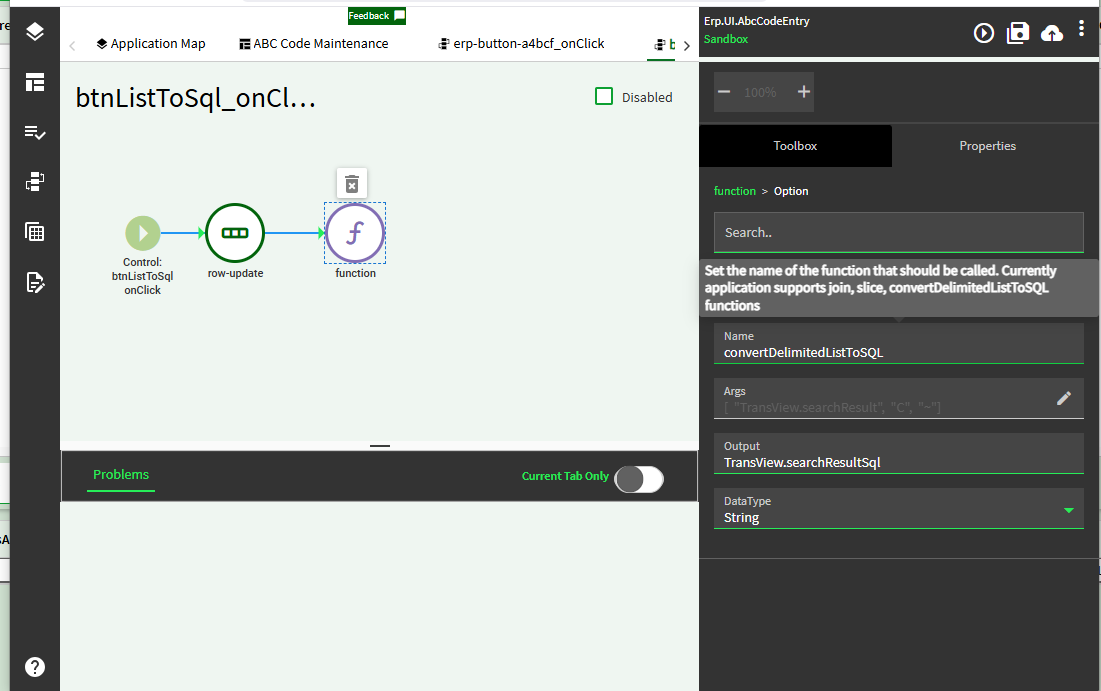
Are we sure BAQs IN clause takes a tilde separated list? I’d try comma delimiter like SQL expects. If that doesn’t work, there’s also a client-side ‘function’ action that converts list values for passing into BAQs. convertDelimtedListToSql . Oh and JobNum is char so sql expects quotes as well. The function does that too I believe.
I added a function call after the search-value-set that has input/output as string then used a simple code to “stringify” my output
var jobs = input.Split(',');

for (int i = 0; i < jobs.Length; i++)
{
  string p = jobs\[i\].Trim();
  output += "\\"" + p + "\\"";
  if (i < jobs.Length - 1) output += ",";
}
then update the TransView.Jobs field one more time with the actionResult.output and
this is what I get (ps. also changed the row delimiter in search-value-set to comma “,”)
Cool Function, even if I wasn’t able to make it work - did not realize that existed! Yeah, and sorry about the double quotes, did not test that all the way through. Been too much cloud work lately and too little SQL
and this should make it single quote
var jobs = input.Split(‘,’);
for (int i = 0; i < jobs.Length; i++)
{
string p = jobs[i].Trim();
output += “‘” + p + “’”;
if (i < jobs.Length - 1) output += “,”;
}
I couldn’t find a delimited list being sent. Will the JSON Editor allow things like constants to build a list to loop through adding an ExecutionParamer for each? So far, I’ve had no luck.
That trace is from your setup described in you first post? Meaning that what happens when you exec BAQ {TransView.Jobs} ? Or that’s a trace from the working test like after providing a list in BAQ designer.
Huh. And it worked? You got the expected multi-job results? I’m suprised, just never seen the same parameter name/value provided twice.
If that’s indeed how ‘list’ type params are handled, I think you should change the param type to simple string, keep the IN() criteria and use one of the methods to concat a valid IN string above.
I’m not aware of an easy way to make it ‘expand’ a list into many params like BAQ designer is doing. I’m sure there’s a way but I don’t know it.
Okay then I was wrong. I’m pretty sure the IN operator can take a single-quoted, comma delimited list via one of the option outlined above.
I’m not sure tho whether this is being complicated by the fact that you’re using a param and thus forced to call via rest-erp rather than baq action. But I’m curious whether one of the ConstantList options (non-parameter) makes a difference.
Don’t have time to test it or find a working example at the moment but I guess my approach would be:
figure what works for passing to IN() without using parameters then
figure out how to make that work with parmeters
like make param optional and use Where from UI instead like so:
Looking forward to y’all solving this because I think I had to us filters in the SSRS report to do it and I couldn’t get the parameter to pass, like I passed the list of jobs to filter01 in the report style criteria.
Well, sorry to disappoint, but I just created a function instead. Unfortunately, time is my enemy today . I created a function that runs the same BAQ that has the pesky list parameter:
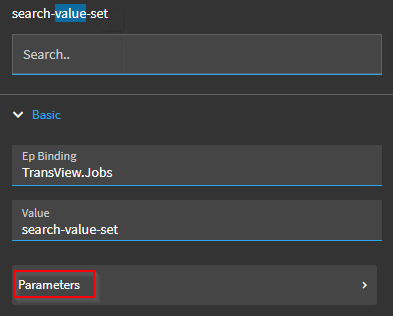
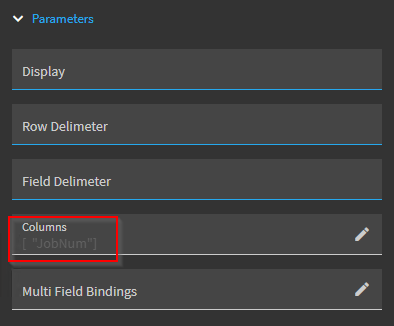
After the user selects the jobs they want to see, I pass their selections to my function using {TransView.Jobs} as populated from search-value-set that @nikba showed me, using the Row Delimiter ,
The function runs my BAQ, as shown below and returns the dataset (oDs):
Probably not the solution hoped for, but this direction does work. The function adds an ExecutionParameter for each jobnum the user selects, just like my trace showed when I manually ran the BAQ. Perhaps you can create a loop in the JSON editor and create an ExecutionParameter for each selection? I don’t know, but if you can do that, I’d definitely go that route over doing it this way. I just didn’t have time. If I shake something else out, I’ll be sure to update.
Edit: thank you everyone for your help, time, and input on this. Lots of smart humans about
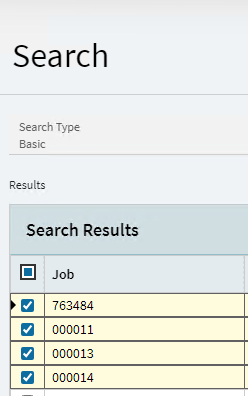
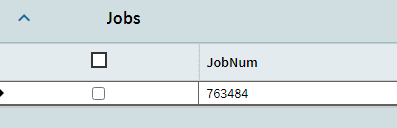
 but couldn’t find a post involving Item List parameters.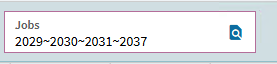
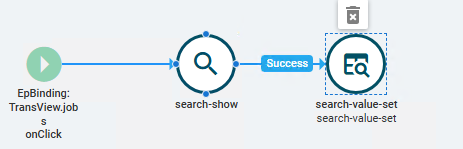






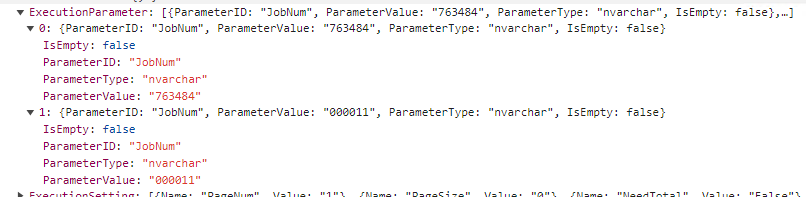
 Trace came from running my BAQ in BAQ Studio/Designer.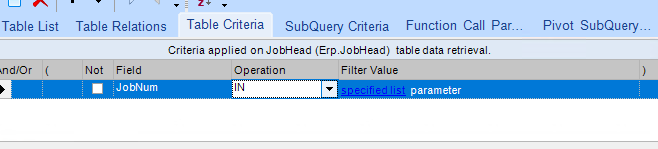

 . I created a function that runs the same BAQ that has the pesky list parameter: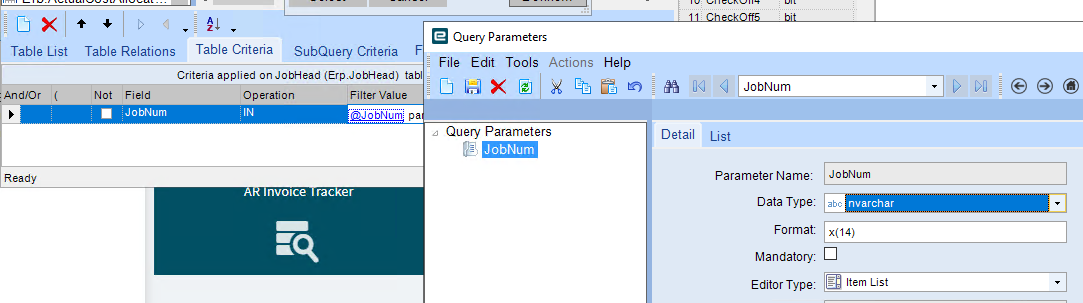
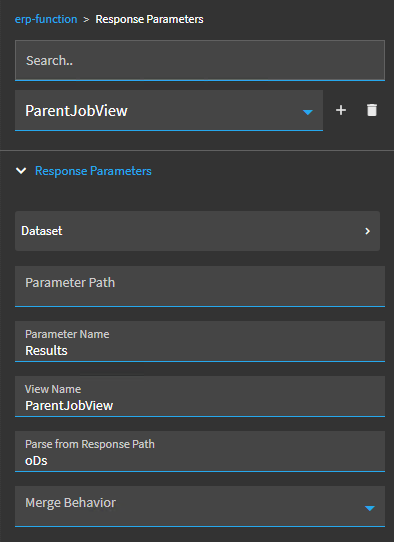
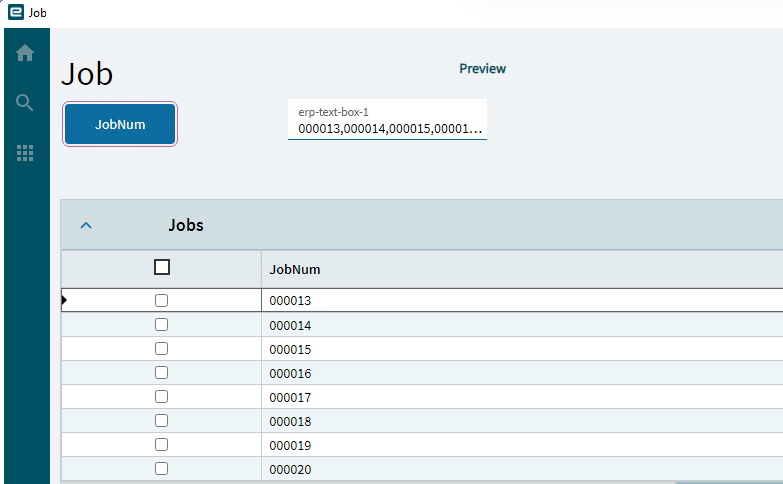
 I just didn’t have time. If I shake something else out, I’ll be sure to update.