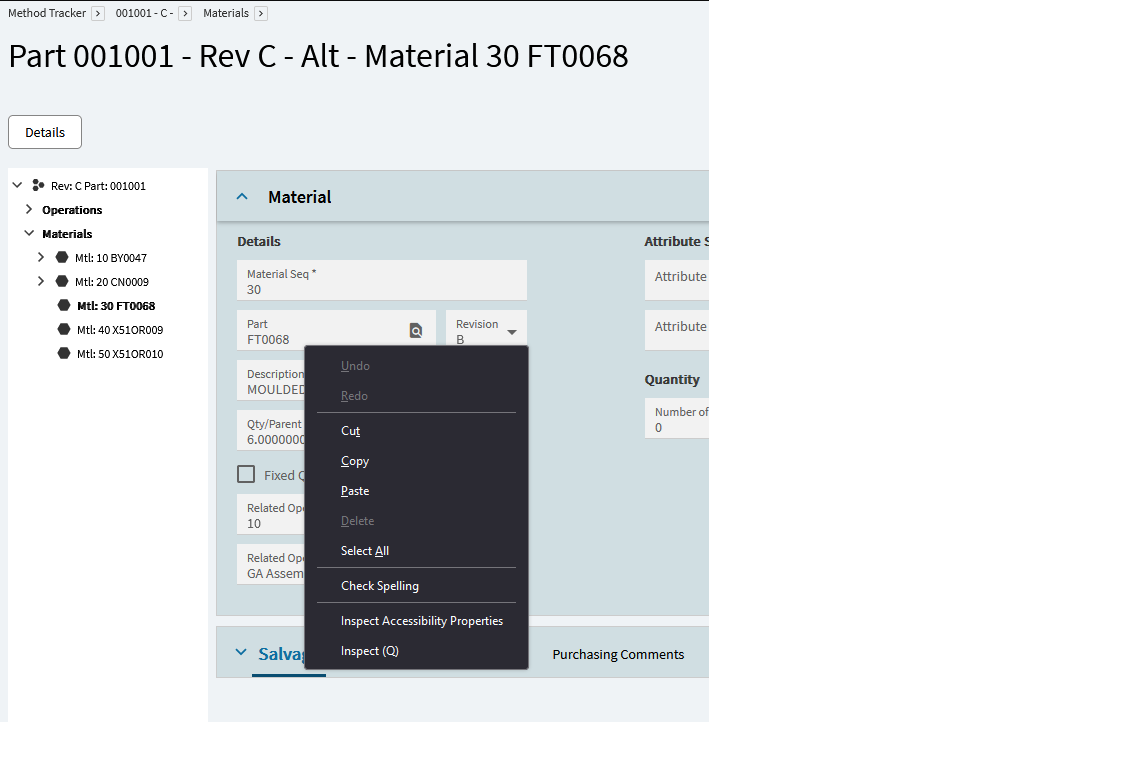
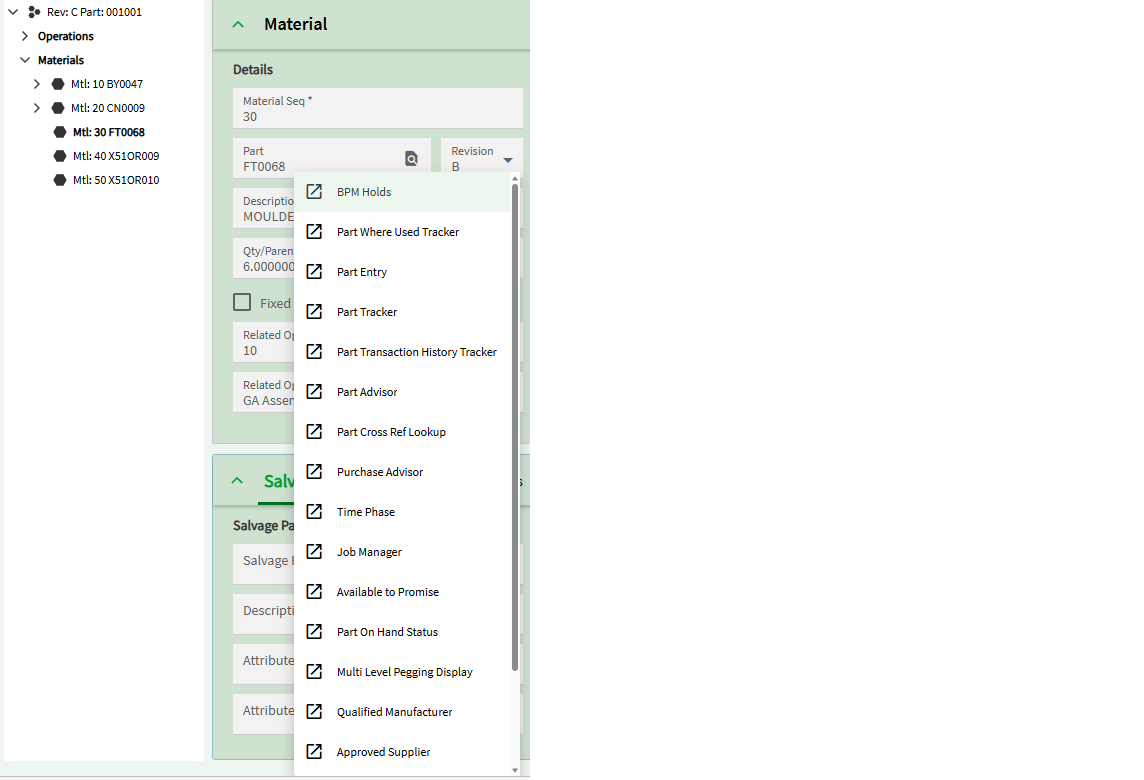
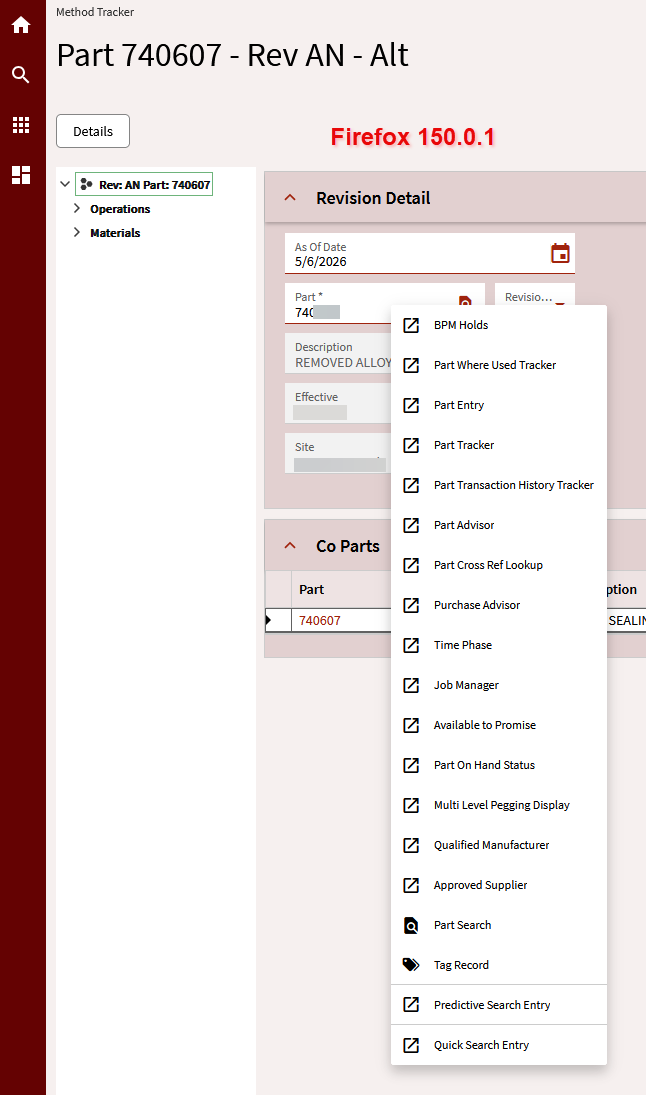
Some employees are using firefox with Kinetic and are struggling with right click menu
Example in Method tracker picking one material and right clicking brings up a standard copy cut paste menu (In Firefox in Edge it brings up and menu list)
how can we get firefox to work the same?
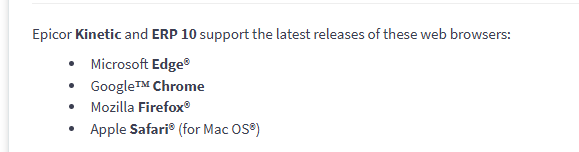
It looks like firefox is in the list of supported browsers in the help but I always tell people don’t use it because of so many strange issues like this. Have you tried reporting it to support?
I know that we test everything with Chromium based browsers. Firefox is not chromium based. There may be some Chromium based features that we use that firefox doesnt support.
Like I said, it is officially supported. Either that, or its not supported, and all the documentation and help files are incorrect (would not be surprised at all if this were the case). Either way I think its worth a support ticket for confirmation.
Google and Edge both have the concept of TABS which is part of what sidebar has. You can group your tab. That is base functionality inside Chrome, but further, you can add on the TabGroups extension (https://chromewebstore.google.com/detail/tab-groups-extension/nplimhmoanghlebhdiboeellhgmgommi?hl=en) and it allows automatic creation of tabs based on your specific definitions. I have been using tabgroups for several years, and it works well. Since i get into different environments, i have a different tab group for each.
Given the relatively small number of Firefox users I don’t see them spending time fixing this. With Chromium being the leader in browser technology that’s where I’d see them spending time.
Edit: And I agree with spending more time on Chromium support than other browser engines.
The only problem I see with that is that all of the help and knowledge base articles say that firefox IS supported. Support it or don’t, but at least provide the correct information in the documentation.
It looks like you all have taken the right steps. Delelopment has the issue. It is probably not considered super high priority since there are multiple workarounds. Also, with the exception of a few features (right click) it does mostly work. I personally do not see this as something that I want to spend my expadite capital on with the teams. Placing cases it the best way to resolve.
Yes I have passed on your views with the user concerned, like I said I always use Edge myself and it seems to work as expected thank you all for your valuable time as always much appreciated
I was able to repro this issue using Firefox. Then I realized Firefox was blocking the elements of the webpage that would allow those sub menus to appear.
Make sure any third-party blockers like Ad-Guard, uBlock, etc are disabled for your SaaS URL’s. (I’ve now set a policy to ensure *.epicorsaas.com are whitelisted).
Once I disabled those privacy browser extensions for the page & refreshed, the sub-menus appeared
I use firefox, and the right click menus for enabled controls work, but not disabled controls. So pretty much every tracker doesn’t have any working context menus.
That’s related to the way that field security is handled. Firefox treats that method more conservatively than Chrome, as in, interactions are also disabled unless opted-in. Security is reason #1 why testing in more than one browser framework is important. At least in this case it’s a fail-off outcome.
I’ve recently been seeing improvements. Some disabled fields’ right-click events are opted-in now. That’s inching through the application as support case examples get whackamole’d one by one.
Different causes of the same outcome have started randomly popping up after async and lazy loading got spackled over everything. Sometimes another latent process’s overgeneralized ‘success’ yeets the context menu override. Sometimes the context menu waits to load until the user requests it and the browser’s hops into the gap. Counting to five then right clicking again often as not produces the expected override context menu.