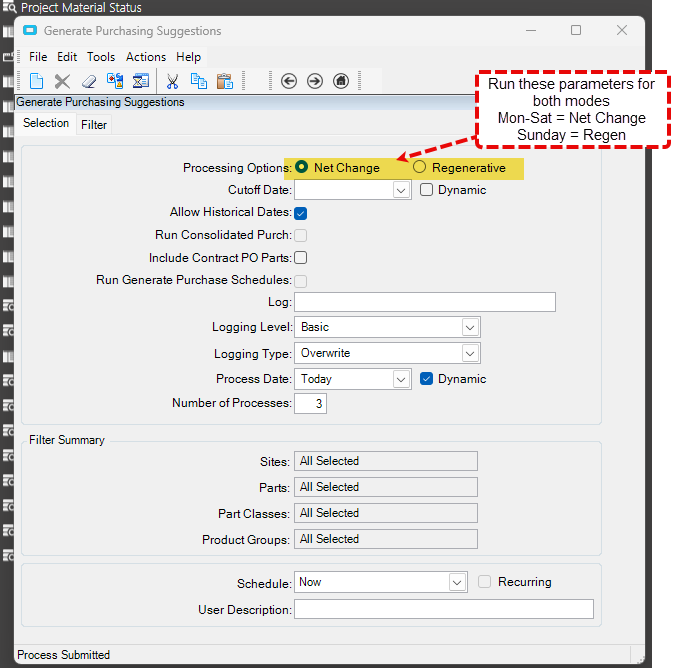
We are currently on version 10.2.600 and recently switched over from running Generate Purchase Suggestions in Regen mode nightly to running Net Change on weeknights and Full Regen mode on Sunday nights.
When we run net change with the above basic vanilla settings (filters wide open), the process fails to generate suggestions for new Purchase Direct materials requirements for engineered and scheduled jobs.
However, if I subsequently rerun the Generate Suggestions process in Net Change mode but this time with the missing PD demand parts included in the Part filter, the suggestions are successfully created.
I am to the point where I am thinking I will just develop and schedule a function to query the pending demand parts and run the process with the part filters but out of principle I wanted to try to understand why this doesn’t work. Has anyone seen this behavior before and/or have an explanation or work around for it that doesn’t require custom programming?
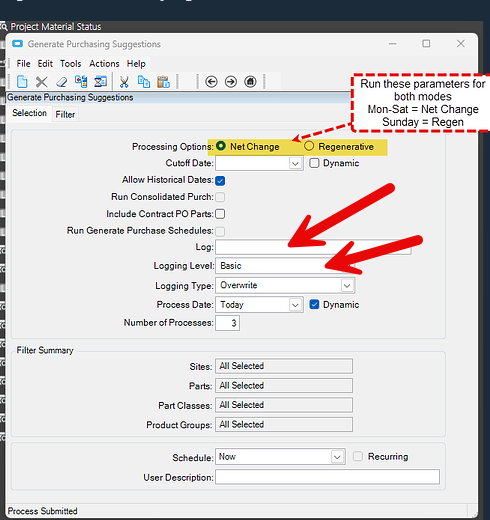
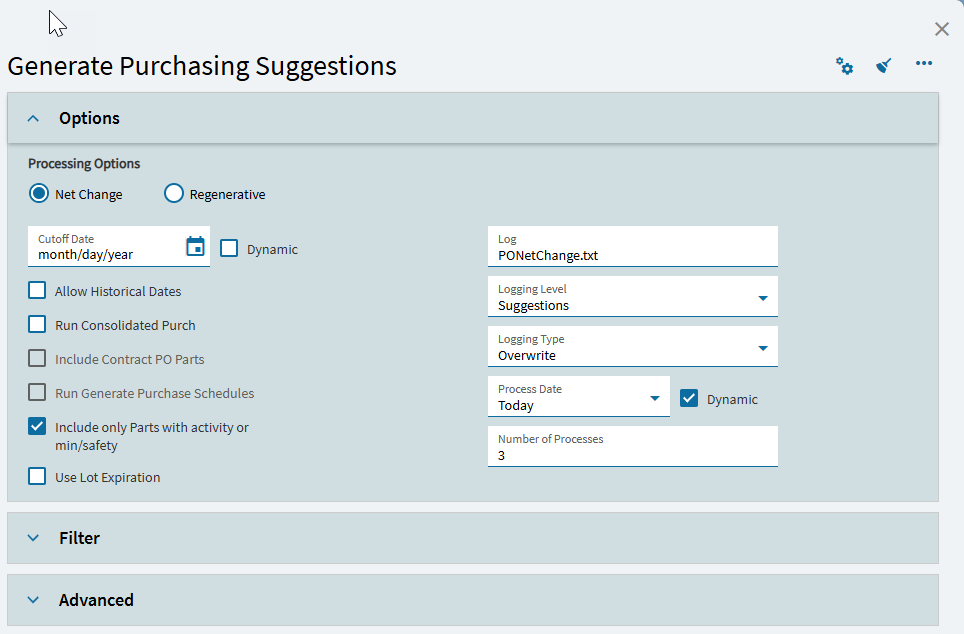
Use the logging and look through that to see if you see anything coming. Set a name, and change the logging level to the highest setting. Then run it, and go find the log in the Epicor Data folder on the server. This should give you some clues as to what’s happening.
When you run Generate PO Suggestions without specifying a part filter (i.e., leaving ItemList blank), several things change compared to specifying a part filter:
Part List and Part Run MRP flags
The GenPO header shows an empty Part List and Part Run MRP → False. Epicor therefore executes a full-site MRP pass instead of restricting to your selected parts.
In the filtered runs, the Part List is populated with your ~‑delimited string and Part Run MRP → True, so only those parts flagged to run MRP are processed.
Scope of processing
Without a filter, each MRP worker thread processes the entire candidate list for that plant. In your run88xx logs, worker 1 processed 67 parts, worker 2 processed 68 parts, and worker 3 processed 138 parts—over 270 parts in total.
With a filter, worker 3 processed 14 parts and worker 1 processed 3 parts, while worker 2 processed zero.
When we ran Generate PO Suggestions without specifying a part filter, the candidate list consisted entirely of “on‑the‑fly” parts created for project jobs. No standard manufacturing job parts with actual material demand were included. As a result, the parent job parts associated with our material‑demand parts were absent from the candidate list, which is why those materials only generated suggestions when explicitly supplied in the part filter. This explains the differing outcomes between filtered and unfiltered runs and points us to additional areas for investigation.
I tried that and the process did not set the PartPlant.MRPRecalc field on either the manufactured, parent part nor the BOM item. I manually flagged this field on the parent part record via a UBAQ, but was not able to on the BOM item as I got an error that we didn’t have the necessary license to perform the update (or something to the effect.)
I then ran Gen Suggs - Net Change and the process cleared the PartPlant.MRPRecalc on the parent part, but still no PO suggestions were generated for the BOM item.