Similar questions have been asked here, but I’m having trouble getting this right. I’m fairly new at writing custom code.
I’d like to automatically populate the Maintenance Request form with a new record when the form is opened.
I was able to use the customization wizards to bring in the GetNewMaintReq method and call it on form load.
When I enable tracing and open the form, I see that it is calling for a new request and returning the correct dataset, but nothing is populating on the form.
I’m guessing I need some additional code to take the returned data an populate it on the form? But I have no idea what that should be.
Here is the method from the wizard.
private void CallMaintReqAdapterGetNewMaintReqMethod()
	{
		try
		{
			// Declare and Initialize EpiDataView Variables
			EpiDataView edvCallContextClientData = ((EpiDataView)(this.oTrans.EpiDataViews["CallContextClientData"]));

			// Check if valid EpiDataView Row(s) are selected
			if ((edvCallContextClientData.Row < 0))
			{
				return;
			}

			// Declare and create an instance of the Adapter.
			MaintReqAdapter adapterMaintReq = new MaintReqAdapter(this.oTrans);
			adapterMaintReq.BOConnect();

			// Declare and Initialize Variables
			// TODO: You may need to replace the default initialization with valid values as required for the BL method call.
			string plant = ((string)(edvCallContextClientData.dataView[edvCallContextClientData.Row]["CurrentPlant"]));

			// Call Adapter method
			bool result = adapterMaintReq.GetNewMaintReq(plant);

			// Cleanup Adapter Reference
			adapterMaintReq.Dispose();

		} catch (System.Exception ex)
		{
			ExceptionBox.Show(ex);
		}
	}
Error: CS1061 - line 100 (235) - ‘Erp.UI.App.MaintReqEntry.Transaction’ does not contain a definition for ‘GetNewMaintReq’ and no extension method ‘GetNewMaintReq’ accepting a first argument of type ‘Erp.UI.App.MaintReqEntry.Transaction’ could be found (are you missing a using directive or an assembly reference?)
I also just tried using oTrans.GetNew() because I saw that used in other posts, but it also won’t compile.
Error: CS0122 - line 99 (234) - ‘Ice.Lib.Framework.EpiSingleViewTransaction.GetNew()’ is inaccessible due to its protection level
I took an uneducated guess at the method name and arguments. Run a trace and create a new request through the form. It will give you the exact method you need to call.
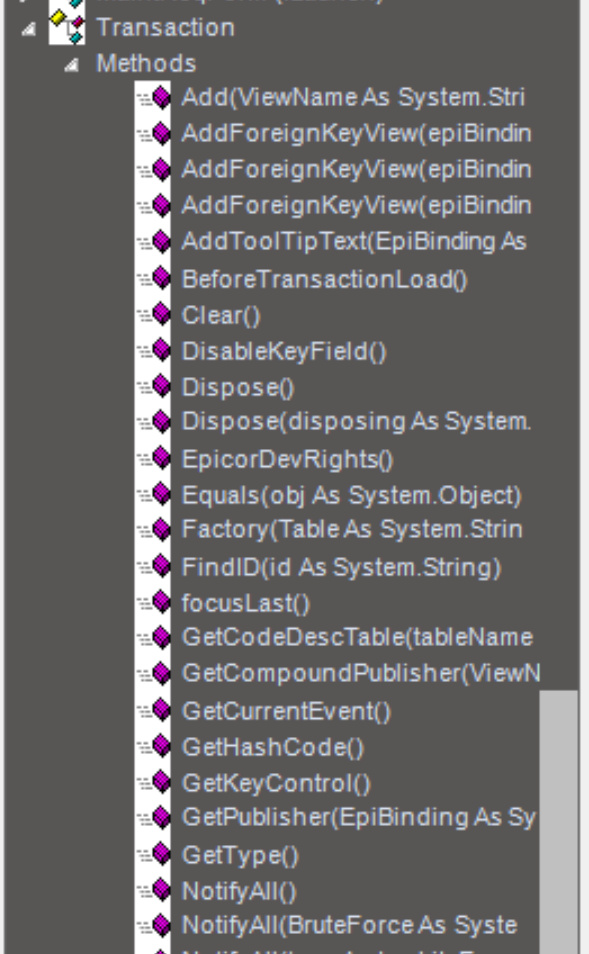
You should also be able to find the method name from within the customization, using Tools --> Object Explorer and expanding the Transaction --> Method nodes
That’s the strange thing. I tried doing that before I posted here, but I can’t find any type of “GetNew…” listed there. I do see an Add method but I’m not sure if that’s what I should use either.
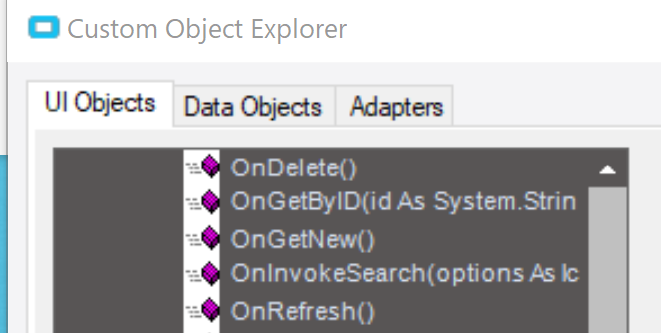
There is an “OnGetNew” method, which implies there should be a GetNew method too.
When I ran my trace, it is calling GetNewMaintReq which is why I originally used the wizard to import it. Does using the imported method not work the same way as using oTrans should?
If that fails, see if Epicor passes in the Primary Adapter like it does on Quote Entry.
// You might need to reference the dlls so it can resolve
((Erp.Adapters.MaintReqAdapter)this.oTrans.PrimaryAdapter).GetNewMaintReq(((Ice.Core.Session)oTrans.Session).PlantID);
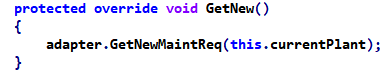
Or you use Reflection, the only reason it’s not working is because its protected