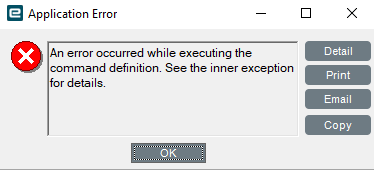
I think I have figured out a temporary workaround.
Based on my testing, it appears that any Menu that has a Kinetic Application (dashboard), and a Kinetic Customization (layer) fails or at least has the likelihood of failing. If I remove the Kinetic Customization from the menu, the base application runs successfully, but does not have the customized layer. As a result, I have swapped all of my app-open events to use the Kinetic Application and Kinetic Layer and all appear to be working currently for me (I’m still waiting on feedback from the shop users).
This leads me to believe it is an issue with Menu Security that is not working correctly. Hopefully, this may help Epicor to narrow down at least part of the issues that have been going on since the upgrade this weekend.
Hopefully this can temporarily help someone else on here as well (keep in mind this does not restrict anyone from running those dashboards since they no longer rely on the permissions of the menu item and directly run the application and layer)
On to the next issue on the pile. I’ll be sure to keep this one on the list to fix after Epicor resolves the issues.
Here is another issue…
App studio Combobox Text Label will revert to Dataview Caption text after 4-5 row changes.
Some Combobox Label Text fields refuse to display text in Preview but show in Designer
CS0005247044 - App Studio Combo Box Label reverting to Caption
Regarding SSRS Report fail after upgrade. Removing the Calc_*** fields worked for ARForm. Any help with PAckslip report error ? Not sure where to look for ‘key’ - RunTask:
System.ArgumentNullException: Value cannot be null. (Parameter ‘key’)
We just noticed that some Invoices are not posting in AR. When I look into the error in Monitor, I see this text:
Error: System.Reflection.TargetInvocationException: Exception has been thrown by the target of an invocation.*
—> System.Data.Entity.Core.UpdateException: An error occurred while updating the entries. See the inner exception for details.*
—> Microsoft.Data.SqlClient.SqlException (0x80131904): Violation of PRIMARY KEY constraint ‘PK_HXPkgControlItem’. Cannot insert duplicate key in object ‘Erp.HXPkgControlItem’. The duplicate key value is (IFR, ID94972, 0, 1).*
The statement has been terminated.
I can see one PCID mentioned there…
I believe it is connected to the Packslip issue (but it requires another solution). Anyone else with this error?
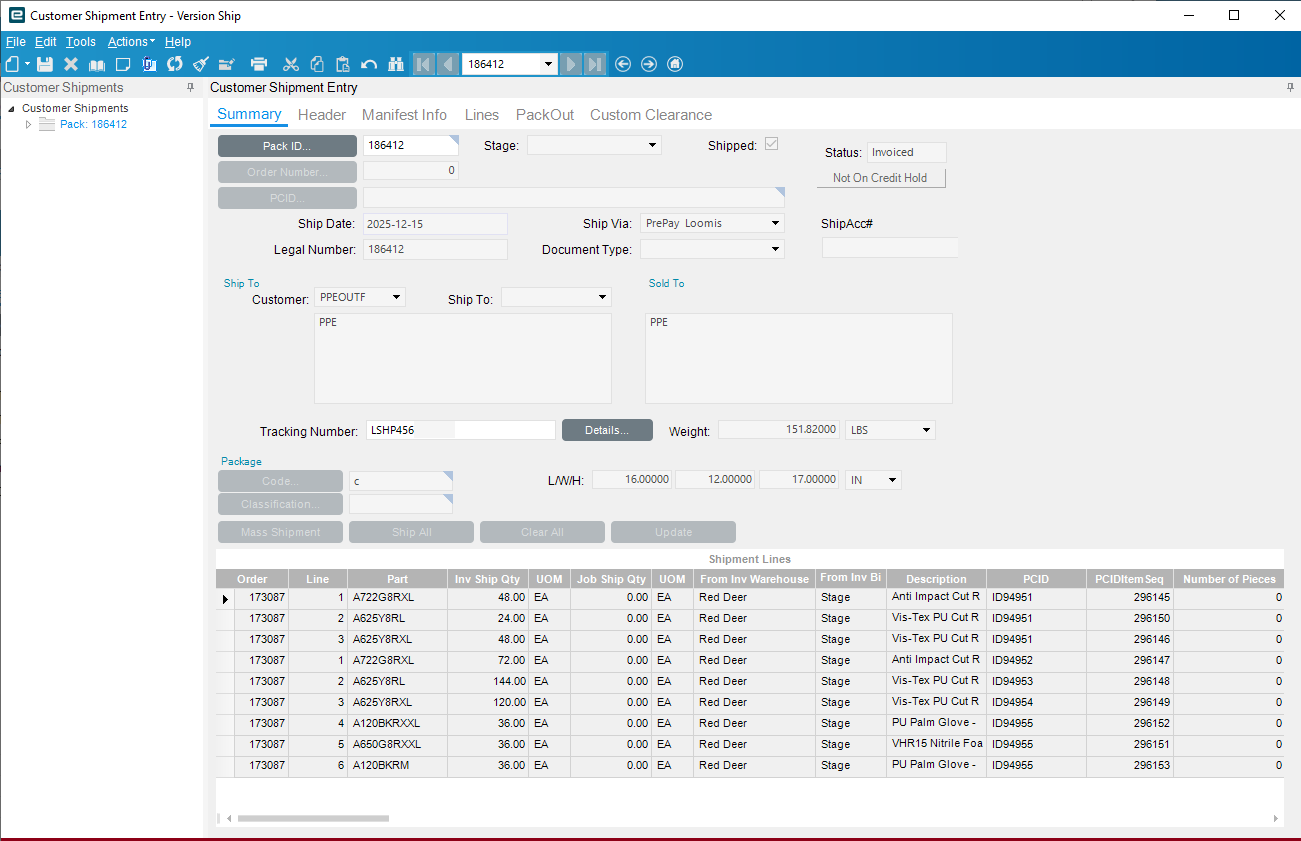
Well, we ship everything with PCIDs. I’m still trying to find a common factor among the unposted invoices. At first, I thought they might involve Phantom Packs, but that’s not the case—most of them aren’t related to shipments with Phantom Packs.
There is a workaround for Packslip ‘Parameter key’ value null error running Packslip reports.. Props to [josecgomez] who provided the workaround they reference in the Support ticket .. Ticket response: The reported issue is linked to PRB0308509.
A hotfix was initially planned for Kinetic 2025.2.7; however, the solution is more complex than originally expected. Development is finalizing the code fix, which will be included in the upcoming Kinetic 2025.2.10 update.
Until then, the safest and least disruptive approach to print custom PackSlip SSRS reports involving phantom packs is to apply the workaround documented in the following epiusers. help thread.
Epicor just replied my case (after Escalate) and said its connected to PRB0309483. This is the Problem description: Able to duplicate in current code 12.2.100 Unable to duplicate in last release 12.0.100.19 Problem Description: If you Transfer Inventory from one Site to a different Site. Then use those PCIDs to Ship a Sales Order. You will get an error when you Post the Invoice that you create. You can see this error in the System Monitor. Expected Behavior: You should be able to ship PCIDs that were Transferred. Exact Error Message: Violation of PRIMARY KEY constraint ‘PK_HXPkgControlItem’. Cannot insert duplicate key in object ‘Erp.HXPkgControlItem’. The duplicate key value is (EPIC06, LSE1, 0, 1) Additional Info: Seems to be related to having a 0 in the PCIDItemSeq in table HXPkgControlItem if the PCID has been Transferred. Recommended Process: N/A Business Impact: The users are not able to use PCIDs for Transfers because that will cause the Invoice to fail and they will not be able to Invoice their Customers and this leads to a loss of money and time tracking this down. Software and Database Info: Kinetic 2025.2.8 Customer’s Version: 2025.2.6 Able to Recreate in Training (Y/N): Y Version Number Tested in Training: 2025.2.8 Broken with upgrade/update? (Y/N): N Last version where it worked properly: N/A Log Included: N/A
I am also dealing with another issue in Shipping related to Credit Card orders. These orders trigger an unexpected error pop-up that stops the shipment process.
After encountering this issue on several orders and retrying multiple times, we discovered that the credit card charges were actually processed successfully—even though they do not appear in the Credit Card Transactions report. The payment processor does show the charges, and as a result, we had to reverse approximately $15,000 in duplicate credit card charges.
I later realized that once the credit card charge is authorized, Epicor creates and posts the invoice. So, If my other error occurs during this posting process, probably it causes the Customer Shipment Entry screen to crash and stop the shipment, even though the credit card authorization was successful.
We experienced something similar to this in 2025.1 so its not entirely new but I can feel your pain. We got no where with what was causing it despite opening multiple Epicare tickets. Thankfully our users learned quickly to try it once and don’t try it again so the amount we had to refund wasn’t super high.
Actually I just got a chat with the Shipping Manager, because I want to make sure this, and no, we don’t transfer inventory between sites… just between Bins. The weird we handle all the PCID’s the same, not sure why at the end some invoices get that error and some others not.
CS0005249977
Engineering Workbench lost the Final Operation and Auto Receive to Inventory checkboxes on the Operations Detail view. I tried to fix it by adding them to a customization, but any customization layer on the Engineering Workbench menu item gives me the following error when trying to use Express Checkout or the Engineering Workbench buttons from the Part > Revisions.
There is no active menu available for the app Erp.UI.EngWorkBenchEntry and layer combination, The menu may either be disabled or access has been revoked. Please contact the system administrator.
Any thoughts or ideas to get this back without breaking the Part > Revisions buttons are greatly appreciated.