Kinetic 2022.2.1 User Choice banner not showing

I would like to encourage our users to start using the Kinetic UI.
I am having trouble getting the “User Choice” banner to show up for Sales Order Entry.

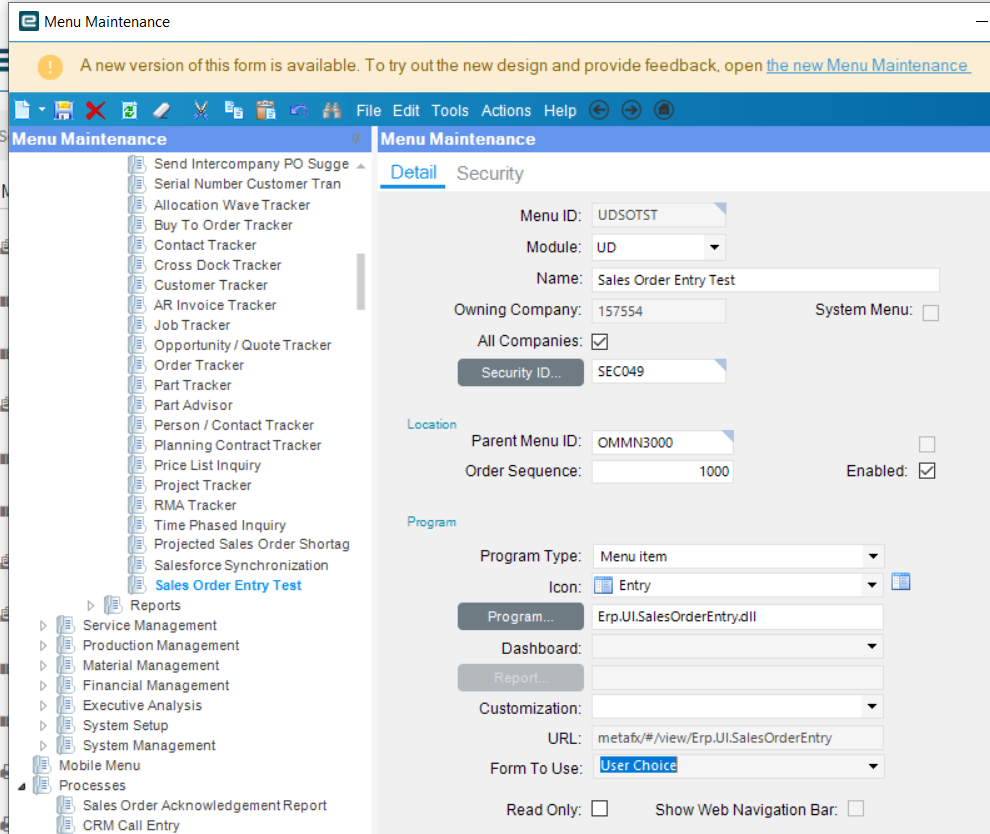
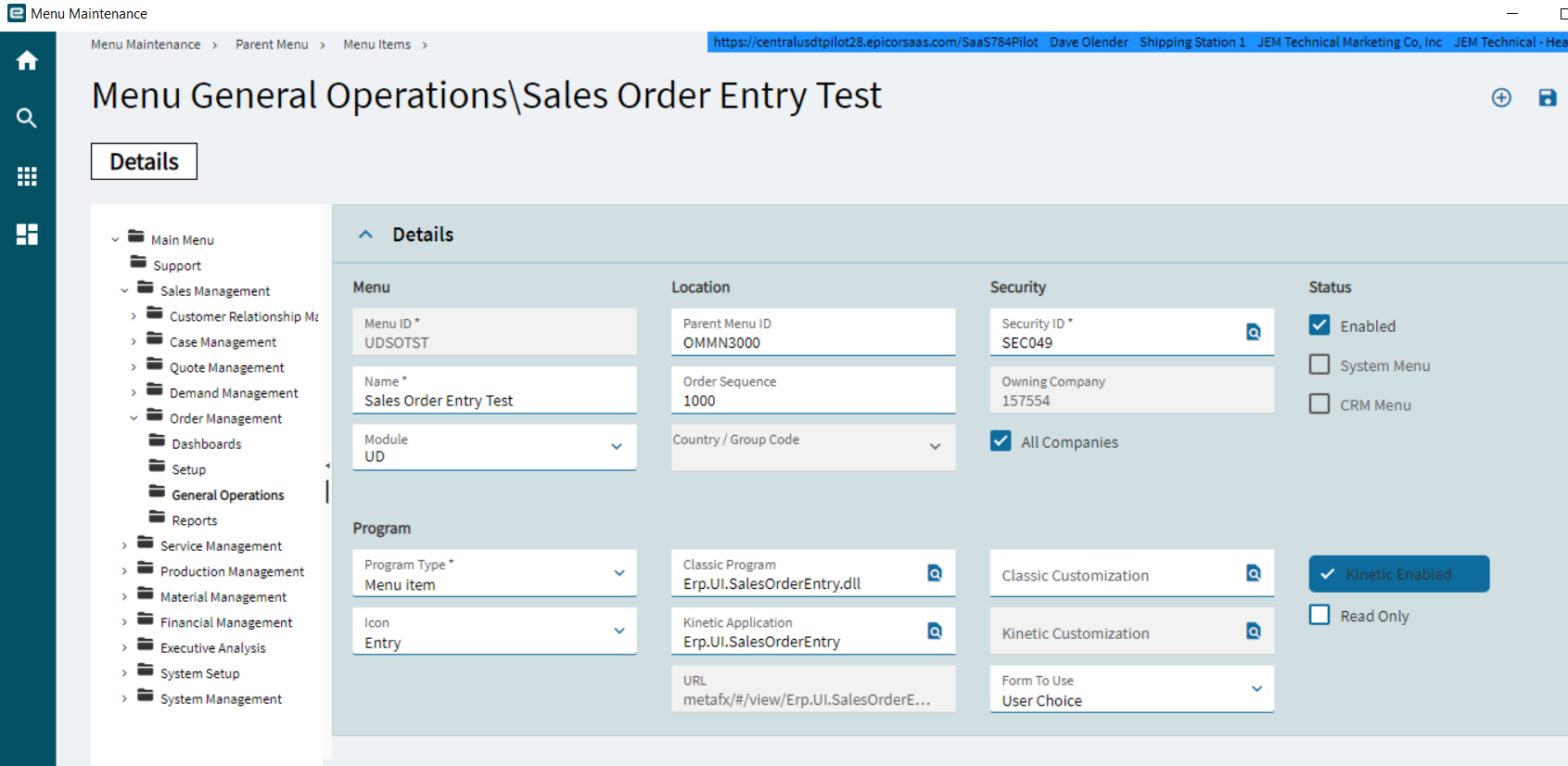
I did go into the Kinetic Menu Maintenance and set the Form to Use as “UserChoice” and My user is set as “UserChoice”. However when i open our Sales order entry - i only see our classic form.

Any suggestions welcome.
DaveO

Is it customized? I believe if it is, it won’t even ask? Can’t recall.

Mr. Joshua: it is customized.

I did Delete personalizations for the Order Entry for myself.
I also cleared my client cache.

I also tried switching to “Developer Mode” and loaded the “Base” for Order Entry and I am not seeing the Banner.

DaveO

The banner is based on Menu item arguments so even opening it in base might not work. Try deploying base to a menu item for kicks and open that see if you get it?

I tried adding a new menu item (No customization) and now when i open sales order entry I get Kinetic UI - No Classic (with option for Kinetic).

Oh I just looked at 2022.2 part of the title. Yeah I’ve noticed something different happening there as well. I think they are starting to pull the choice part of it. Maybe @bconner or @Edge can confirm if that behaviour has changed.

1 Like

When i set my profile to “Classic” then i get the Kinetic Banner just for my Test Sales Order Entry.

The Customized version still only show Classic and no Banner.

I went back and changed My Profile setting to “UserChoice” and my Test Sales Order only comes up in Kinetic UI.

Aaaaaarg!

DaveO

Well if it helps here is their logic for when to show that.

internal bool ShouldShowKineticAlert
{
    get
    {
        if (((this.MenuItemDS == null) || (this.MenuItemDS.Tables.Count <= 0)) || (this.MenuItemDS.Tables[0].Rows.Count <= 0))
        {
            return false;
        }
        DataRow menuRow = this.MenuItemDS.Tables[0].Rows[0];
        string menuArgs = menuRow["Arguments"].ToString();
        return ((((FormFunctions.CanLaunchKineticForm(menuRow) && FormFunctions.OkToUseKineticForm((Session) this.Session, menuArgs)) && ((menuRow["MenuType"] != DBNull.Value) && string.Equals((string) menuRow["MenuType"], "MAINMENU", (StringComparison) StringComparison.OrdinalIgnoreCase))) && (string.IsNullOrEmpty(FormFunctions.GetArgumentValuePerToken(menuArgs, "c")) && string.IsNullOrEmpty(FormFunctions.GetArgumentValuePerToken(menuArgs, "be")))) && this.HasSnoozeExpired());
    }
}
internal static bool CanLaunchKineticForm(DataRow menuRow)
{
    string str = menuRow["OptionType"].ToString();
    if ((!str.Equals("I", (StringComparison) StringComparison.InvariantCultureIgnoreCase) && !str.Equals("N", (StringComparison) StringComparison.InvariantCultureIgnoreCase)) && ((!str.Equals("Q", (StringComparison) StringComparison.InvariantCultureIgnoreCase) && !str.Equals("D", (StringComparison) StringComparison.InvariantCultureIgnoreCase)) && !IsPureKineticMenuRow(menuRow)))
    {
        return false;
    }
    return !string.IsNullOrWhiteSpace(menuRow[WebResourceURLFieldName].ToString());
}
internal static bool CanLaunchKineticForm(DataRow menuRow)
{
    string str = menuRow["OptionType"].ToString();
    if ((!str.Equals("I", (StringComparison) StringComparison.InvariantCultureIgnoreCase) && !str.Equals("N", (StringComparison) StringComparison.InvariantCultureIgnoreCase)) && ((!str.Equals("Q", (StringComparison) StringComparison.InvariantCultureIgnoreCase) && !str.Equals("D", (StringComparison) StringComparison.InvariantCultureIgnoreCase)) && !IsPureKineticMenuRow(menuRow)))
    {
        return false;
    }
    return !string.IsNullOrWhiteSpace(menuRow[WebResourceURLFieldName].ToString());
}
1 Like

You can’t get the banner if there is a customization attached to that form. What we’ve done for forms we want people to test in Kinetic is have them go in through the browser - then everything is in Kinetic. Doesn’t work for functionally customized forms obviously - in that case you must redo the customization in kinetic for them first. But for minor cosmetic stuff its fine.
3 Likes